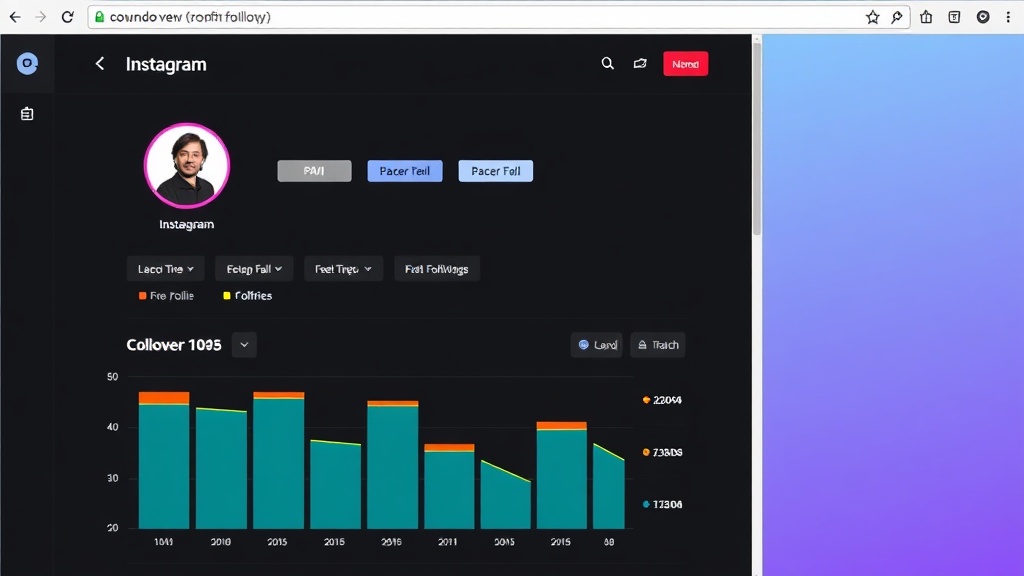
You notice someone's gone from your follower count, and your brain immediately wonders: who was it? Instagram doesn't tell you directly—and that's 100% intentional. The platform hides this information to protect user privacy and keep engagement metrics less obvious. But that doesn't stop the curiosity, and honestly, lots of people want to check who doesn't follow back instagram for legitimate reasons: cleaning up their Following list, understanding their audience, or just satisfying that natural need to know. The good news is that 2025 tools are far more reliable than the old workarounds people used five years ago, and we'll walk through both the free manual method and faster solutions.
Why Instagram Hides This Data (And What You Can Actually See)
Instagram's native interface doesn't include a "Who unfollowed me" list or notification. It's a deliberate design choice. The company knows that showing unfollows in real-time would create anxiety, trigger unnecessary drama between accounts, and make follower counts feel less stable—which would ultimately hurt engagement and the appeal of the platform itself.
What you *can* see are your Followers and Following lists. You can go into your profile, tap Followers, and scroll through who's currently following you. Same with Following. That's the raw material Instagram gives you. But cross-referencing two lists manually? That's tedious at scale, and Instagram doesn't offer a native comparison tool.
Instagram updated the Followers list feature in 2023 to let you sort followers by "Least Interacted With" and "Earliest," which is useful for identifying accounts you might want to unfollow—but it's not the same as seeing who specifically unfollowed you.
The Native Way to Check Who Doesn't Follow Back on Instagram
Here's the manual method if you want to stay entirely within Instagram's app. It works best for accounts with fewer than 1,500 followers. Beyond that, you're looking at a seriously tedious evening.
- Open your Instagram profile and tap the Followers count.
- Screenshot or mentally note a few accounts from your Followers list (or open a notes app and jot down names).
- Go back to your profile and tap the Following count.
- Search for those same accounts in your Following list. If they don't appear, they've unfollowed you.
- Repeat this process for everyone you want to check. Yes, it's exactly as painful as it sounds.
Honestly, this only works if you've got a small, manageable following. For anyone with a few thousand followers, you'll lose patience by account #47. And Instagram doesn't let you export either list to a spreadsheet, so you're stuck comparing them in your head or doing the pencil-and-paper approach.
The upside? It's completely free and requires zero permissions beyond what Instagram already has.
Faster Solutions That Don't Require Instagram's App
Web-based tools and browser extensions exist specifically to handle this comparison in seconds instead of hours. The key difference between trustworthy options and sketchy ones is how they access your data.
Legitimate tools sync with your account through OAuth—that's the same secure login method you use when apps ask "Sign in with Google" or "Sign in with Instagram." This means the tool never sees your actual password. It receives permission to read your public follower and following data, does the comparison on its servers or locally, and shows you the results. No fake follower claims. No promises to "grow your account 10x." Just functionality.
When evaluating any tool, check for recent user reviews from 2024 or 2025. Avoid anything that requires your password directly, makes guarantees about follower growth, or uses vague language about "optimizing" your account. Read the permissions it's asking for—if a tool needs access to your messages or posting ability, that's a red flag.
And here's the thing: not all solutions work at the same speed or accuracy. Some sync your follower lists continuously so they catch unfollows from hours ago. Others require a manual refresh each time. Continuous tracking is better if you want to catch unfollows in near-real-time, but it uses more resources.
What to Do Once You've Found Your Non-Followers
Now that you know who doesn't follow back, you have a choice: unfollow them or leave it alone. Neither is wrong.
If you decide to clean up, you can unfollow in bulk using most tools designed for this purpose, or go through Instagram's Following list and unfollow one by one. Some people do this quarterly. Others do it once and never think about it again.
Here's the perspective that actually matters: unfollows are normal. People unfollow for dozens of reasons that have nothing to do with your content quality. They're cleaning their feed. They followed you by accident. They're taking a break from Instagram. They changed their interests. None of it is personal.
So don't spiral over a few unfollows. Unfollowing people who don't follow back is optional, not essential for growth. It's housekeeping, not strategy.

Instagram Unfollow AI
If comparing your follower lists manually sounds miserable, this free Chrome extension scans both lists and identifies non-reciprocal followers instantly—no password needed, just one click to unfollow in bulk.
Try It Free →Frequently Asked Questions
Does Instagram notify someone when you unfollow them?
No. Unfollowing is silent. The person won't get a notification, and they won't see it on their activity log. They'll only notice if they check their follower count and recognize your name is gone—which most people never do.
Can you see who unfollowed you after a specific date?
Not directly through Instagram. Some third-party tools track your followers over time and can tell you who unfollowed recently, but only if you set up tracking beforehand. If you're checking for the first time now, you'll see who doesn't follow back currently, not the exact timeline of when they unfollowed.
Is it safe to use third-party apps to check who doesn't follow back?
It depends on the tool. Reputable solutions use OAuth login (not password login) and have transparent privacy policies. Check user reviews from recent dates, look at what permissions it's requesting, and avoid anything that seems overly complex or makes unrealistic promises. When in doubt, stick with the manual method or use established tools with clear documentation.
How often should you check who doesn't follow back on Instagram?
That's entirely up to you. Some people do it once and forget about it. Others check quarterly to clean up. There's no rule saying you need to do this regularly. It's a personal preference based on how much you care about your Following list being reciprocal.
Conclusion
The manual method of comparing your Followers and Following lists is free and works—but only if your following is small. For anything larger, you're looking at significant time investment. Third-party solutions handle the comparison instantly, and if you choose a trustworthy one, the process is both quick and safe.
But here's the real takeaway: cleaning up your Following list is optional. Unfollows happen constantly, and they don't mean your content isn't good. If you decide to use this information, do it quarterly, not obsessively. Set a calendar reminder every three months if you want to stay on top of it, then move on with your life.
























