
WhatsApp Web Privacy Guard
Enhance your privacy and security while using WhatsApp Web. Protect your messages from prying eyes with locking, hiding, and message blurring features. Perfect for office workers, shared computers, and anyone concerned about WhatsApp Web privacy.
Why Choose WhatsApp Web Privacy Guard?
Discover the powerful privacy and security features that make WhatsApp Web Privacy Guard the best solution for protecting your WhatsApp Web privacy
WhatsApp Web Lock (Smart Lock)
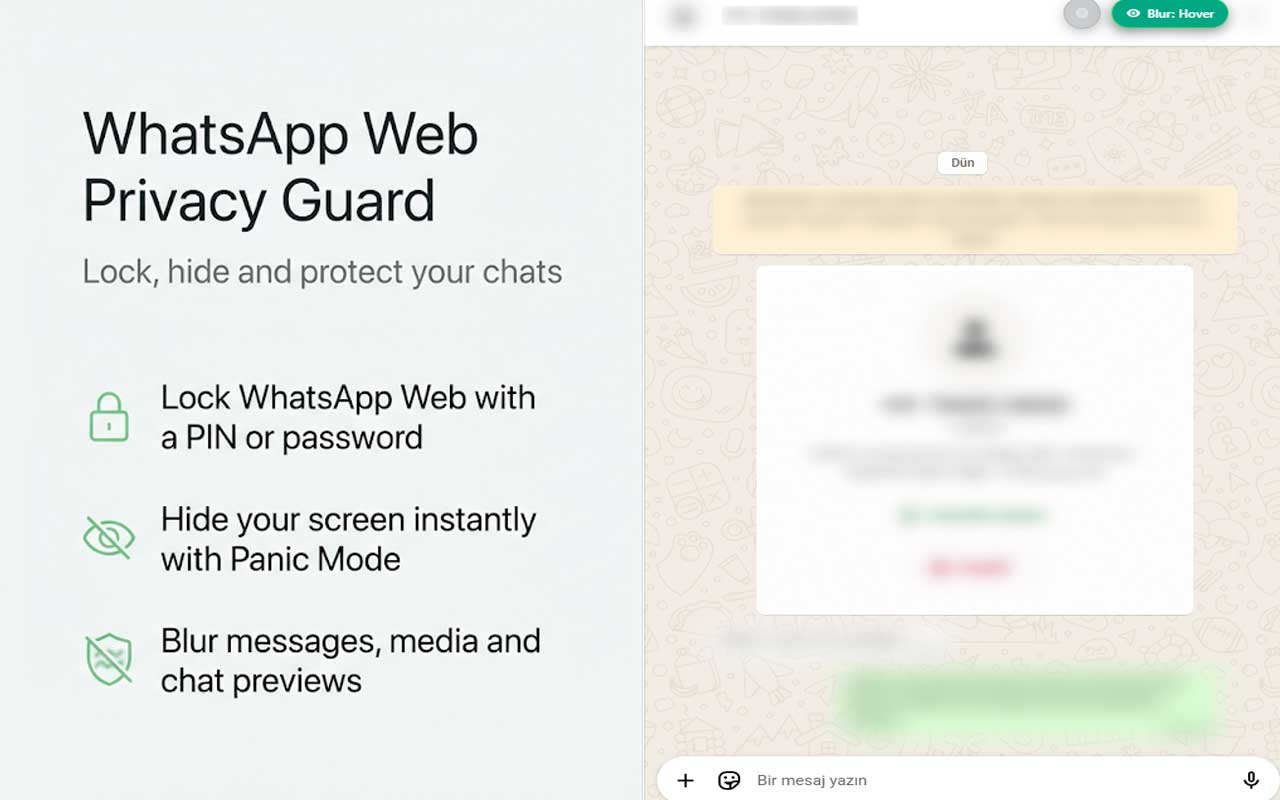
Lock WhatsApp Web with a PIN or password. Automatically lock after a period of inactivity, when switching tabs or minimizing the browser. Includes temporary lock after multiple failed attempts and trusted device option for enhanced security.
Panic Button – Instant Hide
Instantly hide WhatsApp Web with a single shortcut. Display a realistic Google Docs or Excel screen to protect your privacy. Activate privacy protection in seconds using keyboard shortcuts like Alt + Shift + X.
Message & Media Blur
Automatically blur message content, photos, and videos for extra privacy. Hide contact names and chat previews. Reveal content temporarily on hover or click when you need to read messages discreetly.
Ghost Mode – Private Reading
Helps prevent read receipts while viewing messages. Designed to reduce typing and online status triggers. Experimental privacy-focused feature that gives you more control over your WhatsApp Web presence.
Keyboard Shortcuts
Quick access to privacy features with convenient keyboard shortcuts. Use Ctrl + L to lock WhatsApp Web instantly, or Alt + Shift + X to activate Panic Mode for immediate privacy protection.
Privacy & Security
All settings are stored locally in your browser. No data is sent to external servers, and message content is never shared with third parties. Your privacy is completely protected with WhatsApp Web Privacy Guard.
See WhatsApp Web Privacy Guard in Action
Take a look at how WhatsApp Web Privacy Guard protects your privacy while using WhatsApp Web

How WhatsApp Web Privacy Guard Works
Getting started with WhatsApp Web Privacy Guard is simple and takes just a few minutes
Install Privacy Guard
Add WhatsApp Web Privacy Guard to your Chrome browser with one click. The extension is completely free and installs in seconds from the Chrome Web Store.
Customize Your Settings
Configure your privacy preferences. Set up a PIN or password for locking, adjust auto-lock timing, enable message blurring, and customize keyboard shortcuts to match your workflow.
Use WhatsApp Web with Confidence
Start using WhatsApp Web with enhanced privacy protection. Lock your screen when away, use Panic Mode for instant privacy, and blur messages when needed. Your privacy is now in your control.
Who Is WhatsApp Web Privacy Guard For?
WhatsApp Web Privacy Guard is perfect for anyone who needs enhanced privacy and security while using WhatsApp Web
Office Workers
WhatsApp Web Privacy Guard helps office workers protect their personal messages while using WhatsApp Web at work. Lock your screen when away from your desk, blur messages from prying eyes, and use Panic Mode for instant privacy.
Shared Computer Users
If you use shared or public computers, WhatsApp Web Privacy Guard is essential. Lock WhatsApp Web when you step away, hide it instantly with Panic Mode, and ensure your messages remain private.
Privacy-Conscious Users
Anyone concerned about WhatsApp Web privacy can benefit from this extension. Protect your messages from being seen by others, control your online presence with Ghost Mode, and maintain your privacy in any environment.
Users with Visible Screens
If your screen may be visible to others, WhatsApp Web Privacy Guard provides essential protection. Blur messages automatically, hide WhatsApp Web instantly, and lock your screen to prevent unauthorized access.
Start Using WhatsApp Web Privacy Guard Today
Join thousands of users who are protecting their WhatsApp Web privacy with this powerful extension. It's completely free and takes just seconds to install.
Add Privacy Guard to Chrome - FreeNo credit card required • 100% Free • Instant installation
Everything You Need to Know About WhatsApp Web Privacy Guard
WhatsApp Web Privacy Guard is a Chrome extension designed to enhance your privacy and security while using WhatsApp Web. It helps protect your messages from prying eyes when using WhatsApp Web in offices, shared computers, or public environments. This extension combines WhatsApp Web locking, hiding, and message blurring features into one simple and powerful tool.
What is WhatsApp Web Privacy Guard?
WhatsApp Web Privacy Guard is a powerful privacy and security extension built specifically for WhatsApp Web. It provides multiple layers of protection including screen locking, instant hiding with Panic Mode, message and media blurring, and Ghost Mode for private reading. The extension is designed to give you complete control over your WhatsApp Web privacy.
Key Features of WhatsApp Web Privacy Guard
The WhatsApp Web Privacy Guard offers several powerful privacy features:
- WhatsApp Web Lock (Smart Lock): Lock WhatsApp Web with a PIN or password, automatically lock after inactivity, lock when switching tabs, and include temporary lock after failed attempts.
- Panic Button – Instant Hide: Instantly hide WhatsApp Web with a single shortcut, display realistic Google Docs or Excel screen, and activate privacy protection in seconds.
- Message & Media Blur: Automatically blur message content, photos, and videos, hide contact names and chat previews, and reveal content temporarily on hover or click.
- Ghost Mode – Private Reading: Helps prevent read receipts while viewing messages and reduces typing and online status triggers.
- Keyboard Shortcuts: Quick access with Ctrl + L to lock and Alt + Shift + X for Panic Mode.
- Privacy & Security: All settings stored locally, no data sent to external servers, and message content never shared with third parties.
Why Use WhatsApp Web Privacy Guard?
Using WhatsApp Web Privacy Guard offers several advantages for anyone concerned about privacy while using WhatsApp Web. The extension helps protect your messages from being seen by others, gives you control over your online presence, and provides instant privacy protection when needed. With local data storage, your privacy is completely protected.
How to Get Started with WhatsApp Web Privacy Guard
Getting started with this WhatsApp Web privacy solution is simple. Install the extension from the Chrome Web Store, customize your privacy settings, set up a PIN or password, configure keyboard shortcuts, and start using WhatsApp Web with enhanced privacy protection.
Is WhatsApp Web Privacy Guard Safe?
Yes, WhatsApp Web Privacy Guard is completely safe to use. All settings are stored locally in your browser, no data is sent to external servers, and message content is never shared with third parties. Your privacy and security are our top priorities.
Best Practices for WhatsApp Web Privacy
To get the most out of WhatsApp Web Privacy Guard, it's recommended to:
- Set up a strong PIN or password for locking WhatsApp Web
- Configure auto-lock timing based on your usage patterns
- Use Panic Mode keyboard shortcuts for instant privacy protection
- Enable message blurring when your screen may be visible to others
- Use Ghost Mode when you want to read messages without triggering read receipts
- Lock your screen whenever you step away from your computer
WhatsApp Web Privacy Guard is the perfect solution for anyone looking to enhance their privacy and security while using WhatsApp Web. Download it today and start using WhatsApp Web with confidence!
Disclaimer: This extension is not affiliated with, associated with, endorsed by, or sponsored by WhatsApp or its parent company. WhatsApp is a registered trademark of WhatsApp LLC.
Explore Our Other Chrome Extensions
Discover more powerful tools to enhance your browsing experience

Instagram Unfollow AI - Manage Unfollowers Effortlessly
Instagram Unfollow AI detects those who don't follow you back and helps you unfollow them to optimize your account easily.

X Unfollow AI – Manage Your Twitter Following List
Manage your X (Twitter) following, detect users who don't follow you back, and unfollow safely with smart filters.

TikTok Unfollow AI - Mass & Auto Unfollow All, Everyone & Non-Followers
See who doesn't follow you back on TikTok, then bulk unfollow all, everyone or only non-followers. Safe pacing, one click.

WASendly – WhatsApp Bulk Message Sender
Send bulk and automated WhatsApp messages safely and easily with WASendly.

WASendly – WhatsApp Contacts Extractor
Easily export WhatsApp contacts and group members to Excel, CSV, or vCard.

ExportPal - Save & Export ChatGPT, Claude, Gemini to PDF & Word
Save & export ChatGPT, Claude, Gemini, Grok, DeepSeek & Perplexity to PDF, Word, Markdown, HTML, JSON or Image. Private & free.

Followgap - Instagram Unfollowers Tracker & Unfollow Non-Followers
Find who doesn't follow you back on Instagram. Track unfollowers & mass unfollow non-followers in one click.

FollowStack – Instagram Toolkit for Desktop
Instagram toolkit for desktop. Track unfollowers, upload stories from PC, download media, and manage Instagram.

TeleSendly - Telegram Bulk Sender, Scraper & Member Adder
Send bulk Telegram messages, scrape group members to Excel and add members to groups. Safe speed limits, works in Telegram Web.

Rosterbox - IG Follower & Following Export List to CSV, Excel
Export IG follower and following lists, likes and comments to CSV, Excel or JSON in one click. Fast, private, no password.

Roostbox - Twitter/X Exporter: Tweets, Followers, Bookmarks & Archive
Export tweets, replies, likes, bookmarks and followers from any Twitter/X account to Excel, CSV or JSON. No API key needed.

TokExport - TikTok Follower List, Following & Comment Export Tool
Export TikTok follower and following lists, video comments and post stats to CSV or Excel. Resume long exports.

ChatGPT Speed Booster
ChatGPT Speed Booster is a free Chrome extension that fixes slow ChatGPT performance in long conversations.

Instagram Follower Export Tool
Export Instagram followers, following, likes, and comments to CSV or Excel in one click

PromptJolt – AI Prompt Enhancer for ChatGPT, Claude & Gemini
Rewrite any AI prompt into a clear, structured version in one click. Press Ctrl+M on ChatGPT, Claude or Gemini. 50+ languages, free.

IGFollow AI - Auto Follow
IGFollow AI is an AI-powered tool to grow your Instagram. Boost engagement and expand your audience effortlessly

Backgap - Threads Followers Tracker & Mass Unfollow
See who doesn't follow you back on Threads, protect the accounts you want to keep, and tidy your following list at your own pace.

Backly — Unfollower Tracker for Instagram
See exactly who doesn’t follow you back on Instagram, protect the accounts you care about, and unfollow the rest at a safe, adjustable pace.

FeedRank – Instagram & TikTok Feed Sorter
Sort Instagram & TikTok feeds by likes, views, comments or date. See post stats at a glance and find viral content fast. Free.

Instagram Auto Follow
AI-powered Instagram auto follow tool to boost engagement, grow followers, and expand your audience effortlessly.

Claude Speed Booster
Fix slow Claude.ai in long conversations. Speed Booster hides older messages to stop lag, freezing & high memory use — instantly.

TokSweep - TikTok Repost Remover & Bulk Cleaner
Remove TikTok reposts in bulk. See the full list first, pick what goes, and set your own pace. Nothing goes without you.

ChatPilot – ChatGPT Bulk Delete, Archive & Timestamps
Bulk delete & archive ChatGPT chats, add message timestamps and navigate conversations fast. Clean up ChatGPT in one click.

Extract AI – Email Extractor
Email Extractor helps you find visible email addresses on websites and works locally with no tracking or data collection.

Prompt Trove — Visual AI Image Prompts Gallery
A visual gallery of AI image prompts. Use them instantly in ChatGPT, Gemini, Sora, and Nano Banana.

Crawlhive — SEO Audit, Site Crawler & Technical SEO
Audit any page, then crawl the whole site: indexability, duplicate titles, orphan pages, click depth and Core Web Vitals. Your pages are never uploaded.

Clickaroo - Mouse Effect Designer
Transform your cursor with stunning click effects & animations. Perfect for streamers, presenters & content creators.

InkShot — Webpage Screenshot & Draw Tool
InkShot is a free screenshot Chrome extension that lets you capture full page screenshots, visible viewport, or selected areas

Detechtor AI - Website Technology Checker & Tech Stack Detector
Detechtor AI checks what any website is built with — CMS & WordPress theme detector, frameworks, analytics, CDN, tech stack.

Numsift — Bulk WhatsApp Number Checker & Validator | Export to Excel
Bulk check which numbers are on WhatsApp. Validate lists, filter by country, spot business accounts, export to Excel or CSV.

Clearbox — Bulk Chat & Message Deleter for Instagram
Delete all your chats and messages on Instagram in bulk. One click, and the chats you protect stay untouched.

Araç Data Merkezi — Used Car Valuation & Damage Check for Sahibinden
See what a car on Sahibinden is really worth: market value for the exact trim, how damage and repaint move the price, and the engine's known faults. Turkish interface, Turkey market.

SignedRise - Professional Email Signature
Create custom and professional email signatures effortlessly with SignedRise. Perfect for personal and work emails.