 24 Oct 2026
How to Unfollow Everyone on Threads Without Getting Blocked
Threads has no unfollow-everyone button. Three ways to clear your following list, the pace that avoi…
Read morePowerful extensions designed to boost productivity and streamline your workflow. Professional tools for modern users.
Discover tools designed to enhance your browsing experience

Manage your X (Twitter) following, detect users who don't follow you back, and unfollow safely with smart filters.

See who doesn't follow you back on TikTok, then bulk unfollow all, everyone or only non-followers. Safe pacing, one click.

Save & export ChatGPT, Claude, Gemini, Grok, DeepSeek & Perplexity to PDF, Word, Markdown, HTML, JSON or Image. Private & free.

Send bulk Telegram messages, scrape group members to Excel and add members to groups. Safe speed limits, works in Telegram Web.

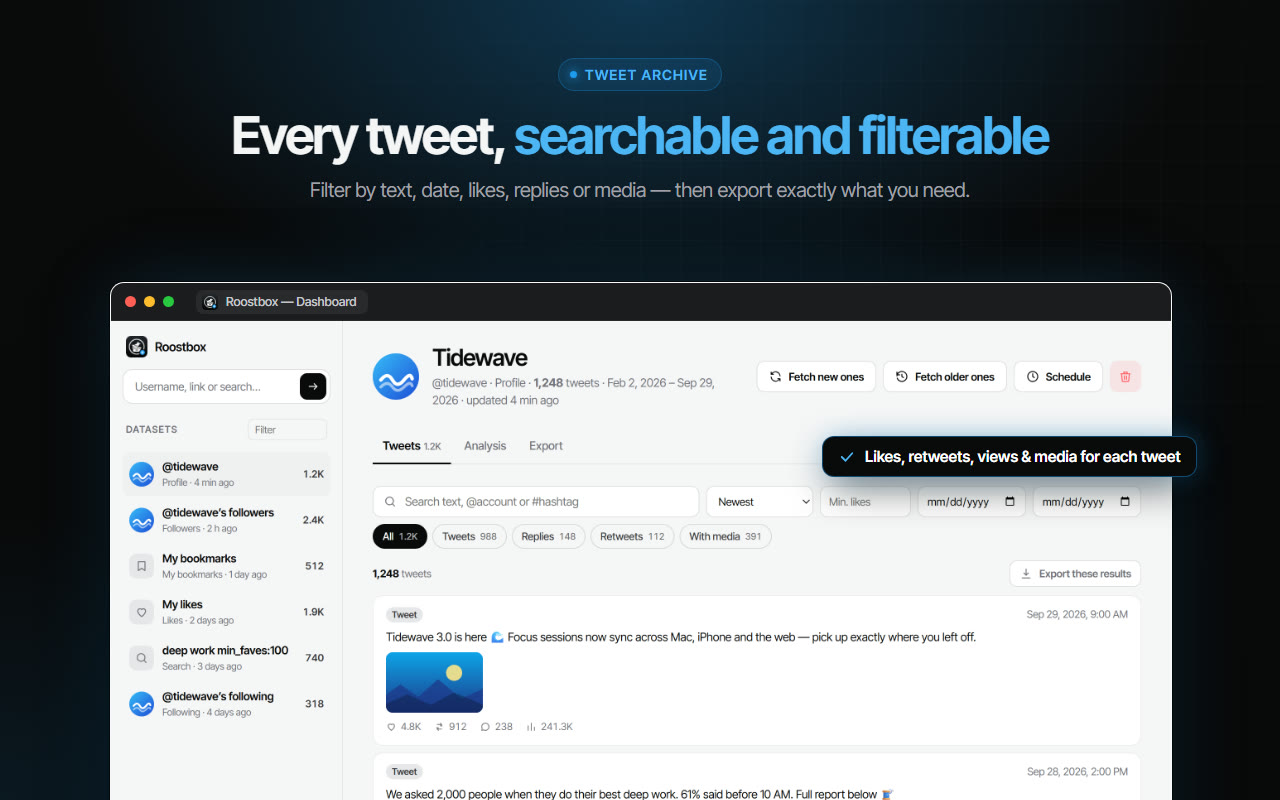
Export tweets, replies, likes, bookmarks and followers from any Twitter/X account to Excel, CSV or JSON. No API key needed.

Export TikTok follower and following lists, video comments and post stats to CSV or Excel. Resume long exports.

ChatGPT Speed Booster is a free Chrome extension that fixes slow ChatGPT performance in long conversations.

Rewrite any AI prompt into a clear, structured version in one click. Press Ctrl+M on ChatGPT, Claude or Gemini. 50+ languages, free.

Sort Instagram & TikTok feeds by likes, views, comments or date. See post stats at a glance and find viral content fast. Free.

Fix slow Claude.ai in long conversations. Speed Booster hides older messages to stop lag, freezing & high memory use — instantly.

Remove TikTok reposts in bulk. See the full list first, pick what goes, and set your own pace. Nothing goes without you.

Bulk delete & archive ChatGPT chats, add message timestamps and navigate conversations fast. Clean up ChatGPT in one click.

Email Extractor helps you find visible email addresses on websites and works locally with no tracking or data collection.

A visual gallery of AI image prompts. Use them instantly in ChatGPT, Gemini, Sora, and Nano Banana.

Audit any page, then crawl the whole site: indexability, duplicate titles, orphan pages, click depth and Core Web Vitals. Your pages are never uploaded.

Secure your WhatsApp Web with smart lock, panic button, and blur mode. Your privacy, your control.

Transform your cursor with stunning click effects & animations. Perfect for streamers, presenters & content creators.

InkShot is a free screenshot Chrome extension that lets you capture full page screenshots, visible viewport, or selected areas

Detechtor AI checks what any website is built with — CMS & WordPress theme detector, frameworks, analytics, CDN, tech stack.

See what a car on Sahibinden is really worth: market value for the exact trim, how damage and repaint move the price, and the engine's known faults. Turkish interface, Turkey market.

See who doesn't follow you back on Threads, protect the accounts you want to keep, and tidy your following list at your own pace.

Create custom and professional email signatures effortlessly with SignedRise. Perfect for personal and work emails.
Professional Chrome extensions backed by dedicated development and continuous updates
Instagram management, WhatsApp automation, and workflow optimization tools that save you hours every day.
Industry-standard security with OAuth 2.0 authentication. Your data stays safe with end-to-end encryption.
Priority support for Pro subscribers with dedicated assistance. We're here to help you succeed.
Trusted by 100,000+ users on Chrome Web Store
X Unfollow AI – Manage Your Twitter Following List
TikTok Unfollow AI - Mass & Auto Unfollow All, Everyone & Non-Followers
ExportPal - Save & Export ChatGPT, Claude, Gemini to PDF & Word
TeleSendly - Telegram Bulk Sender, Scraper & Member Adder
Roostbox - Twitter/X Exporter: Tweets, Followers, Bookmarks & Archive
TokExport - TikTok Follower List, Following & Comment Export Tool
ChatGPT Speed Booster
PromptJolt – AI Prompt Enhancer for ChatGPT, Claude & Gemini
FeedRank – Instagram & TikTok Feed Sorter
Claude Speed Booster
TokSweep - TikTok Repost Remover & Bulk Cleaner
ChatPilot – ChatGPT Bulk Delete, Archive & Timestamps
Extract AI – Email Extractor
Prompt Trove — Visual AI Image Prompts Gallery
Crawlhive — SEO Audit, Site Crawler & Technical SEO
Privacy Guard for WhatsApp Web
Clickaroo - Mouse Effect Designer
InkShot — Webpage Screenshot & Draw Tool
Detechtor AI - Website Technology Checker & Tech Stack Detector
Araç Data Merkezi — Used Car Valuation & Damage Check for Sahibinden
Backgap - Threads Followers Tracker & Mass Unfollow
SignedRise - Professional Email Signature
Tips, guides and updates from the AddonsChrome team.
Everything you need to know about our Chrome extensions
Yes! All our extensions offer a free plan with essential features. We also offer Pro subscriptions with advanced functionality, unlimited usage, and priority support for power users.
Simply click the "Learn More" button on any extension, then click "Add to Chrome" on the Chrome Web Store page. The extension will be installed automatically and ready to use in seconds.
Absolutely. We use industry-standard OAuth 2.0 authentication and end-to-end encryption. Your data is never sold or shared with third parties. All our extensions comply with Chrome Web Store's strict privacy policies.
We accept all major credit and debit cards, PayPal, and various local payment methods through our secure payment provider Paddle. All transactions are encrypted and PCI-compliant.
Yes, we offer a hassle-free refund policy. If you're not satisfied with your Pro subscription, you can request a refund within the eligible period. Visit our Refund Policy page for details.
Our extensions are primarily designed for Google Chrome. However, most of them also work on Chromium-based browsers like Microsoft Edge, Brave, and Opera.