Article

Twitter Archive: What's Inside It and How to Actually Read It

30 Sep 2026 9 min read

Requesting your Twitter archive is the easy part. X emails you a link, you download a zip, and then you open it and find a folder full of JavaScript files that no spreadsheet will touch. This is what is actually in that download, why it is shaped so awkwardly, and the four ways people turn it into something they can read.

How to request the archive

Start here, because it is free and it is yours by right. The route to download Twitter archive data has not changed in years: on the web, open Settings, then Your account, then Download an archive of your data. You confirm your password, X sends a verification code, and then you wait. The wait is real: anywhere from a few hours to a couple of days depending on how much you have posted.

The wording says X archive in newer builds and Twitter archive in older ones; it is the same file. When it is ready you get an email with a download link that expires after a few days. The file is a zip, and for an account with a few thousand posts it usually lands somewhere between 50 MB and several gigabytes, almost all of it images and video.

What is actually in the file

Unzip it and you get a folder with three things: an Your archive.html file, a data folder, and an assets folder. The data folder is where everything you care about lives, split across dozens of files - tweets, likes, direct messages, followers, following, lists, moments, ad impressions, even the phone numbers X has associated with your account.

The catch is the format. These are not plain JSON files, even though they end in .js and look like JSON inside. Each one starts with a line like window.YTD.tweets.part0 = [ and then the actual data. That prefix exists so the bundled HTML viewer can load them as scripts, and it is also the single reason most tools refuse to open them.

Why you probably cannot read it

Open tweets.js in a text editor and you will see one enormous line. Every tweet is an object with about thirty fields, most of which you do not want: entity ranges, edit history identifiers, source strings, favourite counts stored as text. The post itself is buried in there, along with a timestamp in a format spreadsheets do not recognise without help.

Drag that file into a spreadsheet and you get nothing useful. Rename it to .json and a parser still rejects it, because of that assignment at the top. This is the moment most people go looking for a tool, and it is why twitter archive viewer is a search people actually type.

The four ways people deal with it

1. Open the HTML viewer that ships with it

The archive includes its own offline viewer. Double-click Your archive.html and it opens in your browser, looking roughly like the site. It works, it needs no tools, and nothing leaves your computer.

What it will not do is let you get data out. There is no export, no filtering beyond a basic search, and no way to select a date range and take just that. It is for browsing, not for working. On very large archives it also becomes slow enough to be unpleasant, because it is loading everything into one page.

2. Strip the prefix and convert by hand

If you are comfortable in a text editor, the fix is almost insultingly small: delete everything up to and including the = at the start of the file, save it as .json, and it parses. From there any converter will turn it into CSV.

This works and costs nothing. The problems are practical. The files are large enough that plain editors struggle, you have to repeat it for every file you want, and converting nested JSON to a flat spreadsheet still leaves you deciding which of the thirty fields to keep and how to unpack the nested ones.

3. Paste it into an online converter

There are sites that take the file and hand back a spreadsheet. Some are fine. The thing worth pausing on is what you are uploading: your archive contains your direct messages, your phone number, your email address and your full IP history. That is not a normal file to hand to a stranger's server.

If you go this route, at minimum upload only the specific file you need rather than the whole archive, and never the direct messages. Better still, check whether the tool runs in your browser rather than on their server - some do, and it makes the question moot.

4. Pull the data straight from X instead

The last approach skips the archive entirely. Instead of requesting a download and then wrestling with it, a browser extension reads what you can already see on x.com, in the tab you already have open, and writes it out as a spreadsheet directly.

The trade-off is honest: you do not get direct messages or ad data this way, because those are not on the page. What you do get is tweets, replies, likes, bookmarks and follower lists, in a file you can use, without waiting two days and without learning what a JSON prefix is.

What to compare them on

Does anything leave your computer The archive holds your DMs and phone number. A method that works locally sidesteps the entire question.
Can you actually export Browsing is not the same as getting data out. If there is no CSV, Excel or JSON at the end, it has not solved your problem.
How long until you have it The official archive takes hours to days. Reading from the page is immediate. That matters more than it sounds when you just need one list.
Does it cover what you need The archive is broader (DMs, ads, IP history). A page-based tool is narrower but faster. Neither is better in the abstract.
What happens with big accounts Anything that loads the whole thing into one page will crawl on a decade of posts. Check before you commit an afternoon.

What the archive does not contain

Two gaps surprise people, and both matter enough to check before you start.

The first is bookmarks. Your saved posts are not in the archive at all, in any file. If the reason you are here is to get your bookmarks out, the official download will not help you no matter how well you parse it - and X offers no bookmark export of any kind. That is why you cannot export Twitter bookmarks from the download at all: a twitter bookmarks export is a separate job from an archive export, and people end up needing a different tool for it entirely.

The second is anything belonging to someone else. The archive is your data: your posts, your likes, your followers. It contains nothing about other accounts beyond what already appears in your own activity.

About deleted tweets

Deleted posts are not in the archive. The archive is generated from your account as it exists when you request it. Anything you deleted before that point is gone, and no tool, parser or service can bring it back from a file that never contained it.

The same goes for a suspended or deleted account. Once the account is gone you cannot request an archive for it, which is worth knowing before you delete anything you might want later. Request the archive first, confirm it downloaded, then delete.

A browser extension approach

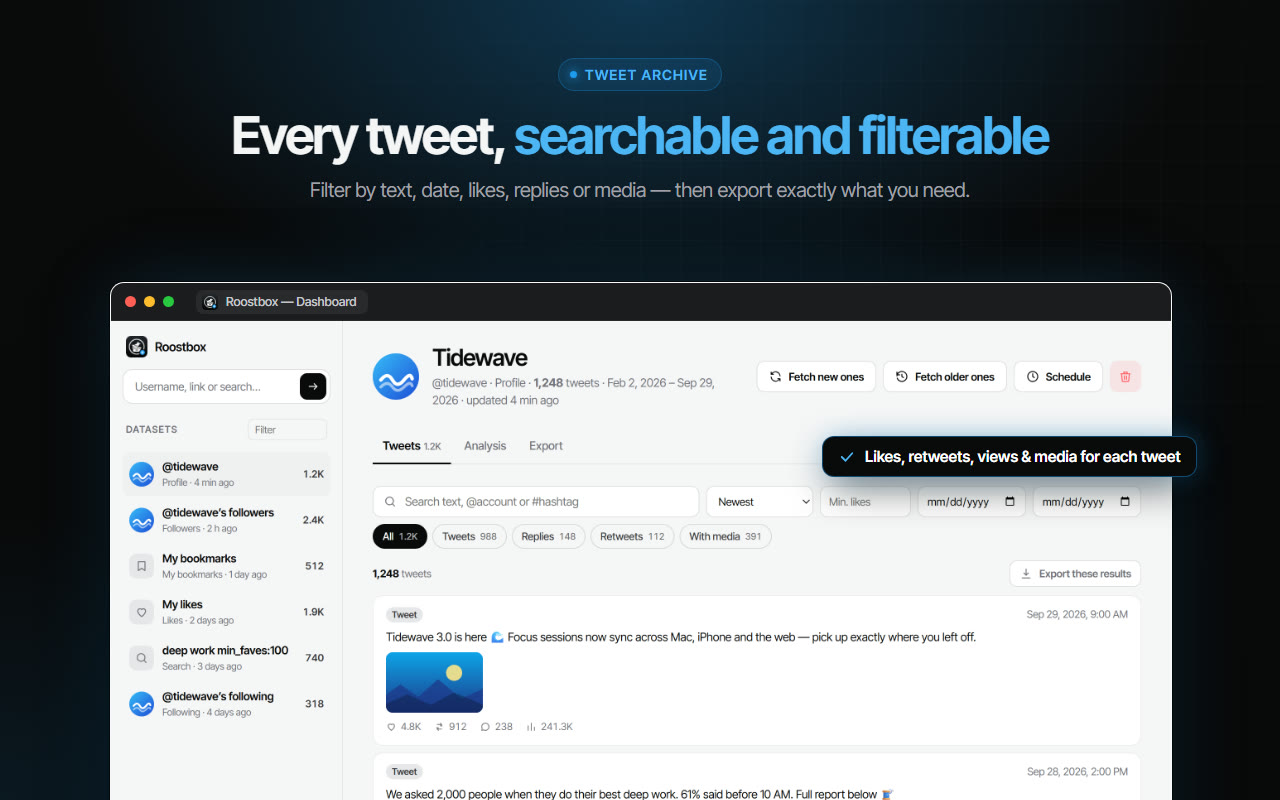
If the page-based route fits what you need, Roostbox works that way. It reads tweets, replies, likes, bookmarks and follower lists from an x.com tab you already have open, and hands them over as Excel, CSV or JSON - including the bookmarks the official archive leaves out. No API key, no password, nothing uploaded anywhere.

It does not claim to recover deleted posts or to reach a private account you do not follow, for the reasons above.

Which route to pick

If you want everything X holds on you, including direct messages and ad data, request the official archive - nothing else gives you that, and it is free. Budget a day for it and be ready to strip a prefix off a file.

If what you actually wanted was to know how to export tweets into a spreadsheet this afternoon - your posts, likes, bookmarks or followers - the archive is the long way round. Read it off the page and keep the file. And whichever route you take, be careful about uploading the raw archive anywhere, because it contains considerably more about you than the part you were actually after.

Frequently Asked Questions

How long does the Twitter archive take to arrive?
Usually a few hours, sometimes a couple of days on large accounts. X emails you when it is ready and the download link expires after a few days, so grab it when the mail arrives rather than leaving it.
Why will my spreadsheet not open tweets.js?
Because the file is not quite JSON. It begins with an assignment like window.YTD.tweets.part0 = before the data starts. Delete that opening fragment, save the file as .json, and normal parsers will read it.
Are my bookmarks in the archive?
No. Bookmarks are not included in the data export in any form, and X provides no separate bookmark export. Getting them out is a different job from reading the archive, and needs a tool that reads the bookmarks page itself.
Can I get an archive for an account I do not own?
No. The archive is produced for the logged-in account only, after a password confirmation and a verification code. There is no route to another person's archive, and anything advertising one is not describing something X offers.
Is it safe to upload my archive to a converter site?
Treat it carefully. The archive includes direct messages, your phone number, your email and your IP history. If you use an online converter, upload only the single file you need, never the messages, and prefer tools that process the file in your browser rather than on their servers.

Share this article

Our Tools

Free Chrome Extensions by AddonsChrome

Boost your productivity with our collection of free browser extensions

Instagram Unfollow AI - Manage Unfollowers Effortlessly

Instagram Unfollow AI - Manage Unfollowers Effortlessly

Instagram Unfollow AI detects those who don't follow you back and helps you unfollow them to optimize your account easily.

X Unfollow AI – Manage Your Twitter Following List

X Unfollow AI – Manage Your Twitter Following List

Manage your X (Twitter) following, detect users who don't follow you back, and unfollow safely with smart filters.

TikTok Unfollow AI - Mass & Auto Unfollow All, Everyone & Non-Followers

TikTok Unfollow AI - Mass & Auto Unfollow All, Everyone & Non-Followers

See who doesn't follow you back on TikTok, then bulk unfollow all, everyone or only non-followers. Safe pacing, one click.

WASendly – WhatsApp Bulk Message Sender

WASendly – WhatsApp Bulk Message Sender

Send bulk and automated WhatsApp messages safely and easily with WASendly.

WASendly – WhatsApp Contacts Extractor

WASendly – WhatsApp Contacts Extractor

Easily export WhatsApp contacts and group members to Excel, CSV, or vCard.

ExportPal - Save & Export ChatGPT, Claude, Gemini to PDF & Word

ExportPal - Save & Export ChatGPT, Claude, Gemini to PDF & Word

Save & export ChatGPT, Claude, Gemini, Grok, DeepSeek & Perplexity to PDF, Word, Markdown, HTML, JSON or Image. Private & free.

Followgap - Instagram Unfollowers Tracker & Unfollow Non-Followers

Followgap - Instagram Unfollowers Tracker & Unfollow Non-Followers

Find who doesn't follow you back on Instagram. Track unfollowers & mass unfollow non-followers in one click.

FollowStack – Instagram Toolkit for Desktop

FollowStack – Instagram Toolkit for Desktop

Instagram toolkit for desktop. Track unfollowers, upload stories from PC, download media, and manage Instagram.

Roostbox - Twitter/X Exporter: Tweets, Followers, Bookmarks & Archive

Roostbox - Twitter/X Exporter: Tweets, Followers, Bookmarks & Archive

Export tweets, replies, likes, bookmarks and followers from any Twitter/X account to Excel, CSV or JSON. No API key needed.

TokExport - TikTok Follower List, Following & Comment Export Tool

TokExport - TikTok Follower List, Following & Comment Export Tool

Export TikTok follower and following lists, video comments and post stats to CSV or Excel. Resume long exports.

ChatGPT Speed Booster

ChatGPT Speed Booster

ChatGPT Speed Booster is a free Chrome extension that fixes slow ChatGPT performance in long conversations.

Instagram Follower Export Tool

Instagram Follower Export Tool

Export Instagram followers, following, likes, and comments to CSV or Excel in one click

PromptJolt – AI Prompt Enhancer for ChatGPT, Claude & Gemini

PromptJolt – AI Prompt Enhancer for ChatGPT, Claude & Gemini

Rewrite any AI prompt into a clear, structured version in one click. Press Ctrl+M on ChatGPT, Claude or Gemini. 50+ languages, free.

IGFollow AI - Auto Follow

IGFollow AI - Auto Follow

IGFollow AI is an AI-powered tool to grow your Instagram. Boost engagement and expand your audience effortlessly

Backly — Unfollower Tracker for Instagram

Backly — Unfollower Tracker for Instagram

See exactly who doesn’t follow you back on Instagram, protect the accounts you care about, and unfollow the rest at a safe, adjustable pace.

FeedRank – Instagram & TikTok Feed Sorter

FeedRank – Instagram & TikTok Feed Sorter

Sort Instagram & TikTok feeds by likes, views, comments or date. See post stats at a glance and find viral content fast. Free.

Instagram Auto Follow

Instagram Auto Follow

AI-powered Instagram auto follow tool to boost engagement, grow followers, and expand your audience effortlessly.

Claude Speed Booster

Claude Speed Booster

Fix slow Claude.ai in long conversations. Speed Booster hides older messages to stop lag, freezing & high memory use — instantly.

ChatPilot – ChatGPT Bulk Delete, Archive & Timestamps

ChatPilot – ChatGPT Bulk Delete, Archive & Timestamps

Bulk delete & archive ChatGPT chats, add message timestamps and navigate conversations fast. Clean up ChatGPT in one click.

Extract AI – Email Extractor

Extract AI – Email Extractor

Email Extractor helps you find visible email addresses on websites and works locally with no tracking or data collection.

Prompt Trove — Visual AI Image Prompts Gallery

Prompt Trove — Visual AI Image Prompts Gallery

A visual gallery of AI image prompts. Use them instantly in ChatGPT, Gemini, Sora, and Nano Banana.

Crawlhive — SEO Audit, Site Crawler & Technical SEO

Crawlhive — SEO Audit, Site Crawler & Technical SEO

Audit any page, then crawl the whole site: indexability, duplicate titles, orphan pages, click depth and Core Web Vitals. Your pages are never uploaded.

Privacy Guard for WhatsApp Web

Privacy Guard for WhatsApp Web

Secure your WhatsApp Web with smart lock, panic button, and blur mode. Your privacy, your control.

Clickaroo - Mouse Effect Designer

Clickaroo - Mouse Effect Designer

Transform your cursor with stunning click effects & animations. Perfect for streamers, presenters & content creators.

InkShot — Webpage Screenshot & Draw Tool

InkShot — Webpage Screenshot & Draw Tool

InkShot is a free screenshot Chrome extension that lets you capture full page screenshots, visible viewport, or selected areas

Detechtor AI - Website Technology Checker & Tech Stack Detector

Detechtor AI - Website Technology Checker & Tech Stack Detector

Detechtor AI checks what any website is built with — CMS & WordPress theme detector, frameworks, analytics, CDN, tech stack.

Numsift — Bulk WhatsApp Number Checker & Validator | Export to Excel

Numsift — Bulk WhatsApp Number Checker & Validator | Export to Excel

Bulk check which numbers are on WhatsApp. Validate lists, filter by country, spot business accounts, export to Excel or CSV.

Clearbox — Bulk Chat & Message Deleter for Instagram

Clearbox — Bulk Chat & Message Deleter for Instagram

Delete all your chats and messages on Instagram in bulk. One click, and the chats you protect stay untouched.

Rosterbox - IG Follower & Following Export List to CSV, Excel

Rosterbox - IG Follower & Following Export List to CSV, Excel

Export IG follower and following lists, likes and comments to CSV, Excel or JSON in one click. Fast, private, no password.

Araç Data Merkezi — Used Car Valuation & Damage Check for Sahibinden

Araç Data Merkezi — Used Car Valuation & Damage Check for Sahibinden

See what a car on Sahibinden is really worth: market value for the exact trim, how damage and repaint move the price, and the engine's known faults. Turkish interface, Turkey market.

Compare Similar - Price Research

Compare Similar - Price Research

Find similar products and compare prices across multiple stores. Make smarter shopping decisions with real-time price research.

SignedRise - Professional Email Signature

SignedRise - Professional Email Signature

Create custom and professional email signatures effortlessly with SignedRise. Perfect for personal and work emails.

Contact Us

contact@addonschrome.com





















