Export & save ChatGPT, Claude & Gemini chats to PDF, Word & more
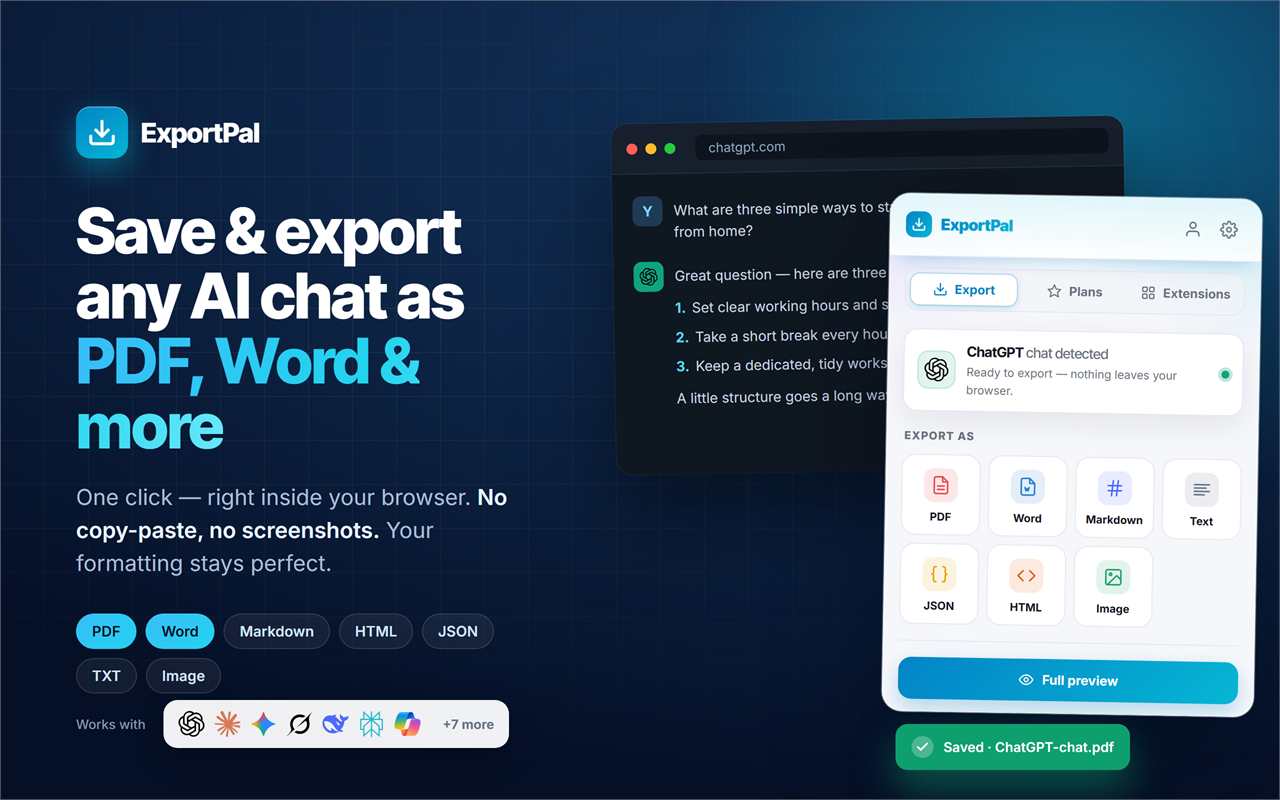
ExportPal turns your ChatGPT, Claude and Gemini conversations into clean, well-formatted files — with a single click, right inside your browser. No copy-paste, no screenshots. Your formatting, tables and code blocks stay perfect.
- Save any AI chat to PDF, Word, Markdown, HTML, TXT or JSON
- Works on 13 AI platforms — ChatGPT, Claude, Gemini & more
- 100% private — your chats never leave your device
Works on Chrome, Edge, Brave & Opera · Your chats never leave your device.
What is ExportPal?
ExportPal is a free Chrome extension that lets you export and save AI chat conversations as downloadable files. Whenever you open a conversation on a supported AI platform — such as ChatGPT, Claude or Google Gemini — ExportPal reads that conversation and converts it into the format you choose: PDF, Word, Markdown, plain text, JSON or HTML.
Everything happens locally in your browser, so your conversations are never uploaded anywhere. Instead of copy-pasting messages by hand or stitching together messy screenshots, you get a polished, shareable document in seconds — with your formatting, code blocks, tables and images preserved. It's the simplest way to save a ChatGPT conversation as a PDF, export a Claude chat to Word, or back up your AI conversations.
Works with every AI you use
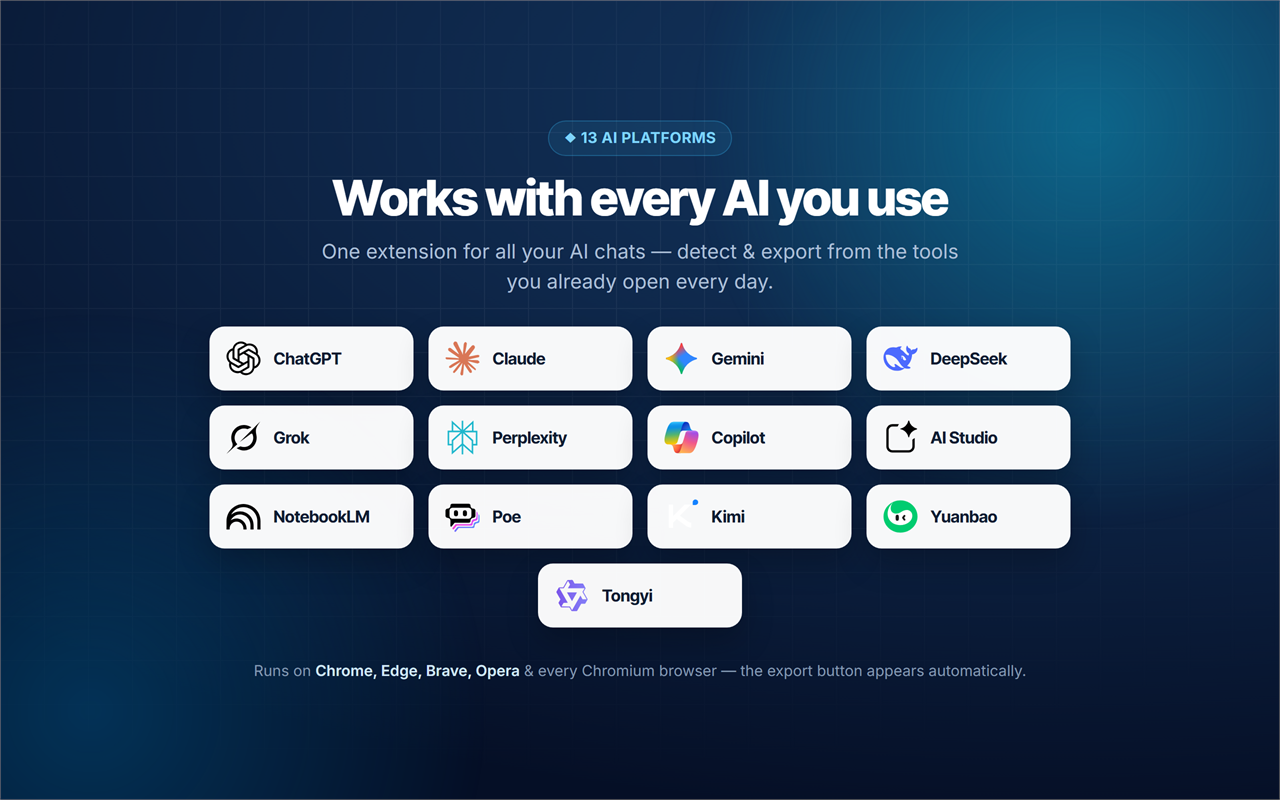
One extension for all your AI chats. ExportPal automatically detects your conversation and adds a one-click export button on ChatGPT, Claude, Gemini, DeepSeek, Grok, Perplexity, Microsoft Copilot, Google AI Studio, NotebookLM, Poe, Kimi, Tencent Yuanbao and Tongyi (Qwen).
Save it your way
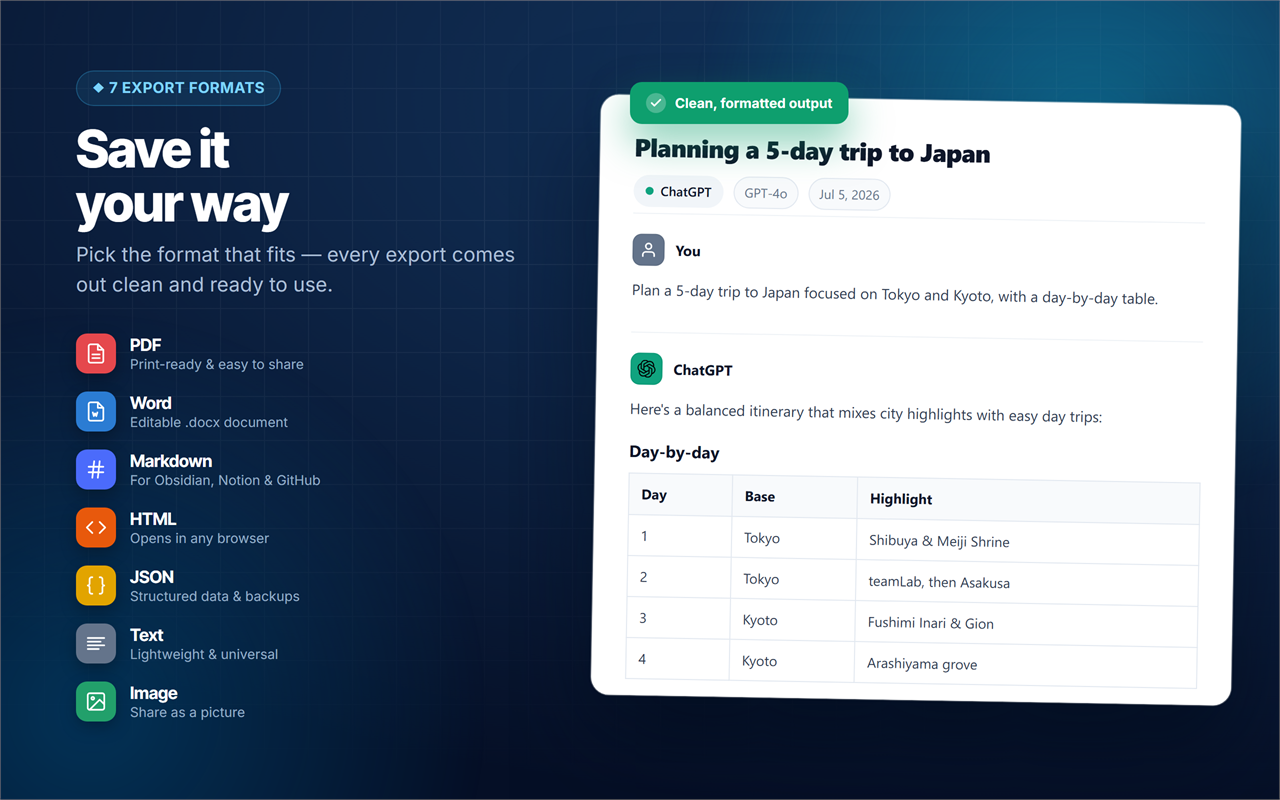
Pick the format that fits — every export comes out clean and ready to use.
A print-ready PDF with real, selectable text. Ideal for archiving, sharing and offline reading.
Word (.doc)
An editable Word document you can revise, comment on and reuse in your own work.
Markdown (.md)
Perfect for your notes app — Obsidian, Notion, GitHub or any documentation.
Plain Text (.txt)
A lightweight, universal text file of the whole conversation that opens anywhere.
JSON
Structured conversation data for developers, backups and automation workflows.
HTML
A self-contained web page of your chat that opens in any browser, styling included.
Your formatting stays perfect
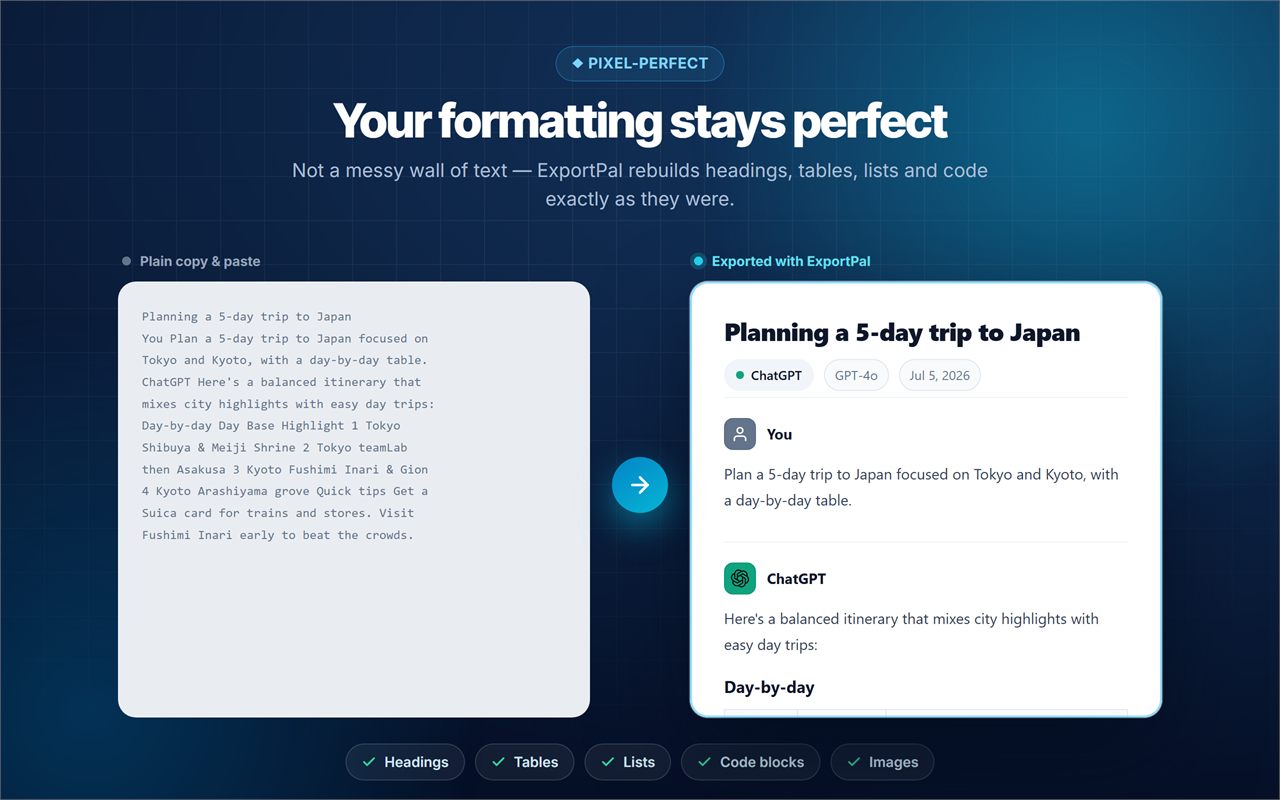
Not a messy wall of text — ExportPal rebuilds headings, tables, lists, code blocks and images exactly as they were, so every ChatGPT or Claude export looks right the first time.
Everything you need to export your AI chats
A focused toolkit that turns any conversation into a clean, shareable document.
One-click export
Export from the toolbar popup, a floating button on the page, or the right-click menu — whatever's fastest.
Keeps formatting perfect
Headings, tables, lists, code blocks, links and images are rebuilt exactly — never flattened into a wall of text.
Embeds conversation images
Pictures inside a chat are downloaded and embedded directly into your PDF, Word or HTML file.
Full preview before export
See exactly what you'll get and choose what to include before you save a single file.
Whole chat or one message
Export the entire conversation or just a single message — you decide in the preview.
Choose what's included
Include your messages, the AI's replies, titles and timestamps — exactly the way you want them.
Custom file names
Dynamic tokens for title, date, platform and model keep your exported files organized automatically.
Vector PDF engine
Real, selectable text with an embedded font — a true document, not a screenshot of your chat.
Private by design
Everything runs on your device. Your conversations are never sent to a server — no chat tracking.
How ExportPal works
Save any AI conversation as a document in three simple steps.
Open your conversation
Open any chat on ChatGPT, Claude, Gemini or another supported platform.
Click ExportPal & pick a format
Hit the ExportPal button and choose PDF, Word, Markdown, TXT, HTML or JSON.
Done — it's saved
Your conversation is instantly saved to your device. No copy-paste. No screenshots. No cleanup.
Made for everyone who keeps their AI chats
Students & researchers
Save AI answers, cite sources and build a searchable archive of your chats as PDFs.
Developers
Export code snippets and technical answers to Markdown, JSON or Word for reuse.
Writers & creators
Turn brainstorming sessions into editable documents you can shape and publish.
Professionals & teams
Back up important conversations and share them as clean, well-formatted PDFs.
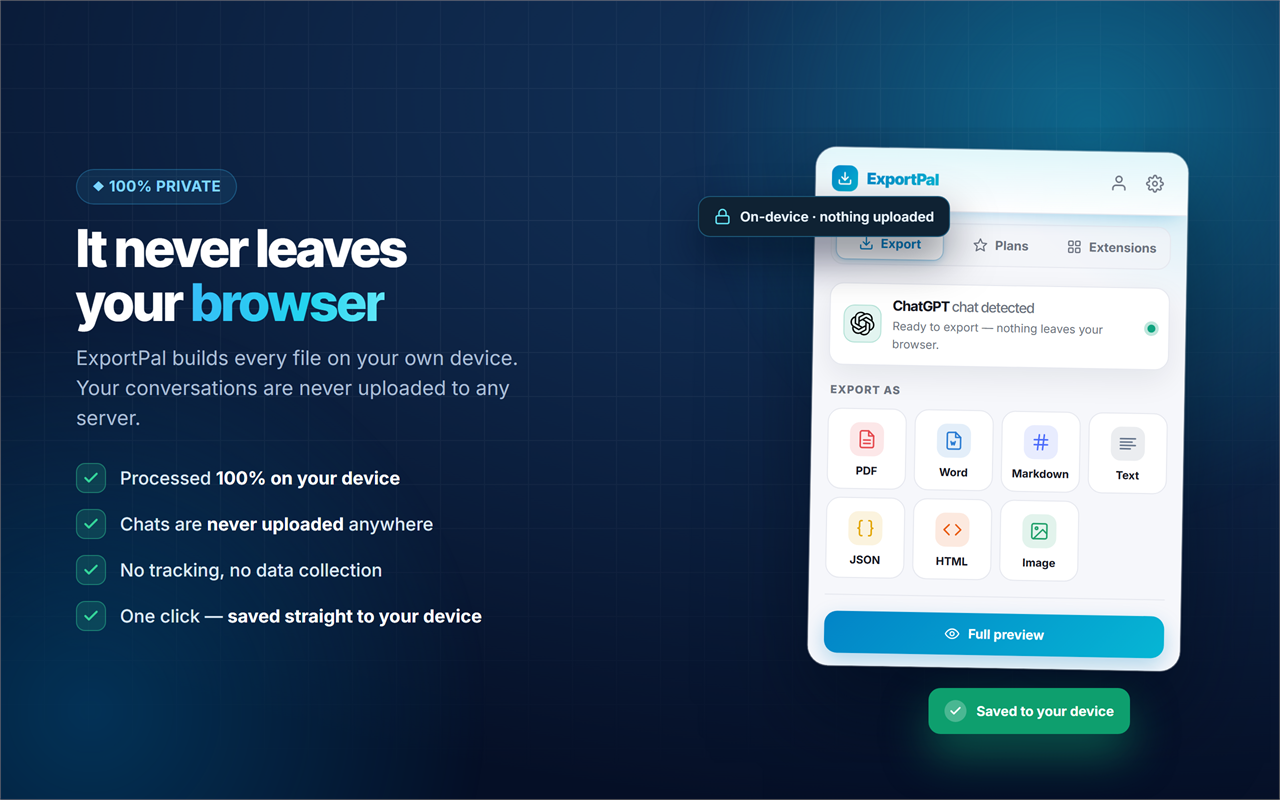
It never leaves your browser
ExportPal builds every file on your own device. Your ChatGPT, Claude and Gemini conversations are never uploaded to any server.
- All parsing, rendering and file generation happen inside your browser
- Your conversation content is never uploaded anywhere
- No analytics or telemetry on your chats
- Optional Google sign-in only manages your account — never your chat data
Frequently asked questions
How do I save a ChatGPT conversation as a PDF?
Install ExportPal, open the conversation on ChatGPT, click the ExportPal button, and choose PDF. Your chat becomes a clean, print-ready PDF with real selectable text in seconds — no copy-paste or screenshots.
Can I export a Claude or Gemini chat to Word?
Yes. ExportPal exports conversations from Claude, Google Gemini and 11 other AI platforms to Word (.doc), PDF, Markdown, HTML, TXT and JSON.
Which AI platforms does ExportPal support?
13: ChatGPT, Claude, Google Gemini, DeepSeek, Grok, Perplexity, Microsoft Copilot, Google AI Studio, NotebookLM, Poe, Kimi, Tencent Yuanbao and Tongyi (Qwen).
What formats can I export my AI chats to?
Six: PDF, Word (.doc), Markdown (.md), plain text (.txt), JSON and HTML.
Will my formatting, tables and code blocks be preserved?
Yes. ExportPal rebuilds the conversation with headings, tables, lists, code blocks, links and images kept intact — the document looks right, not like flattened text.
Do images inside the chat appear in the export?
Yes. Pictures inside the conversation are downloaded and embedded directly into the PDF, Word or HTML file.
Can I export just one message instead of the whole conversation?
Yes. Export the entire thread or a single message — you decide in the full preview before exporting.
Is ExportPal free and private?
ExportPal is free to install and use, and it processes everything locally in your browser. Your conversations are never uploaded to any server.
Which browsers work with ExportPal?
Chrome, Edge, Brave, Opera and other Chromium-based browsers.
Everything you need to know about ExportPal
ExportPal is a free Chrome extension built to export and save AI chat conversations as downloadable files. If you've ever wanted to save a ChatGPT conversation as a PDF, export a Claude chat to Word, or convert a Gemini conversation to Markdown, ExportPal does it in a single click.
How do I export a ChatGPT conversation?
Open the conversation on ChatGPT, click the ExportPal button, and choose your format. ExportPal reads the whole thread and converts it into a clean PDF, Word, Markdown, HTML, TXT or JSON file — with your headings, tables, lists, code blocks and images preserved. There's no copy-pasting and no stitching together screenshots.
Which AI tools can ExportPal save chats from?
ExportPal is an AI chat exporter that works across 13 AI platforms: ChatGPT, Claude, Google Gemini, DeepSeek, Grok, Perplexity, Microsoft Copilot, Google AI Studio, NotebookLM, Poe, Kimi, Tencent Yuanbao and Tongyi (Qwen). The export button appears automatically on every one of them.
Why use ExportPal instead of copy-paste?
- Save to any format: PDF, Word, Markdown, TXT, JSON or HTML — whatever fits your workflow.
- Perfect formatting: tables, code blocks, lists and images are rebuilt, not flattened.
- Embedded images: pictures in the chat are downloaded straight into your file.
- Full control: preview first, export the whole chat or one message, and choose what's included.
- Custom file names: dynamic tokens for title, date, platform and model keep exports tidy.
- Private & local: everything runs on your device — your chats are never uploaded.
Common uses
People use ExportPal to back up ChatGPT conversations, export Claude chats to Word for editing, convert Gemini conversations to Markdown for Obsidian or Notion, save DeepSeek and Grok answers as PDFs, and archive Perplexity research as clean documents. Students save answers for study, developers keep code snippets, and teams share polished PDFs of important chats.
Is ExportPal safe?
Yes. ExportPal processes everything inside your browser and never sends your conversation content to a server. There's no chat tracking and no telemetry on your messages. Note: ExportPal is an independent tool and is not affiliated with OpenAI, Anthropic, Google or any other AI provider.
Stop losing your best AI conversations. Install ExportPal today and save, export and back up your ChatGPT, Claude and Gemini chats in the format that works for you — completely free.
Keep every important AI conversation
Add ExportPal to your browser and save, export and back up your ChatGPT, Claude and Gemini chats in the format that works for you.
Add ExportPal to Chrome — FreeNo credit card • 100% Free • Chats never uploaded • Instant install
Explore our other Chrome extensions
Discover more powerful tools to enhance your browsing experience.

Instagram Unfollow AI - Manage Unfollowers Effortlessly
Instagram Unfollow AI detects those who don't follow you back and helps you unfollow them to optimize your account easily.

X Unfollow AI – Manage Your Twitter Following List
Manage your X (Twitter) following, detect users who don't follow you back, and unfollow safely with smart filters.

TikTok Unfollow AI - Mass & Auto Unfollow All, Everyone & Non-Followers
See who doesn't follow you back on TikTok, then bulk unfollow all, everyone or only non-followers. Safe pacing, one click.

WASendly – WhatsApp Bulk Message Sender
Send bulk and automated WhatsApp messages safely and easily with WASendly.

WASendly – WhatsApp Contacts Extractor
Easily export WhatsApp contacts and group members to Excel, CSV, or vCard.

Followgap - Instagram Unfollowers Tracker & Unfollow Non-Followers
Find who doesn't follow you back on Instagram. Track unfollowers & mass unfollow non-followers in one click.

FollowStack – Instagram Toolkit for Desktop
Instagram toolkit for desktop. Track unfollowers, upload stories from PC, download media, and manage Instagram.

Roostbox - Twitter/X Exporter: Tweets, Followers, Bookmarks & Archive
Export tweets, replies, likes, bookmarks and followers from any Twitter/X account to Excel, CSV or JSON. No API key needed.

TokExport - TikTok Follower List, Following & Comment Export Tool
Export TikTok follower and following lists, video comments and post stats to CSV or Excel. Resume long exports.

ChatGPT Speed Booster
ChatGPT Speed Booster is a free Chrome extension that fixes slow ChatGPT performance in long conversations.

Instagram Follower Export Tool
Export Instagram followers, following, likes, and comments to CSV or Excel in one click

PromptJolt – AI Prompt Enhancer for ChatGPT, Claude & Gemini
Rewrite any AI prompt into a clear, structured version in one click. Press Ctrl+M on ChatGPT, Claude or Gemini. 50+ languages, free.

IGFollow AI - Auto Follow
IGFollow AI is an AI-powered tool to grow your Instagram. Boost engagement and expand your audience effortlessly

Backly — Unfollower Tracker for Instagram
See exactly who doesn’t follow you back on Instagram, protect the accounts you care about, and unfollow the rest at a safe, adjustable pace.

FeedRank – Instagram & TikTok Feed Sorter
Sort Instagram & TikTok feeds by likes, views, comments or date. See post stats at a glance and find viral content fast. Free.

Instagram Auto Follow
AI-powered Instagram auto follow tool to boost engagement, grow followers, and expand your audience effortlessly.

Claude Speed Booster
Fix slow Claude.ai in long conversations. Speed Booster hides older messages to stop lag, freezing & high memory use — instantly.

ChatPilot – ChatGPT Bulk Delete, Archive & Timestamps
Bulk delete & archive ChatGPT chats, add message timestamps and navigate conversations fast. Clean up ChatGPT in one click.

Extract AI – Email Extractor
Email Extractor helps you find visible email addresses on websites and works locally with no tracking or data collection.

Prompt Trove — Visual AI Image Prompts Gallery
A visual gallery of AI image prompts. Use them instantly in ChatGPT, Gemini, Sora, and Nano Banana.

Crawlhive — SEO Audit, Site Crawler & Technical SEO
Audit any page, then crawl the whole site: indexability, duplicate titles, orphan pages, click depth and Core Web Vitals. Your pages are never uploaded.

Privacy Guard for WhatsApp Web
Secure your WhatsApp Web with smart lock, panic button, and blur mode. Your privacy, your control.

Clickaroo - Mouse Effect Designer
Transform your cursor with stunning click effects & animations. Perfect for streamers, presenters & content creators.

InkShot — Webpage Screenshot & Draw Tool
InkShot is a free screenshot Chrome extension that lets you capture full page screenshots, visible viewport, or selected areas

Detechtor AI - Website Technology Checker & Tech Stack Detector
Detechtor AI checks what any website is built with — CMS & WordPress theme detector, frameworks, analytics, CDN, tech stack.

Numsift — Bulk WhatsApp Number Checker & Validator | Export to Excel
Bulk check which numbers are on WhatsApp. Validate lists, filter by country, spot business accounts, export to Excel or CSV.

Clearbox — Bulk Chat & Message Deleter for Instagram
Delete all your chats and messages on Instagram in bulk. One click, and the chats you protect stay untouched.

Rosterbox - IG Follower & Following Export List to CSV, Excel
Export IG follower and following lists, likes and comments to CSV, Excel or JSON in one click. Fast, private, no password.

Araç Data Merkezi — Used Car Valuation & Damage Check for Sahibinden
See what a car on Sahibinden is really worth: market value for the exact trim, how damage and repaint move the price, and the engine's known faults. Turkish interface, Turkey market.

Compare Similar - Price Research
Find similar products and compare prices across multiple stores. Make smarter shopping decisions with real-time price research.

SignedRise - Professional Email Signature
Create custom and professional email signatures effortlessly with SignedRise. Perfect for personal and work emails.