FollowStack – Instagram Toolkit for Desktop Chrome Extension

FollowStack
Instagram Toolkit for Desktop

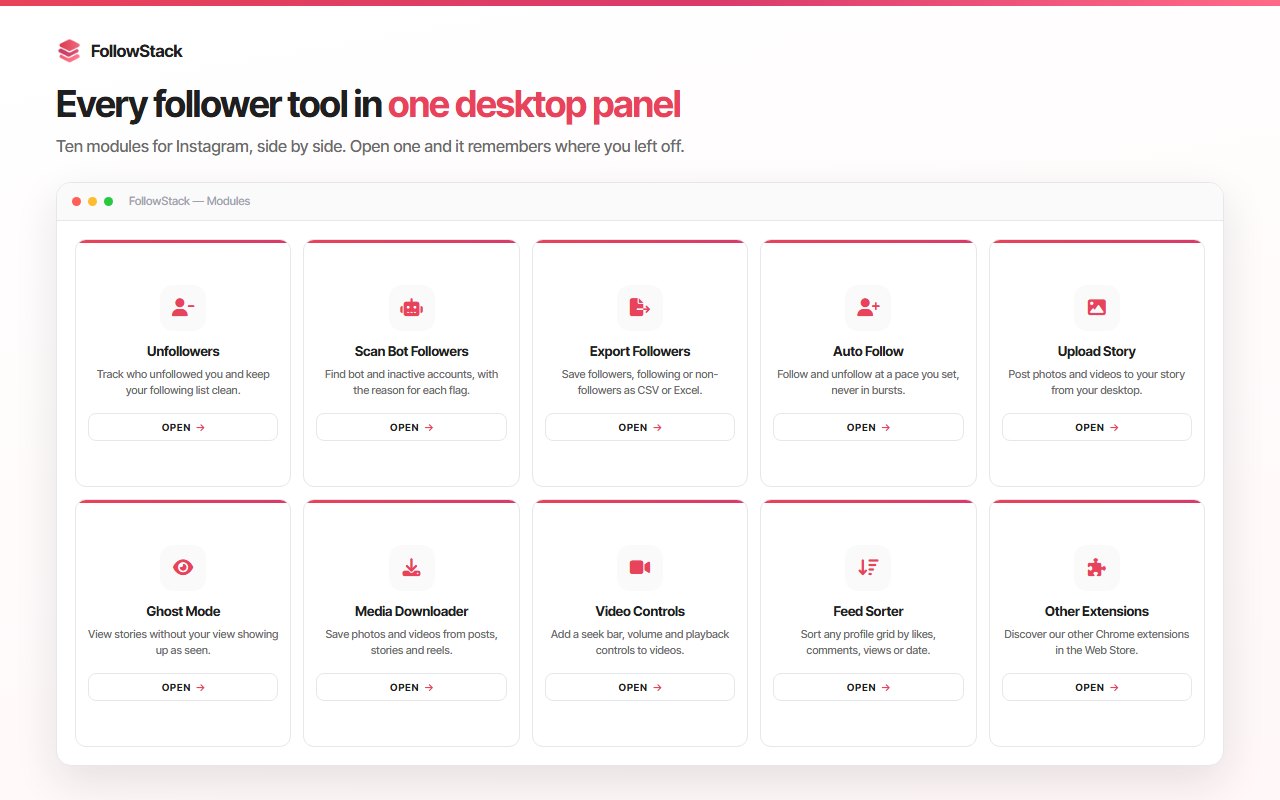
The all-in-one Instagram Chrome extension for desktop. Manage followers, upload Instagram stories from PC, download Instagram photos and Reels, view stories anonymously, block ads, and get advanced Instagram video controls—all in one Instagram desktop toolkit. Built for content creators, social media managers, and agencies.

How to Use FollowStack on Desktop

Get started with this Instagram desktop toolkit in a few steps

Install the Extension

Click "Add to Chrome" to install FollowStack from the Chrome Web Store. No extra software needed.

Open Instagram on Desktop

Go to instagram.com in your browser. FollowStack works directly on the Instagram website.

Enable the Tools You Need

Choose which Instagram desktop tools to use: unfollowers tracker, story upload, media downloader, ghost mode, ad blocker, and more.

Manage Instagram from PC

Track unfollowers, upload stories, download Instagram Reels and media, and enjoy a better Instagram desktop experience.

Watch FollowStack in Action

See how this Instagram Chrome extension improves your desktop experience

Key Features of FollowStack

Everything you need for Instagram on desktop in one Instagram Chrome extension

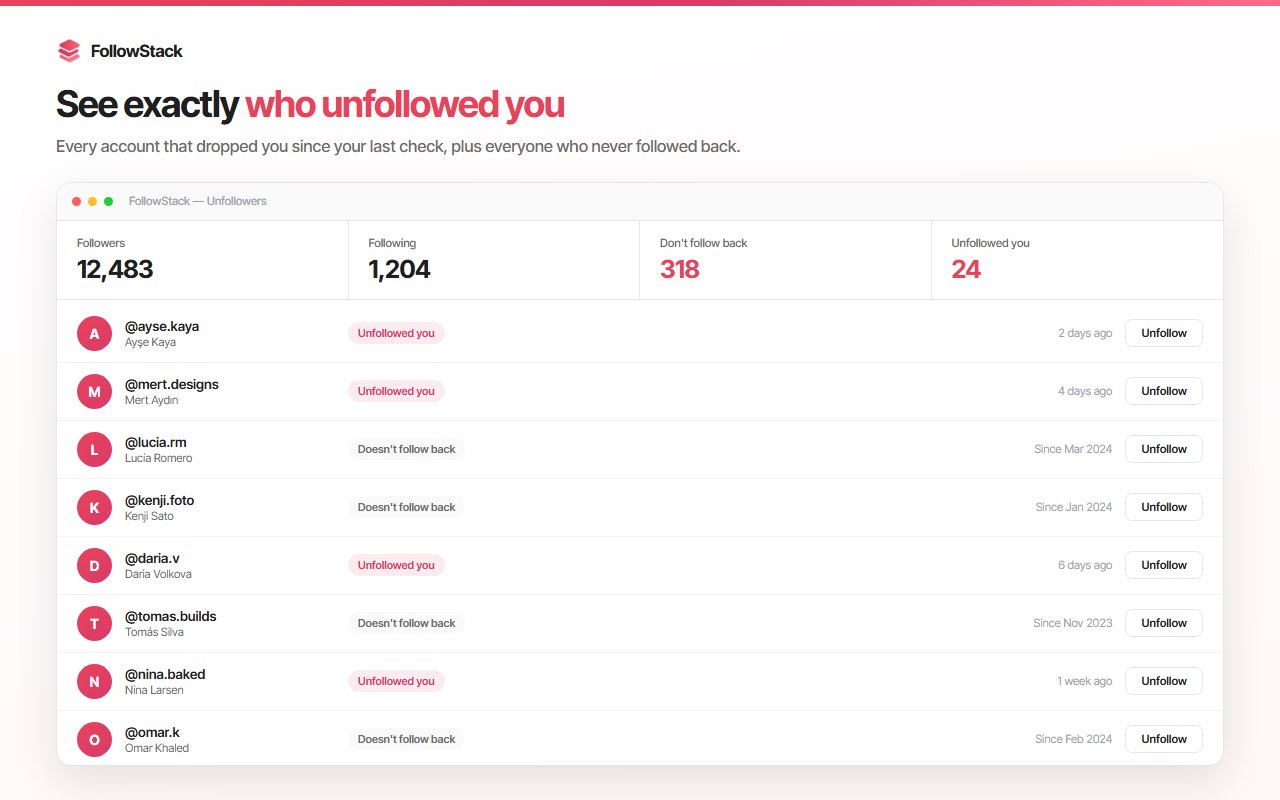
Instagram Unfollowers Tracker

See who unfollowed you and keep your follower and following lists organized. Improve engagement quality on your Instagram account with this Instagram desktop tool.

Instagram Auto Follow

Automatically follow users based on your criteria. Reach your target audience more efficiently and support your Instagram growth strategy from your desktop.

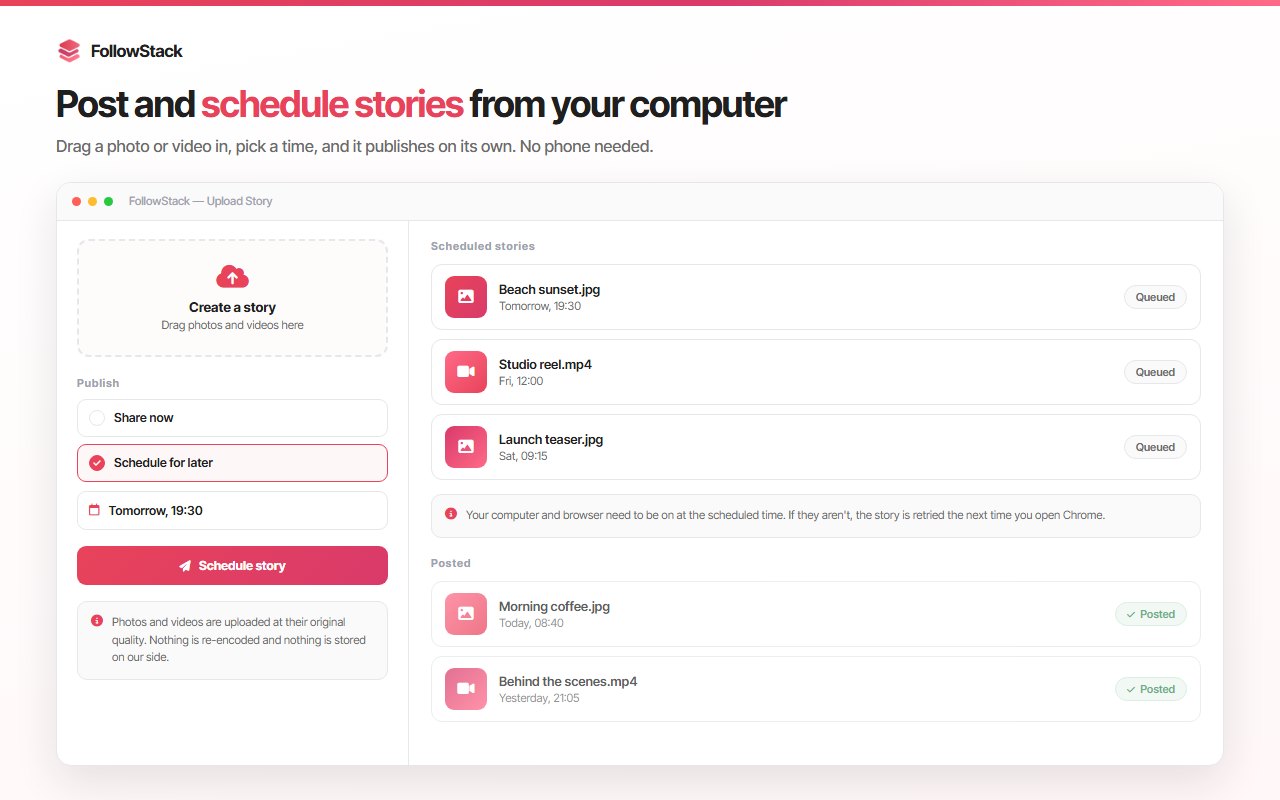
Upload Instagram Stories from PC

Share Instagram stories directly from your desktop. Upload photos and videos without your phone and make Instagram desktop usage faster and easier.

Instagram Media Downloader

Download Instagram photos, videos, and Reels to your computer with one click. A download button appears under posts when enabled—the best Instagram downloader for desktop.

Advanced Instagram Video Controls

Add volume control to Instagram videos. Forward, rewind, and manage playback easily for a better Instagram video experience on desktop.

Ghost Mode – View Stories Anonymously

Watch Instagram stories without being seen. Stay hidden from the viewers list and browse stories more freely with this Instagram desktop feature.

Instagram Ad Blocker

Automatically hide ads and sponsored content in your Instagram feed, stories, and posts. Enjoy a cleaner, more focused Instagram desktop interface.

Modular & Customizable

All features are modular. Enable or disable any Instagram tool anytime and customize the extension to fit your workflow on desktop.

See FollowStack in Action

Screenshots of this Instagram Chrome extension for desktop

How FollowStack Works

Use this Instagram desktop toolkit in four simple steps

1

Install FollowStack

Add this Instagram Chrome extension to Chrome with one click. Free and installs in seconds—no extra software.

2

Open Instagram on Desktop

Go to instagram.com. FollowStack works directly in your browser for full Instagram desktop control.

3

Turn On the Tools You Need

Enable unfollowers tracker, story upload, Instagram downloader, ghost mode, ad blocker, or video controls as you like.

4

Manage Instagram from PC

Track unfollowers, upload stories, download Instagram Reels and media, and enjoy a better Instagram desktop experience.

Who Is FollowStack For?

This Instagram Chrome extension is built for anyone who uses Instagram on desktop seriously

Content Creators

Creators use FollowStack to upload Instagram stories from PC, download Reels and media, track unfollowers, and manage their account without switching to mobile.

Social Media Managers

SMMs use this Instagram desktop toolkit to handle multiple accounts, schedule story uploads from PC, and keep follower lists organized with the unfollowers tracker.

Agencies & Teams

Agencies use FollowStack for client accounts: upload stories from desktop, download content, block ads, and get advanced Instagram video controls in one extension.

Professionals & Marketers

Professionals who use Instagram on desktop benefit from one place for unfollowers, auto follow, media download, ghost mode, and a cleaner feed with the Instagram ad blocker.

Take Control of Instagram on Desktop

Join content creators and social media managers who use FollowStack for a better Instagram desktop experience. Free to install—no credit card required.

Add FollowStack to Chrome – Free

No credit card   100% Free   Instant install

Frequently Asked Questions

Common questions about FollowStack Instagram Toolkit for Desktop

What is FollowStack Instagram Toolkit for Desktop?

FollowStack is a powerful Instagram Chrome extension for desktop. It combines essential tools: Instagram unfollowers tracker, auto follow, upload Instagram stories from PC, download Instagram photos and Reels, advanced video controls, ghost mode to view stories anonymously, and an Instagram ad blocker. No extra software or mobile app is required—it works in your browser.

Can I upload Instagram stories from my PC with FollowStack?

Yes. FollowStack lets you upload Instagram stories from PC. Share photos and videos as stories directly from your desktop without using your phone, making Instagram desktop usage faster for content creators and social media managers.

Does FollowStack block Instagram ads?

Yes. FollowStack includes an Instagram ad blocker that hides sponsored content in your feed, stories, and posts so you get a cleaner, more focused Instagram desktop experience.

Can I view Instagram stories anonymously?

Yes. Ghost Mode in FollowStack lets you watch Instagram stories without being seen. You stay off the viewers list and can browse stories more freely on desktop.

Is FollowStack free and safe?

FollowStack is a free Instagram Chrome extension. It runs in your browser and does not require separate software. Use it in accordance with Instagram's terms of service and applicable laws.

Everything About FollowStackInstagram Toolkit for Desktop

FollowStack is a powerful Instagram Chrome extension for users who want to manage Instagram on desktop efficiently. It brings essential Instagram tools into one place: control followers, upload stories, download media, and improve your overall Instagram desktop experience. This all-in-one Instagram toolkit is built for content creators, social media managers, agencies, and professionals who use Instagram actively. Because it runs in your browser, no extra software or mobile app is needed.

What is FollowStack Instagram Toolkit for Desktop?

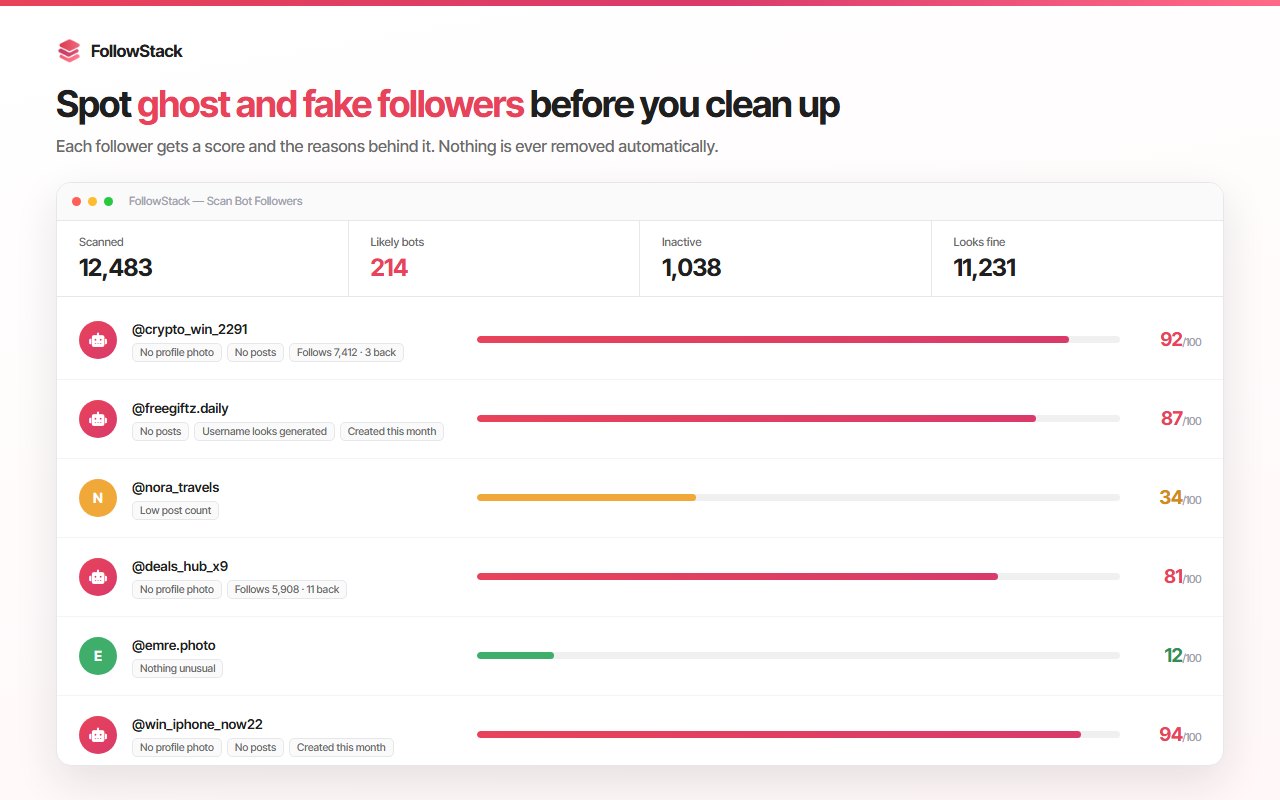
FollowStack is an Instagram Chrome extension that turns your browser into a full Instagram desktop toolkit. It includes an Instagram unfollowers tracker to see who unfollowed you, Instagram auto follow to grow your audience, the ability to upload Instagram stories from PC, an Instagram media downloader for photos, videos, and Instagram Reels, advanced Instagram video controls (volume, rewind, forward), Ghost Mode to view Instagram stories anonymously, and an Instagram ad blocker. All features are modular—you can enable or disable any tool to match your workflow.

Key Features of This Instagram Desktop Extension

The FollowStack Instagram toolkit offers:

  • Instagram Unfollowers Tracker: Identify who unfollowed you and keep follower/following lists organized to improve engagement.
  • Instagram Auto Follow: Automatically follow users by criteria to reach your target audience and support Instagram growth.
  • Upload Instagram Stories from PC: Share stories from your desktop; upload photos and videos without your phone.
  • Instagram Media Downloader: Download Instagram photos, videos, and Reels with one click; a download button appears under posts.
  • Advanced Instagram Video Controls: Volume, rewind, and forward for a better Instagram video experience on desktop.
  • Ghost Mode: View Instagram stories without being seen; stay hidden from the viewers list.
  • Instagram Ad Blocker: Hide ads and sponsored content in feed, stories, and posts for a cleaner interface.
  • Modular & Customizable: Enable or disable any tool anytime and customize the extension to your workflow.

Why Use FollowStack for Instagram on Desktop?

FollowStack is more than a basic Instagram extension. It works as a full Instagram management tool for desktop users who want more control, efficiency, and flexibility. You get an all-in-one Instagram Chrome extension, optimized for Instagram desktop use, with a clean and fast interface. Multiple Instagram tools—unfollowers tracker, story upload, media download, ghost mode, ad blocker, video controls—are available in a single extension. Take full control of your Instagram desktop workflow with FollowStack.

Who Is FollowStack For?

This Instagram desktop toolkit is built for content creators, social media managers, agencies, and professionals who actively use Instagram on desktop. If you manage accounts, upload stories, download Reels, track unfollowers, or want a cleaner feed with an Instagram ad blocker, FollowStack brings these Instagram tools into one Chrome extension.

How to Get Started with FollowStack

Install FollowStack from the Chrome Web Store, open instagram.com in your browser, and enable the tools you need. You can start with the Instagram unfollowers tracker, upload Instagram stories from PC, use the Instagram downloader for Reels and media, turn on Ghost Mode to view stories anonymously, or enable the Instagram ad blocker. The extension is modular—customize it to your workflow and upgrade your Instagram desktop experience.

FollowStack – Instagram Toolkit for Desktop is the complete Instagram Chrome extension for desktop users. Download it today and get unfollowers tracker, story upload from PC, Instagram Reels and media downloader, advanced video controls, ghost mode, and ad blocker in one place.

Explore More Chrome Extensions

Discover more tools for your browser

Instagram Unfollow AI - Manage Unfollowers Effortlessly

Instagram Unfollow AI detects those who don't follow you back and helps you unfollow them to optimize your account easily.

WASendly – WhatsApp Bulk Message Sender

Send bulk and automated WhatsApp messages safely and easily with WASendly.

ChatGPT Speed Booster

ChatGPT Speed Booster is a free Chrome extension that fixes slow ChatGPT performance in long conversations.

WASendly – WhatsApp Contacts Extractor

Easily export WhatsApp contacts and group members to Excel, CSV, or vCard.

Followgap - Instagram Unfollowers Tracker & Unfollow Non-Followers

Find who doesn't follow you back on Instagram. Track unfollowers & mass unfollow non-followers in one click.

IGFollow AI - Auto Follow

IGFollow AI is an AI-powered tool to grow your Instagram. Boost engagement and expand your audience effortlessly

X Unfollow AI – Manage Your Twitter Following List

Manage your X (Twitter) following, detect users who don't follow you back, and unfollow safely with smart filters.

Extract AI – Email Extractor

Email Extractor helps you find visible email addresses on websites and works locally with no tracking or data collection.

Instagram Unfollowers – Who Doesn’t Follow Me Back

Instagram Unfollow AI detects those who don't follow you back and helps you unfollow them to optimize your account easily.

Instagram Auto Follow

AI-powered Instagram auto follow tool to boost engagement, grow followers, and expand your audience effortlessly.

Compare Similar - Price Research

Find similar products and compare prices across multiple stores. Make smarter shopping decisions with real-time price research.

Claude Speed Booster

Fix slow Claude.ai in long conversations. Speed Booster hides older messages to stop lag, freezing & high memory use — instantly.

ExportPal - Save & Export ChatGPT, Claude, Gemini to PDF & Word

Save & export ChatGPT, Claude, Gemini, Grok, DeepSeek & Perplexity to PDF, Word, Markdown, HTML, JSON or Image. Private & free.

Numsift — Bulk WhatsApp Number Checker & Validator | Export to Excel

Bulk check which numbers are on WhatsApp. Validate lists, filter by country, spot business accounts, export to Excel or CSV.

PromptJolt – AI Prompt Enhancer for ChatGPT, Claude & Gemini

Rewrite any AI prompt into a clear, structured version in one click. Press Ctrl+M on ChatGPT, Claude or Gemini. 50+ languages, free.

Detechtor AI - Website Technology Checker & Tech Stack Detector

Detechtor AI checks what any website is built with — CMS & WordPress theme detector, frameworks, analytics, CDN, tech stack.

FeedRank – Instagram & TikTok Feed Sorter

Sort Instagram & TikTok feeds by likes, views, comments or date. See post stats at a glance and find viral content fast. Free.

ChatPilot – ChatGPT Bulk Delete, Archive & Timestamps

Bulk delete & archive ChatGPT chats, add message timestamps and navigate conversations fast. Clean up ChatGPT in one click.

Prompt Trove — Visual AI Image Prompts Gallery

A visual gallery of AI image prompts. Use them instantly in ChatGPT, Gemini, Sora, and Nano Banana.

InkShot — Webpage Screenshot & Draw Tool

InkShot is a free screenshot Chrome extension that lets you capture full page screenshots, visible viewport, or selected areas

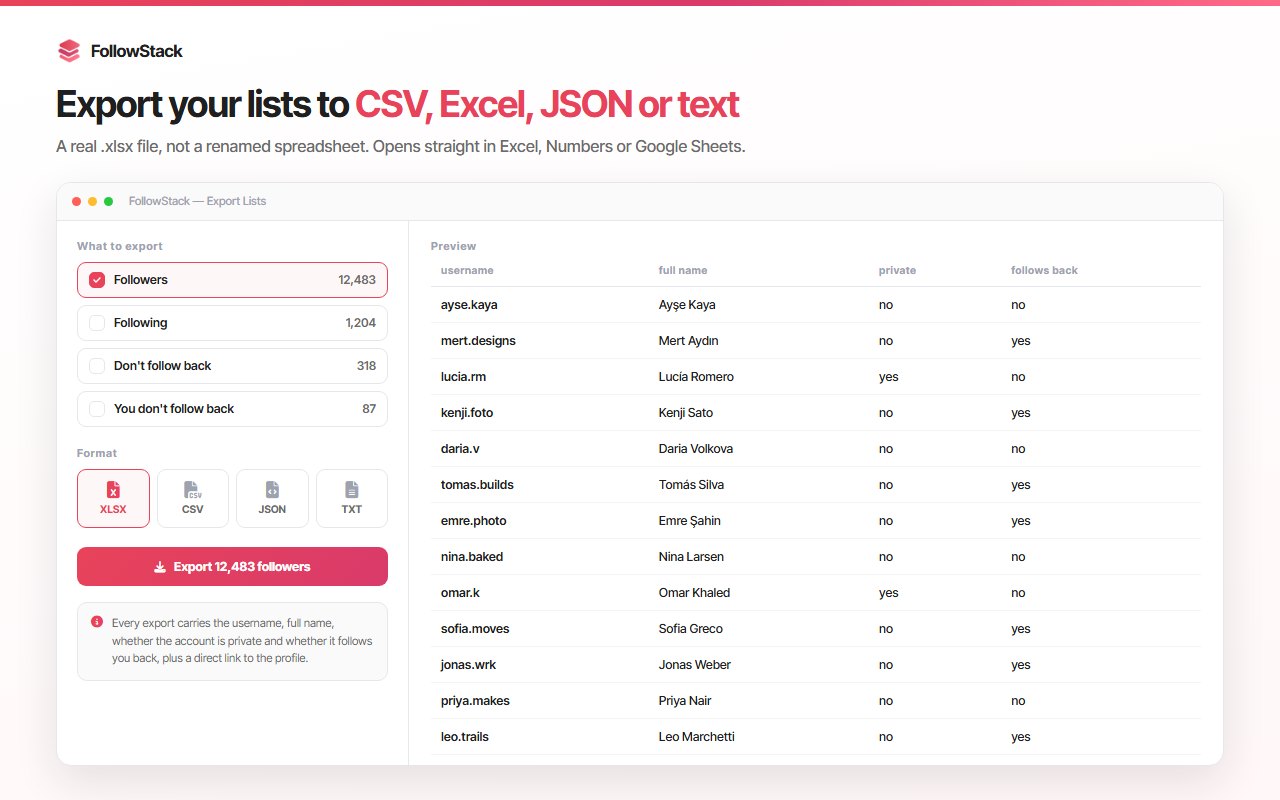
Instagram Follower Export Tool

Export Instagram followers, following, likes, and comments to CSV or Excel in one click

SEO Analyzer Pro AI
SEO Analyzer Pro AI

AI-powered SEO analysis tool. Analyze and optimize your website's meta tags, titles, images and links.

SignedRise - Professional Email Signature

Create custom and professional email signatures effortlessly with SignedRise. Perfect for personal and work emails.

Clickaroo - Mouse Effect Designer

Transform your cursor with stunning click effects & animations. Perfect for streamers, presenters & content creators.

Privacy Guard for WhatsApp Web

Secure your WhatsApp Web with smart lock, panic button, and blur mode. Your privacy, your control.

Contact Us

contact@addonschrome.com
Melih Tongul

Melih Tongul

Developer

Yasin Muratoğulları

Yasin Muratoğulları

Developer