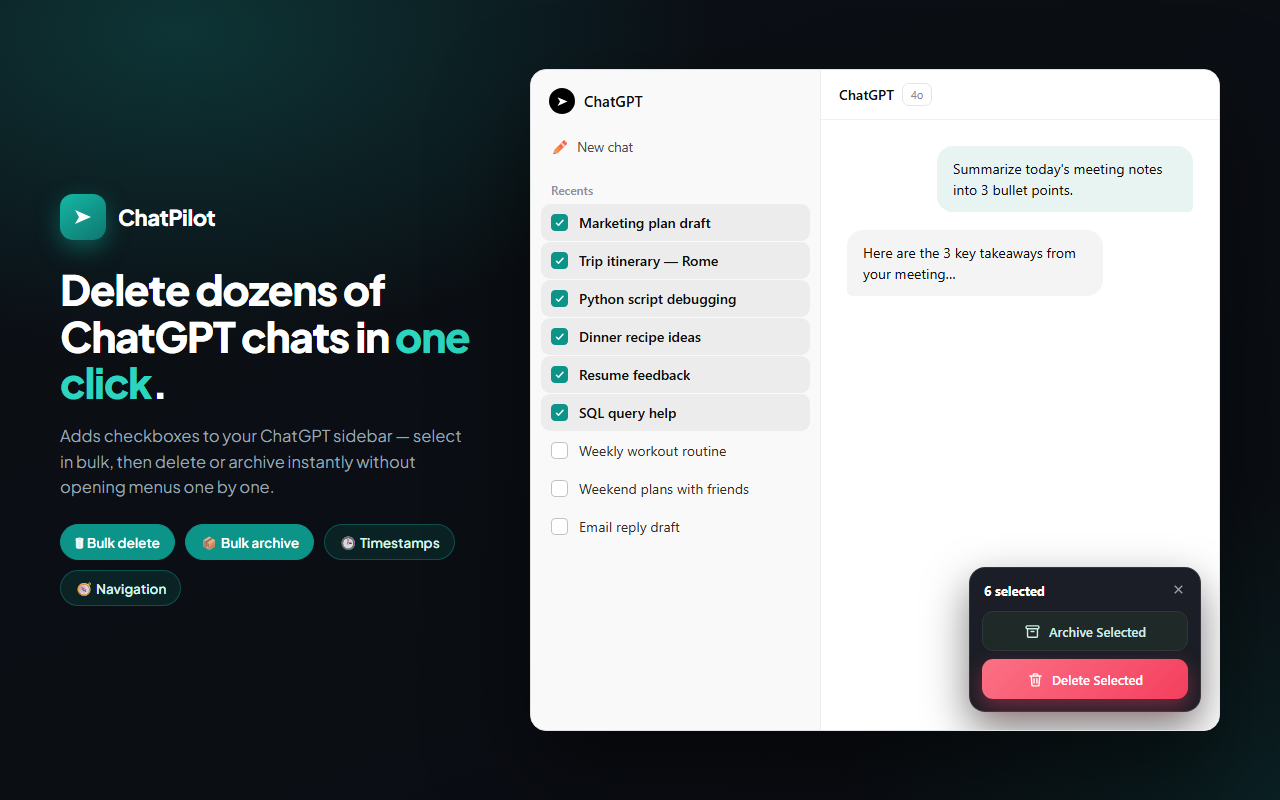
Delete dozens of ChatGPT chats in one click.
ChatPilot is a free Chrome extension to bulk delete and bulk archive ChatGPT chats in seconds. It adds checkboxes to your ChatGPT sidebar — select in bulk, then delete or archive instantly without opening menus one by one. Plus message timestamps and a navigator for long chats.
- Bulk delete & archive ChatGPT conversations at once
- See when every message was sent — message timestamps
- 100% private — no tracking, runs locally
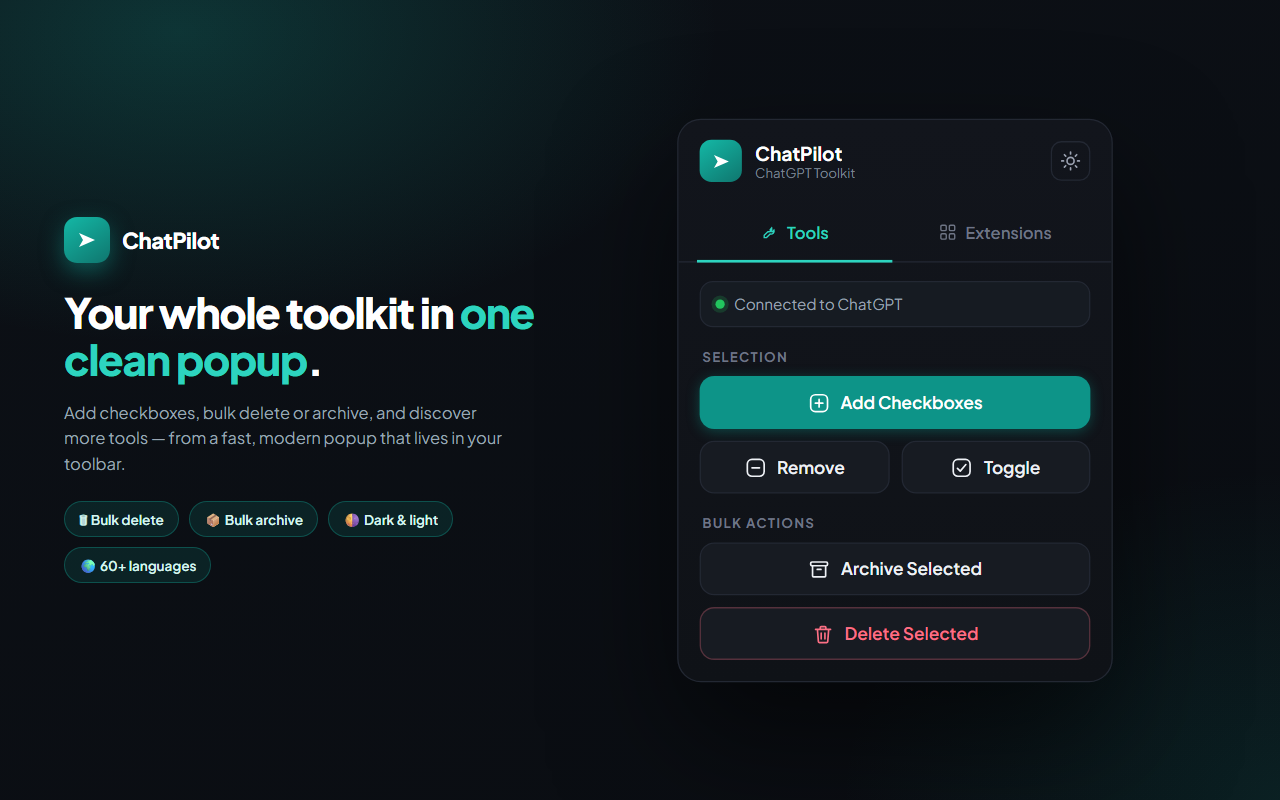
Your whole ChatGPT toolkit in one popup
Add checkboxes, bulk delete or archive, and discover more tools — from a fast, modern popup that lives in your toolbar. No clutter, no setup.
Everything to manage ChatGPT like a pro
One extension instead of five — bulk cleanup, timestamps, and navigation in a single toolkit.
Bulk Delete Chats
Select dozens of conversations with checkboxes and delete all your ChatGPT chats at once — no opening each menu one by one.
Bulk Archive
Archive many ChatGPT conversations at once from the same selection. Tidy your sidebar without losing anything.
Message Timestamps
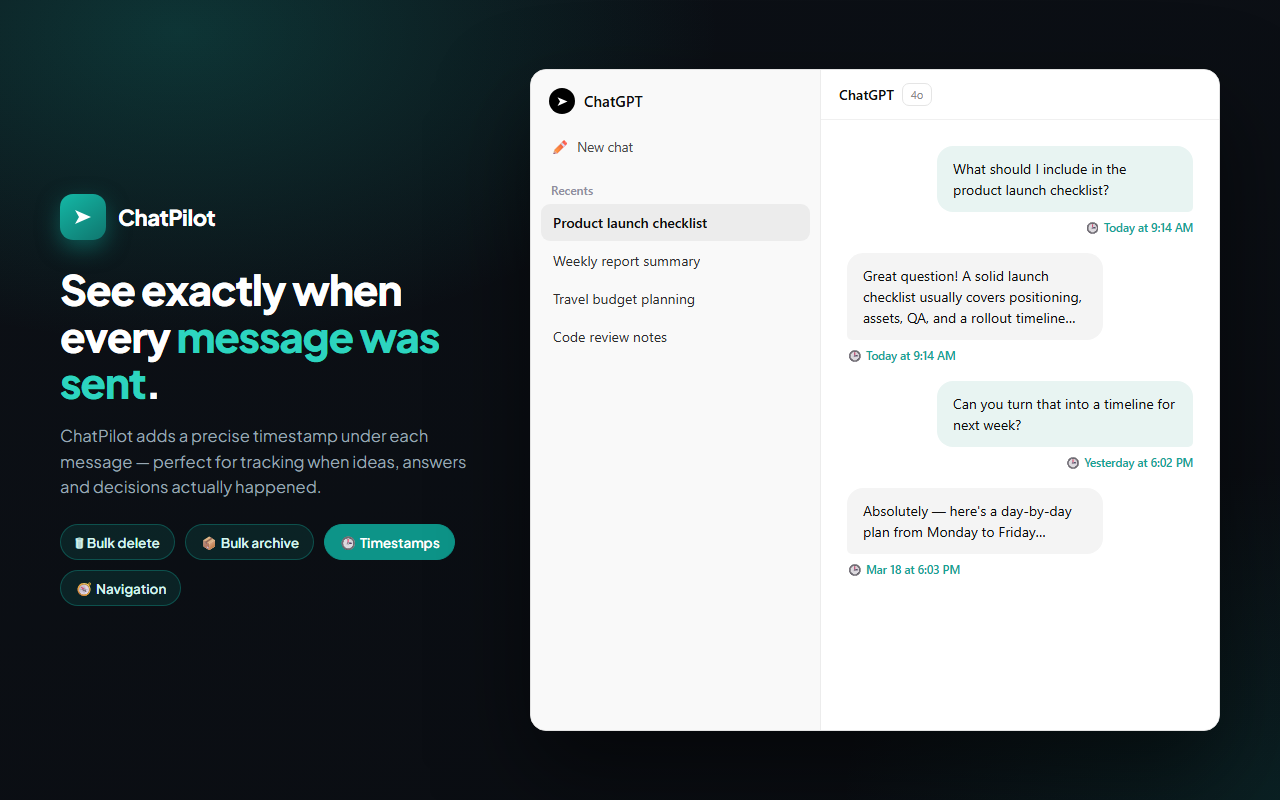
See when every ChatGPT message was sent with a precise timestamp under each bubble — today, yesterday, or an exact date.
Conversation Navigator
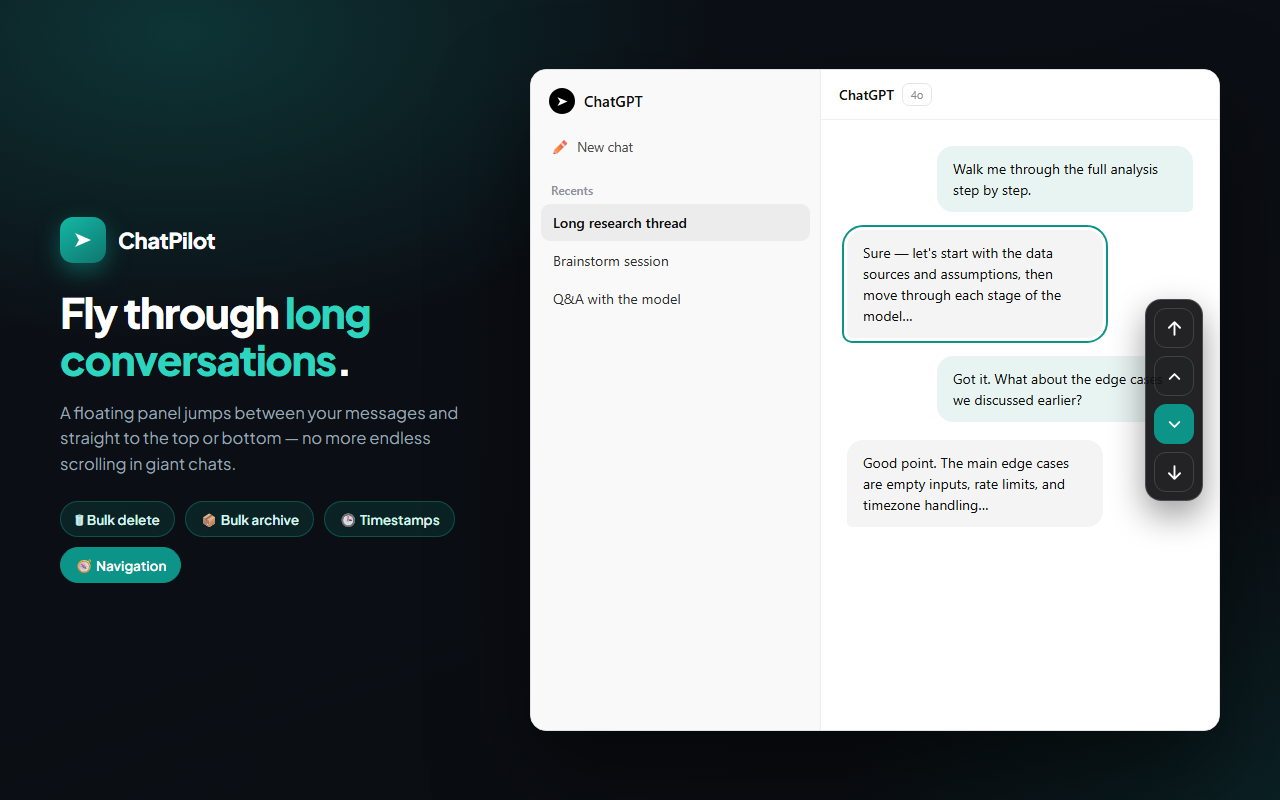
A floating panel jumps between your messages and straight to the top or bottom of long chats — no more endless scrolling.
Checkbox Selection
One-click checkboxes on every sidebar chat, with Shift-click range selection to grab a whole block of conversations fast.
60+ Languages
ChatPilot auto-matches your browser language across the entire interface, so it feels native anywhere in the world.
Light & Dark Theme
A clean, modern UI that follows your system theme automatically — and remembers your choice between sessions.
Privacy First
No tracking, no external servers. ChatPilot never reads, stores, or sends your ChatGPT conversations — everything runs locally.
See exactly when every message was sent
ChatPilot adds a precise timestamp under each message — perfect for tracking when ideas, answers and decisions actually happened. Native ChatGPT shows nothing; ChatPilot fills the gap.
- "Today at 9:14 AM", "Yesterday", or exact dates
- Localized to your language and time format
- Loads instantly as you open each conversation
Fly through long conversations
A floating panel jumps between your messages and straight to the top or bottom — no more endless scrolling in giant ChatGPT chats. Find any point in a long thread in a single click.
- Jump to the top or bottom instantly
- Step between your own messages one by one
- Stays pinned and reattaches as ChatGPT re-renders
Cleaning up ChatGPT shouldn't take forever
Why managing your ChatGPT history is so painful without the right tool.
ChatGPT only lets you delete one conversation at a time — open the "…" menu, click delete, confirm, repeat. With dozens or hundreds of old chats, cleaning up becomes a slow, tedious chore.
There's also no way to tell when a message was sent, and scrolling through a long thread to find one answer is exhausting. The result:
- Deleting chats one by one for several minutes
- No timestamps — no idea when anything happened
- Endless scrolling in giant conversations
- A messy, cluttered sidebar that's hard to navigate
ChatPilot fixes all of it at once: select with checkboxes, then bulk delete or archive in one click — with timestamps and a navigator built in.
Without ChatPilot
- Delete chats one at a time
- No message timestamps
- Endless scrolling in long chats
- Cluttered, messy sidebar
With ChatPilot
- Bulk delete & archive in one click
- Timestamps under every message
- Navigator for instant jumps
- A clean, organized history
One extension instead of five
Most tools do just one thing. ChatPilot bundles every ChatGPT power-user feature into a single, private, free extension.
How ChatPilot works
Bulk delete and archive ChatGPT chats in three simple steps.
Install & open ChatGPT
Add ChatPilot to Chrome for free, then open chatgpt.com. No account or credit card needed.
Add checkboxes & select
Click "Add Checkboxes" and tick the chats you want. Shift-click to select a whole range at once.
Delete or archive
Press "Delete Selected" or "Archive Selected" and ChatPilot clears them all in one click.
Private by design. Ready in your language.
A polished, privacy-first ChatGPT toolkit — translated for the whole world and ready in 60+ languages. Your conversations are never stored.

Frequently asked questions
What is ChatPilot?
ChatPilot is a free Chrome extension and all-in-one toolkit for ChatGPT. It lets you bulk delete and archive conversations in one click, adds a timestamp under every message, and gives you a floating navigator for long chats — all running locally.
How do I bulk delete ChatGPT chats?
Open ChatGPT, click the ChatPilot icon, then "Add Checkboxes". Tick the chats you want (Shift-click for a range) and press "Delete Selected" to remove dozens of ChatGPT chats at once.
Can it bulk archive conversations too?
Yes. From the same selection, press "Archive Selected" to move many conversations to your ChatGPT archive at once. ChatPilot does both bulk delete and bulk archive.
Does ChatPilot show message timestamps?
Yes. It adds a precise timestamp under each message — like "Today at 9:14 AM" or "Mar 18 at 6:03 PM" — so you can see exactly when every message was sent.
Is ChatPilot safe and private?
Yes. Everything runs in your browser. ChatPilot has no tracking and no external servers, and never reads, stores, or sends your ChatGPT conversations anywhere.
What languages are supported?
ChatPilot supports 60+ languages and automatically matches your browser language across the whole interface.
Everything you need to know about ChatPilot
ChatPilot is a free Chrome extension built to help ChatGPT power users bulk delete and archive chats, add message timestamps, and navigate long conversations. If you've ever wanted to delete all your ChatGPT chats at once instead of one by one, this is the tool you need.
How to bulk delete ChatGPT chats
Native ChatGPT only deletes one conversation at a time. ChatPilot adds checkboxes to your ChatGPT sidebar so you can select many chats — or Shift-click to grab a whole range — and then delete or archive them all in a single click. It simulates the same safe actions you'd do by hand, throttled so ChatGPT never rate-limits you.
Bulk archive your ChatGPT conversations
Want to keep your history but clear the clutter? Select any number of conversations and press Archive Selected to bulk archive ChatGPT chats at once. It's the fastest way to declutter your ChatGPT sidebar without losing anything.
See when every ChatGPT message was sent
ChatGPT doesn't show message times. ChatPilot adds a timestamp under each message — so you always know when an idea, answer, or decision actually happened. Timestamps are localized to your language and time format.
Key benefits of ChatPilot
- Bulk delete: remove dozens of ChatGPT conversations in one click.
- Bulk archive: move many chats to your archive at once.
- Message timestamps: see exactly when each message was sent.
- Conversation navigator: jump to the top, bottom, or any message in long chats.
- Checkbox & Shift-select: grab a single chat or a whole range fast.
- 60+ languages: auto-matches your browser language.
- Light & dark theme: follows your system automatically.
- Complete privacy: no tracking, no servers — all local.
Who is ChatPilot for?
It's ideal for anyone who uses ChatGPT heavily — developers, writers, researchers, students, and professionals with a long, cluttered chat history. If you need to clean up ChatGPT, manage conversations, or track timing, ChatPilot is the fastest, simplest way to do it.
Is ChatPilot safe?
Yes. ChatPilot is completely safe. It runs entirely inside your browser, sends nothing to any server, and never stores your conversations. Note: this extension is not affiliated with OpenAI or ChatGPT.
Stop deleting ChatGPT chats one by one. Install ChatPilot today to bulk delete, archive, timestamp, and navigate your ChatGPT conversations — completely free.
Install ChatPilot today
Join the ChatGPT power users who rely on ChatPilot to bulk delete, archive, timestamp, and navigate their conversations. It's free and installs in seconds.
Add ChatPilot to Chrome — FreeNo credit card • 100% Free • No data stored • 60+ languages
Explore our other Chrome extensions
Discover more powerful tools to enhance your browsing experience.

Instagram Unfollow AI - Manage Unfollowers Effortlessly
Instagram Unfollow AI detects those who don't follow you back and helps you unfollow them to optimize your account easily.

X Unfollow AI – Manage Your Twitter Following List
Manage your X (Twitter) following, detect users who don't follow you back, and unfollow safely with smart filters.

TikTok Unfollow AI - Mass & Auto Unfollow All, Everyone & Non-Followers
See who doesn't follow you back on TikTok, then bulk unfollow all, everyone or only non-followers. Safe pacing, one click.

WASendly – WhatsApp Bulk Message Sender
Send bulk and automated WhatsApp messages safely and easily with WASendly.

WASendly – WhatsApp Contacts Extractor
Easily export WhatsApp contacts and group members to Excel, CSV, or vCard.

ExportPal - Save & Export ChatGPT, Claude, Gemini to PDF & Word
Save & export ChatGPT, Claude, Gemini, Grok, DeepSeek & Perplexity to PDF, Word, Markdown, HTML, JSON or Image. Private & free.

Followgap - Instagram Unfollowers Tracker & Unfollow Non-Followers
Find who doesn't follow you back on Instagram. Track unfollowers & mass unfollow non-followers in one click.

FollowStack – Instagram Toolkit for Desktop
Instagram toolkit for desktop. Track unfollowers, upload stories from PC, download media, and manage Instagram.

TeleSendly - Telegram Bulk Sender, Scraper & Member Adder
Send bulk Telegram messages, scrape group members to Excel and add members to groups. Safe speed limits, works in Telegram Web.

Roostbox - Twitter/X Exporter: Tweets, Followers, Bookmarks & Archive
Export tweets, replies, likes, bookmarks and followers from any Twitter/X account to Excel, CSV or JSON. No API key needed.

TokExport - TikTok Follower List, Following & Comment Export Tool
Export TikTok follower and following lists, video comments and post stats to CSV or Excel. Resume long exports.

ChatGPT Speed Booster
ChatGPT Speed Booster is a free Chrome extension that fixes slow ChatGPT performance in long conversations.

Instagram Follower Export Tool
Export Instagram followers, following, likes, and comments to CSV or Excel in one click

PromptJolt – AI Prompt Enhancer for ChatGPT, Claude & Gemini
Rewrite any AI prompt into a clear, structured version in one click. Press Ctrl+M on ChatGPT, Claude or Gemini. 50+ languages, free.

IGFollow AI - Auto Follow
IGFollow AI is an AI-powered tool to grow your Instagram. Boost engagement and expand your audience effortlessly

Backly — Unfollower Tracker for Instagram
See exactly who doesn’t follow you back on Instagram, protect the accounts you care about, and unfollow the rest at a safe, adjustable pace.

FeedRank – Instagram & TikTok Feed Sorter
Sort Instagram & TikTok feeds by likes, views, comments or date. See post stats at a glance and find viral content fast. Free.

Instagram Auto Follow
AI-powered Instagram auto follow tool to boost engagement, grow followers, and expand your audience effortlessly.

Claude Speed Booster
Fix slow Claude.ai in long conversations. Speed Booster hides older messages to stop lag, freezing & high memory use — instantly.

Extract AI – Email Extractor
Email Extractor helps you find visible email addresses on websites and works locally with no tracking or data collection.

Prompt Trove — Visual AI Image Prompts Gallery
A visual gallery of AI image prompts. Use them instantly in ChatGPT, Gemini, Sora, and Nano Banana.

Crawlhive — SEO Audit, Site Crawler & Technical SEO
Audit any page, then crawl the whole site: indexability, duplicate titles, orphan pages, click depth and Core Web Vitals. Your pages are never uploaded.

Privacy Guard for WhatsApp Web
Secure your WhatsApp Web with smart lock, panic button, and blur mode. Your privacy, your control.

Clickaroo - Mouse Effect Designer
Transform your cursor with stunning click effects & animations. Perfect for streamers, presenters & content creators.

InkShot — Webpage Screenshot & Draw Tool
InkShot is a free screenshot Chrome extension that lets you capture full page screenshots, visible viewport, or selected areas

Detechtor AI - Website Technology Checker & Tech Stack Detector
Detechtor AI checks what any website is built with — CMS & WordPress theme detector, frameworks, analytics, CDN, tech stack.

Numsift — Bulk WhatsApp Number Checker & Validator | Export to Excel
Bulk check which numbers are on WhatsApp. Validate lists, filter by country, spot business accounts, export to Excel or CSV.

Clearbox — Bulk Chat & Message Deleter for Instagram
Delete all your chats and messages on Instagram in bulk. One click, and the chats you protect stay untouched.

Rosterbox - IG Follower & Following Export List to CSV, Excel
Export IG follower and following lists, likes and comments to CSV, Excel or JSON in one click. Fast, private, no password.

Araç Data Merkezi — Used Car Valuation & Damage Check for Sahibinden
See what a car on Sahibinden is really worth: market value for the exact trim, how damage and repaint move the price, and the engine's known faults. Turkish interface, Turkey market.

SignedRise - Professional Email Signature
Create custom and professional email signatures effortlessly with SignedRise. Perfect for personal and work emails.