The complete guide to Instagram unfollowers: see who doesn't follow you back
Knowing who follows you back on Instagram — and who doesn't — is essential for a healthy account. Whether you're a creator, a small business, or a personal user, an unbalanced following list quietly drags down your engagement and credibility. This guide explains how to find your Instagram unfollowers, how to see who unfollowed you, and how to clean up your following list safely with a free unfollowers tracker.
What are Instagram unfollowers and non-followers?
“Non-followers” are accounts you follow that don't follow you back. “Unfollowers” are people who used to follow you and then stopped. There are also “ghost followers” — inactive accounts that follow you but never engage. Instagram treats all of them the same way in its interface: it gives you no list, no alert, and no built-in tool to find any of them. The result is that your following count grows while your followers don't, creating the lopsided ratio an Instagram unfollowers tracker is built to fix.
How to check who doesn't follow you back on Instagram
There are three realistic ways to see who doesn't follow you back on Instagram, and to find your Instagram non-followers for good:
Method 1 — Manual checking
Open your Following list and check each account one by one. It's free but painfully slow; checking 500 accounts can take hours, and there's no way to track changes over time or unfollow in bulk.
Method 2 — Mobile unfollow apps
Many “who unfollowed me” apps exist, but most demand your Instagram username and password, which is a real security risk. Several have been removed from app stores for breaching Instagram's terms, and many charge a monthly subscription.
Method 3 — A Chrome extension (recommended)
A browser extension like Followgap works inside your existing logged-in session. It reads follower data straight from the Instagram page — no password, no external servers — making this unfollowers checker both safer and far faster than the alternatives.
How to see who unfollowed you on Instagram
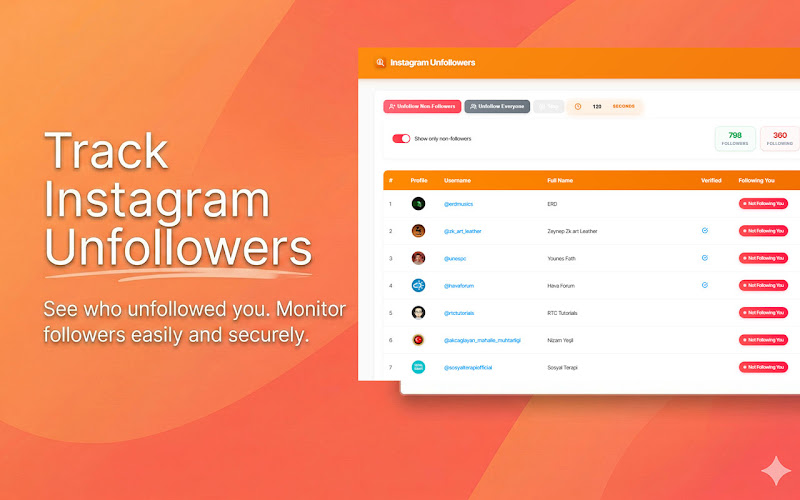
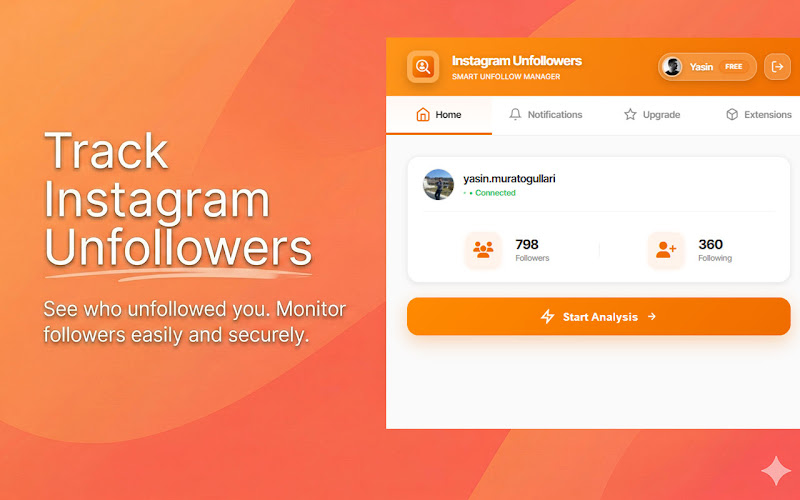
Because Instagram never notifies you when someone unfollows, the only reliable approach is to compare your current followers with who you follow. The extension does this every time you press Start Analysis, so you immediately see who unfollowed you and who never followed back. Run a quick scan once a week to catch follow-then-unfollow behaviour early.
Understanding Instagram's unfollow limits
Instagram rate-limits actions to prevent spam. As a rough guide:
- New accounts (under 3 months): ~20–30 unfollows per hour, 50–100 per day
- Established accounts (3–12 months): ~30–50 unfollows per hour, 100–150 per day
- Mature accounts (12+ months): ~40–60 unfollows per hour, 150–200 per day
Exceeding these limits can trigger a temporary action block, so it pays to know Instagram's unfollow limits before a big cleanup. The extension's built-in pacing keeps you within safe boundaries automatically when you bulk unfollow non-followers.
Best practices for managing your following list
- Scan weekly: catch new non-followers and unfollowers before the list grows unmanageable.
- Use the whitelist: protect friends, family, and accounts you follow on purpose.
- Don't overreact: some non-followers (brands, news, creators) are worth keeping.
- Pace your unfollows: spread large cleanups across sessions so you can unfollow non-followers without getting flagged.
- Focus on content: tools optimise your profile, but great content keeps followers.
Why a browser extension is the safest unfollowers checker
- No credentials: it uses your existing login instead of asking for a password.
- Local processing: follower data stays in your browser and is never uploaded.
- No API abuse: it reads the visible page rather than hammering unofficial APIs.
- Always available: a compliant Chrome extension won't disappear from an app store overnight.
Whether you need an Instagram unfollowers tracker, a non followers checker, an unfollow checker, or simply a reliable Instagram follower tracker, it's all one tool. Install Followgap to finally see who doesn't follow you back, answer the question “who doesn't follow me back?”, find out who unfollowed you, and keep your following list clean — free, private, and in seconds.