Useful and easy to navigate. I like having the information organized in one place instead of checking different profiles individually.
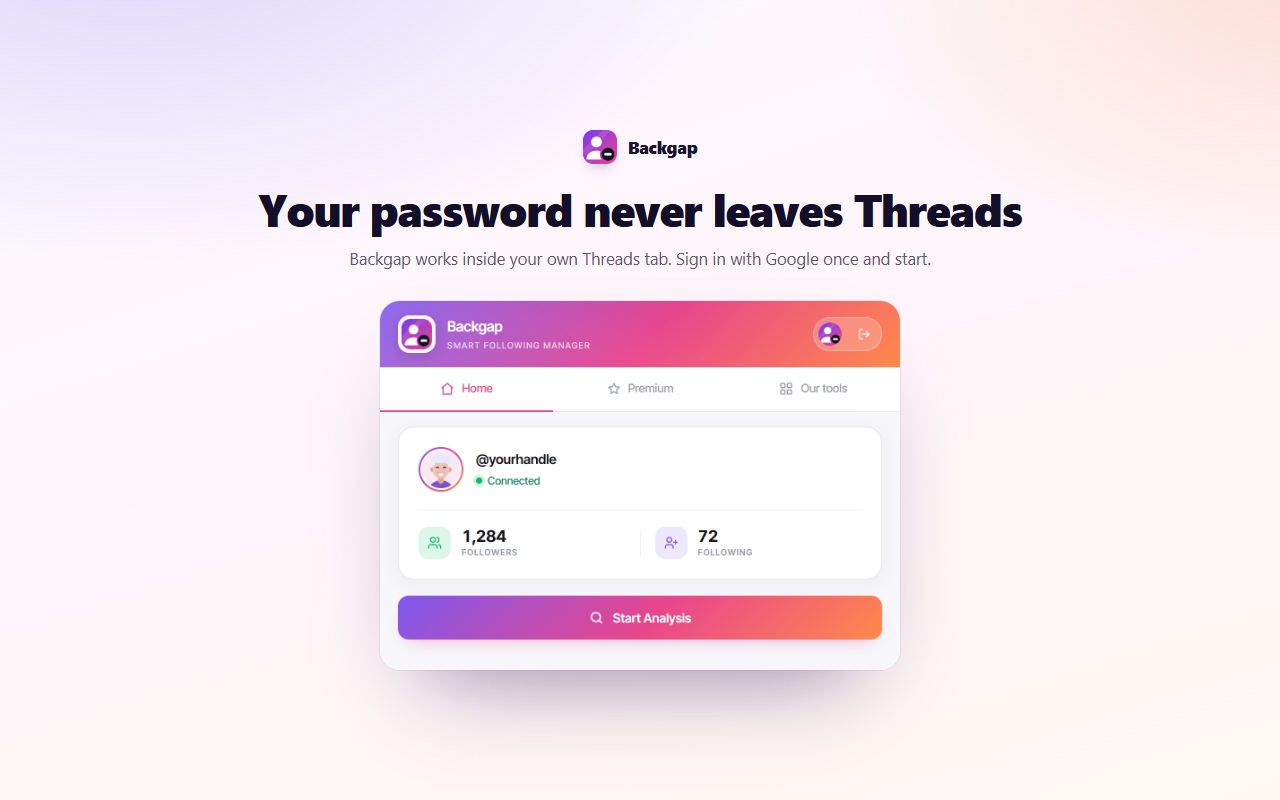
Threads shows you a follower count, never a list of who never followed back. Backgap scans your whole following list, marks every account that doesn’t follow you back, and unfollows the ones you choose — in bulk or one at a time, at a pace you set, without ever asking for your password.
You can open a profile and check it by hand. For a following list that grew past a few hundred, that is the whole afternoon gone.
Workable for twenty accounts. Not for eight hundred.
You still decide every action. Backgap only does the repeating.
Useful and easy to navigate. I like having the information organized in one place instead of checking different profiles individually.
Really handy for keeping track of my Threads followers. The layout is straightforward, and it makes checking my following list much less tedious.
Does what I need it to do without making things complicated. A useful addition for anyone who wants to manage their Threads account more easily.
A practical tool for keeping my Threads following list organized. I especially like being able to review accounts before taking action.
Checking my Threads following list manually takes too much time. This extension makes the process much more convenient.
The interface is easy to understand, and I like being able to see who doesn't follow me back in one place.
Simple and useful extension for managing my Threads following list. It saves me time compared to checking profiles manually.
Everything happens in your own Threads tab, in the browser you are already signed in to.
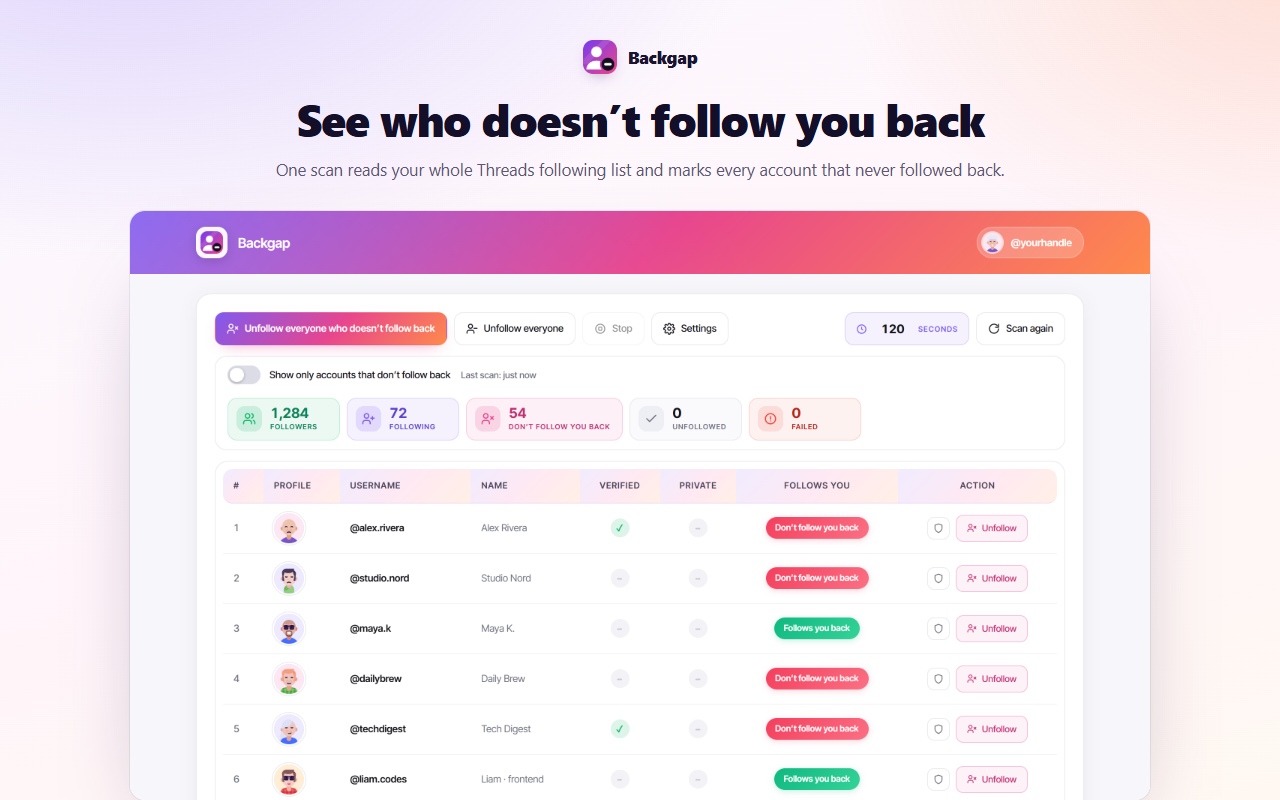
One scan reads your whole following list and marks each account that never followed back. The table shows the username, display name, follower count, whether the account is verified or private, and whether it follows you.
Clear everyone who doesn't follow back in a single run, or work through the entire following list. Every row also has its own button, for the times you only want to remove one account.
Choose the delay between actions, anywhere from 5 to 600 seconds. Nothing moves faster than the interval you picked, even when a run takes hours.
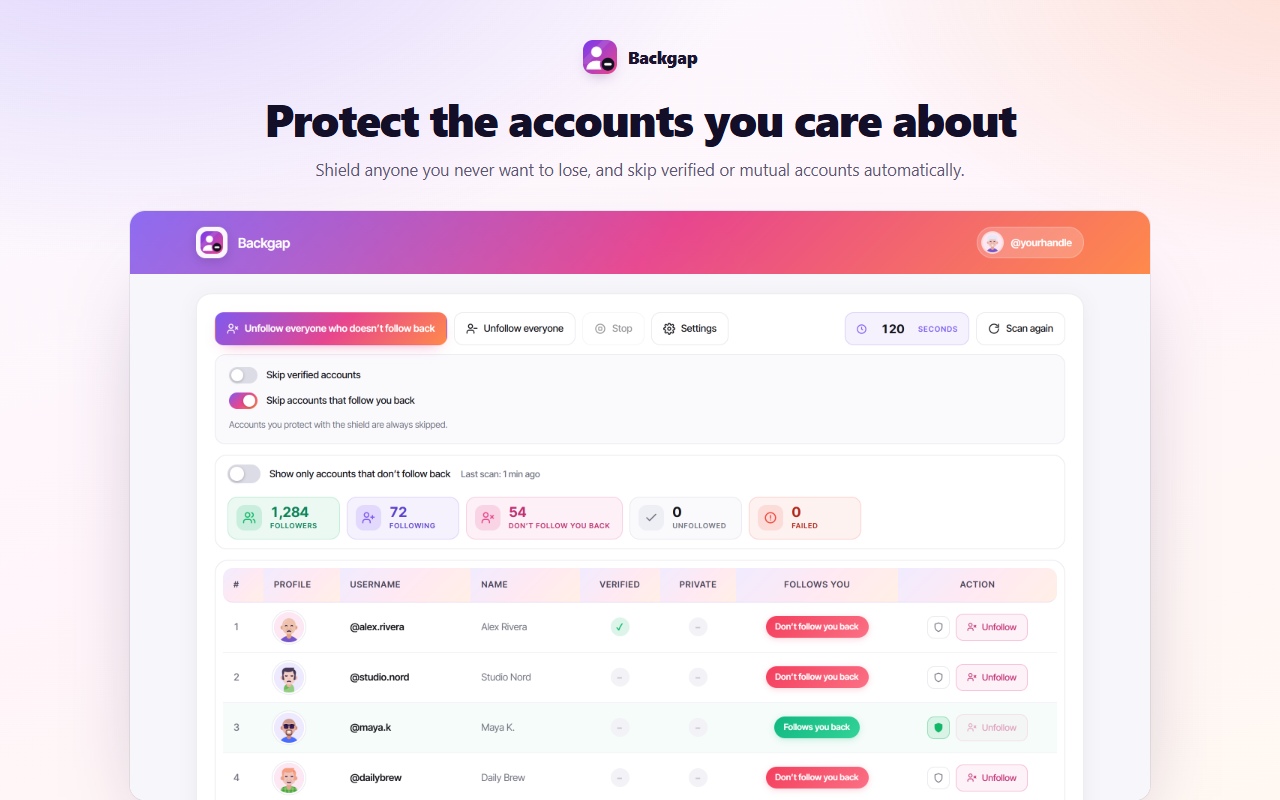
Mark friends, clients or family with the shield and they are skipped in every bulk run, now and in future ones. The shield survives restarts and new scans.
Two switches keep verified accounts and people who already follow you out of every bulk action, so one careless click cannot cost you a mutual connection.
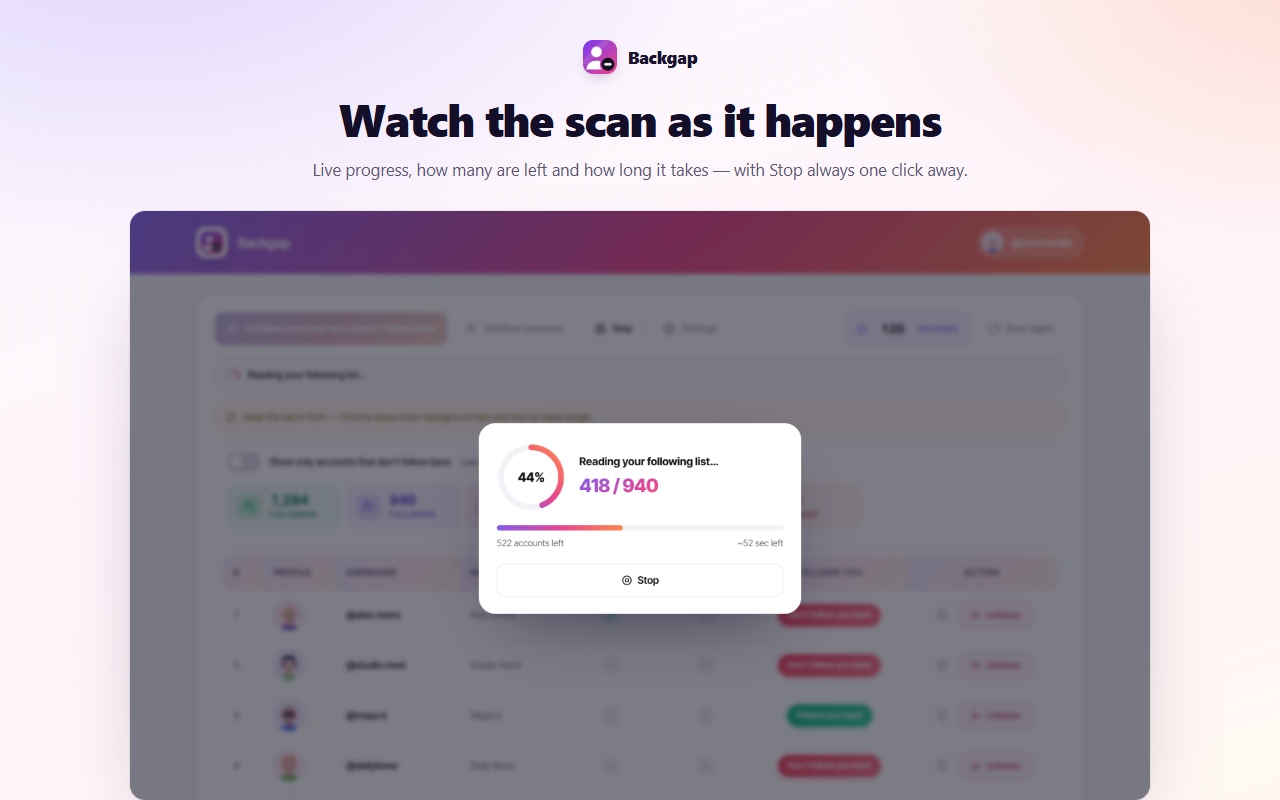
Stop is one click away during both the scan and the unfollow run, and it takes effect on the next action rather than at the end of a long wait.
Live progress shows how many accounts have been read, how many are left, the percentage done and an estimate of the time remaining, alongside running counts of followers, following, non-followers, unfollowed and failed.
The interface is available in more than fifty languages, including right-to-left layouts, with numbers and times formatted the way your region writes them.
Five steps, and only the last one changes anything.
Signing in keeps your settings and your shielded accounts attached to you rather than to one browser.
Use the same browser, signed in to your own account. If no Threads tab is open, Backgap opens one for you — you are never told to go and do it yourself.
Backgap reads your following and followers lists straight from the page you already have open, page by page, filling the table as it goes.
Sort the table, filter it down to the accounts that don't follow back, and put a shield on anyone you want to keep.
Pick the delay, press the bulk button and confirm. Progress, counts and the time left are shown while it runs — and Stop works at any moment.
Threads has no screen that lists this. Open Threads, press Start in Backgap and wait for the scan to finish: the table marks every account you follow that never followed back, and one switch shows only those accounts.
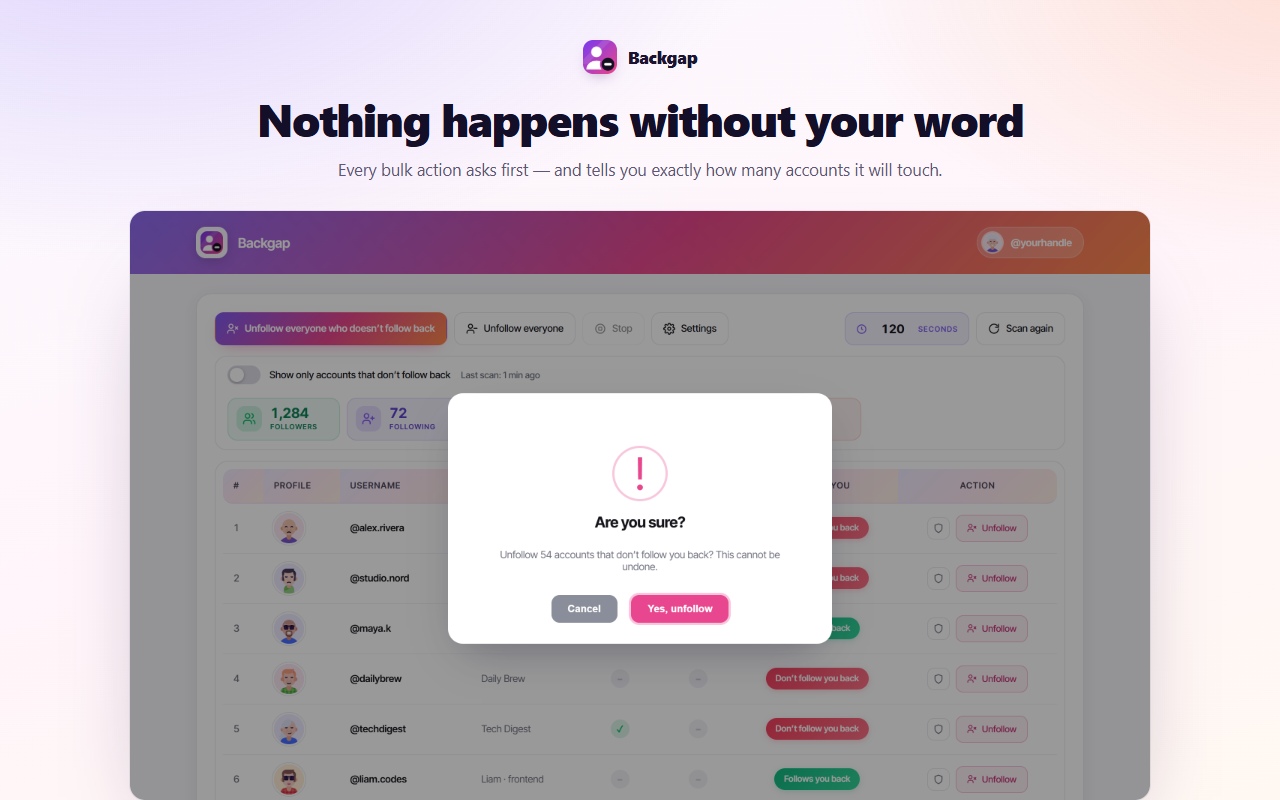
Yes. One button clears everyone who doesn't follow you back, and another works through your entire following list. Both ask for confirmation and show the exact number first.
That depends on pace, which is why the delay is yours to set — anywhere from 5 to 600 seconds between actions. A longer interval resembles ordinary use far more than a burst of rapid clicks, and if Threads asks for a slower pace Backgap pauses, shows a countdown and continues on its own.
No. It works inside the Threads tab you are already signed in to, so there is nothing to hand over and nothing for the extension to store. Signing in with Google is only used to identify your account.
Not if you shield them. Shielded accounts are skipped in every bulk run, and you can also switch on automatic skipping for verified accounts and for people who follow you back.
Yes. Threads serves people from both domains and Backgap works on either.
It depends on how many accounts you follow. Backgap reads the list in pages and shows a live estimate of the time remaining once it has read enough to be accurate.
On your own computer. The result of the last scan is saved locally, so reopening Backgap shows the table again without scanning from the start.
Backgap is a Chrome extension, so it runs in a desktop browser. You can carry on using Threads on your phone as usual.
Install the extension, open Threads, and run one scan.
Add Backgap - Threads Followers Tracker & Mass Unfollow to ChromeFollowing someone on Threads takes one tap. Finding out months later that they never followed you back takes an afternoon, because Threads gives you no screen that lists it. You get a follower count and a following count, and the gap between them is the only hint that something is off. Anyone who followed back generously during a growth push ends up with a list of several hundred accounts and no practical way to review it. Searching for how to see who doesn’t follow you back on Threads turns up the same answer everywhere — open each profile and look — because that is the only thing the app itself offers.
Checking by hand fails for a reason that has nothing to do with patience. The following list reloads as you scroll, so every time you open a profile and come back you lose your place. There is no way to mark an account as “already checked”, and no way to mark one as “never remove this”. Twenty accounts in, you are relying on memory. A Threads unfollow tracker solves exactly that: it reads the whole list once, holds the result, and lets you work against a table instead of against your own recollection.
Backgap reads both lists — the people you follow and the people who follow you — and compares them. What comes back is one sortable table with the username, display name, follower count, verified and private flags, and whether that account follows you. A single switch narrows the view to non-followers only. From there, bulk unfollow on Threads is one button, and it tells you exactly how many accounts it is about to touch before anything happens.
The question people ask about any mass unfollow tool is whether it is safe, and the honest answer is that it depends entirely on pace. A burst of several hundred rapid actions looks nothing like a person using an app. A steady interval does. That is why the delay in Backgap is yours to set, anywhere from five seconds to ten minutes between actions, and why nothing ever runs faster than the number you chose — even if the run takes hours. If Threads asks the extension to slow down, it pauses, shows you a countdown and resumes by itself rather than hammering at a closed door.
The second safeguard is the shield. Friends, clients, family, the people you actually opened the app for — mark them once and they are skipped in every bulk run from then on, including runs you start months later. Two more switches keep verified accounts and anyone who already follows you out of every bulk action, so a careless click cannot cost you a mutual connection. And every bulk action asks for confirmation first, with the exact number in front of you.
Backgap never asks for your Threads password and never sees it. It works inside the Threads tab you are already signed in to, which means it does exactly what you would do if you clicked every button by hand — only without losing your place. The result of a scan is stored on your own computer rather than on a server, so reopening the extension shows the table again without scanning from the start. Signing in with Google is used only to identify your account; the only details requested are your name, email address and profile picture.
If your following list on Threads has outgrown reading it by hand — whether you followed back during a growth push, you are coming back after months away, or you simply want the list to reflect who you actually read today — one scan is enough to see where you stand.
Instagram Unfollow AI detects those who don't follow you back and helps you unfollow them to…
Manage your X (Twitter) following, detect users who don't follow you back, and unfollow safely…
See who doesn't follow you back on TikTok, then bulk unfollow all, everyone or only…
Send bulk and automated WhatsApp messages safely and easily with WASendly.
Easily export WhatsApp contacts and group members to Excel, CSV, or vCard.

Send bulk Telegram messages, scrape group members to Excel and add members to groups. Safe…

Find who doesn't follow you back on Instagram. Track unfollowers & mass unfollow non-followers…
Instagram toolkit for desktop. Track unfollowers, upload stories from PC, download media, and…
Export IG follower and following lists, likes and comments to CSV, Excel or JSON in one click…
Export tweets, replies, likes, bookmarks and followers from any Twitter/X account to Excel…
Delete tweets, likes and reposts on X in bulk. Preview first, back up to CSV, and every…
Save & export ChatGPT, Claude, Gemini, Grok, DeepSeek & Perplexity to PDF, Word, Markdown…
Export TikTok follower and following lists, video comments and post stats to CSV or Excel…
ChatGPT Speed Booster is a free Chrome extension that fixes slow ChatGPT performance in long…
Export Instagram followers, following, likes, and comments to CSV or Excel in one click
Remove TikTok reposts in bulk. See the full list first, pick what goes, and set your own pace…
Rewrite any AI prompt into a clear, structured version in one click. Press Ctrl+M on ChatGPT…
IGFollow AI is an AI-powered tool to grow your Instagram. Boost engagement and expand your…
See exactly who doesn’t follow you back on Instagram, protect the accounts you care about, and…
Sort Instagram & TikTok feeds by likes, views, comments or date. See post stats at a glance…
AI-powered Instagram auto follow tool to boost engagement, grow followers, and expand your…
Fix slow Claude.ai in long conversations. Speed Booster hides older messages to stop lag…
Bulk delete & archive ChatGPT chats, add message timestamps and navigate conversations fast…
Email Extractor helps you find visible email addresses on websites and works locally with no…
A visual gallery of AI image prompts. Use them instantly in ChatGPT, Gemini, Sora, and Nano…
Audit any page, then crawl the whole site: indexability, duplicate titles, orphan pages, click…
Secure your WhatsApp Web with smart lock, panic button, and blur mode. Your privacy, your…
Transform your cursor with stunning click effects & animations. Perfect for streamers…
InkShot is a free screenshot Chrome extension that lets you capture full page screenshots…
Detechtor AI checks what any website is built with — CMS & WordPress theme detector…
Bulk check which numbers are on WhatsApp. Validate lists, filter by country, spot business…
Delete all your chats and messages on Instagram in bulk. One click, and the chats you protect…
See what a car on Sahibinden is really worth: market value for the exact trim, how damage and…
Create custom and professional email signatures effortlessly with SignedRise. Perfect for…
Download Telegram videos, photos, audio and files in bulk. Filter by type, date, size or…