
The complete guide to AI image prompts (2026)
If you've ever asked ChatGPT, Gemini, or Sora to generate an image and gotten something slightly off — too generic, wrong lighting, missing the mood you wanted — the issue almost always lives in the prompt, not the model. Image-generation AIs are extremely sensitive to the exact words you choose: a single phrase like "shot on Arri Alexa, 35mm, anamorphic lens flare" can change a flat snapshot into a cinematic frame. Most people don't know those phrases, and that's where a curated AI image prompt gallery like Prompt Trove becomes a creative shortcut.
What is an AI image prompt?
An AI image prompt is the text instruction you give to a model like Sora, Nano Banana, Midjourney, DALL·E 3, Stable Diffusion, or Flux to generate an image. A good prompt typically describes five things: the subject, the style (cinematic, anime, photorealistic, 3D render…), the composition (close-up, wide shot, top-down), the lighting (golden hour, hard rim light, soft window light), and the technical specs (camera, lens, film stock, color grading). Prompt Trove's library is full of professional examples that nail all five.
Why a visual prompt gallery beats text-only prompt websites
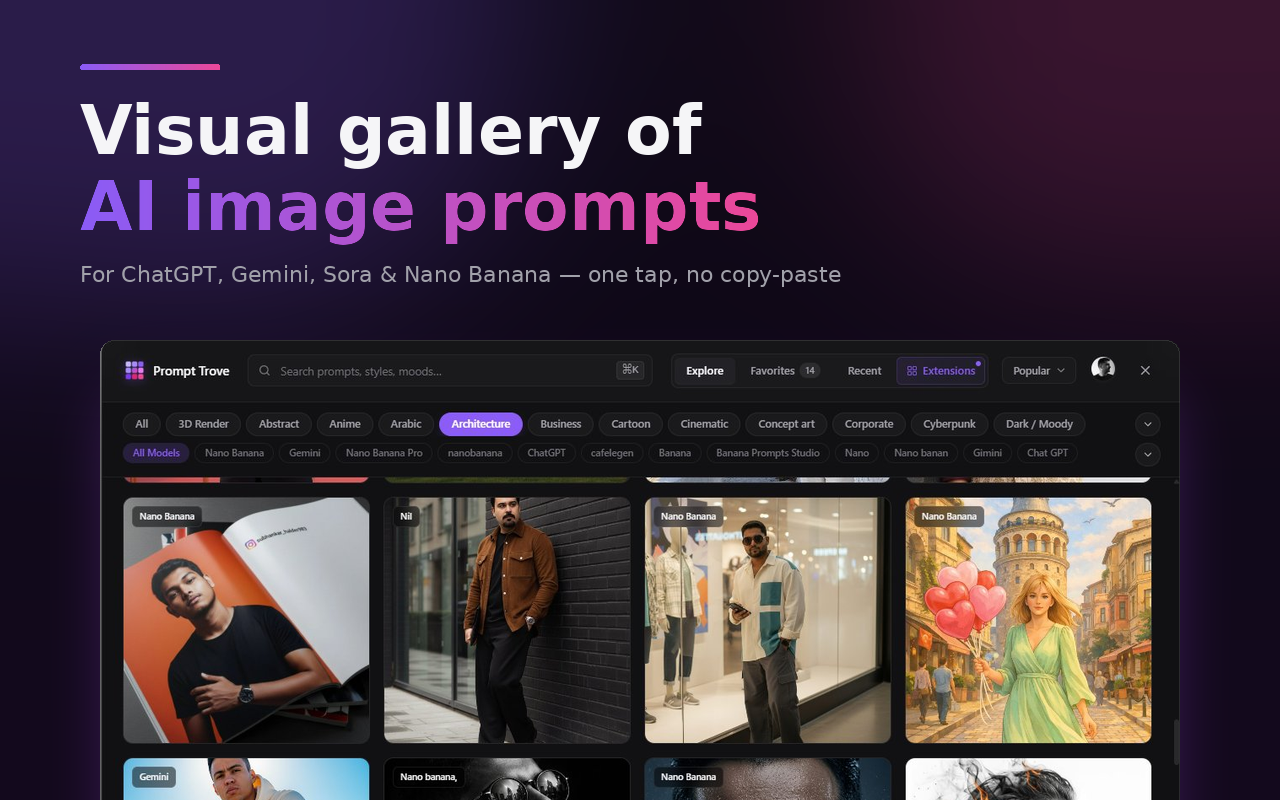
Text-only prompt sites give you the words but not the picture. You read "Cinematic close-up portrait, neon-lit Tokyo backstreet, anamorphic lens flare, 35mm" and have to imagine what it'll look like. With a visual gallery, you skip the imagination step: every Prompt Trove card shows the actual generated image so you pick by visual reference. This is the same shift that happened in fashion (lookbooks beat lists) and in cooking (food photography beat recipes alone) — image-first beats text-first.
How Prompt Trove organizes prompts
The library is organized along two axes: category and model. Categories group prompts by visual style — cinematic, portrait, product, anime, 3D render, vintage, landscape, editorial, fashion, architecture, cyberpunk, abstract, surreal, minimalist, and dozens more. Models tag prompts that were specifically tuned for Sora, Nano Banana, Midjourney v6, DALL·E 3, Stable Diffusion, Flux, Ideogram, or Leonardo. You can combine filters (e.g., "Portrait" + "Nano Banana") and search free-text inside titles and prompt bodies.
Sora prompts vs Nano Banana prompts vs Midjourney prompts
Different models reward different prompt styles. Sora favors cinematic, scene-level descriptions with camera and movement cues. Nano Banana (Google's image model inside Gemini) is excellent with editorial and product styles and forgives shorter prompts. Midjourney v6 likes photographic detail and benefits from explicit camera/lens/film phrasing. DALL·E 3 picks up on conversational language and natural descriptions. Prompt Trove tags every prompt with the model it was built for so you can see at a glance which examples to pull from when you switch tools.
Prompt variables — the trick most people miss
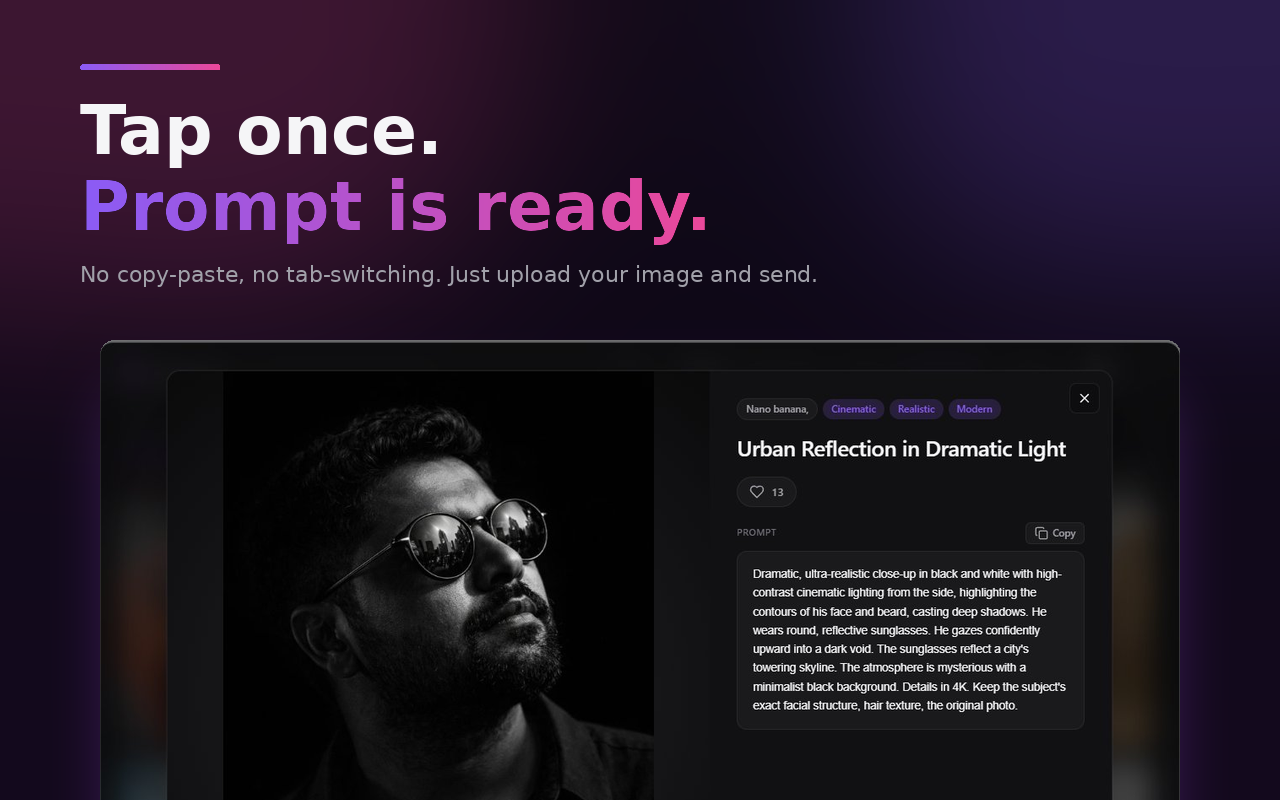
Many of the best prompts in our library include [subject], [style], or [mood] placeholders. These are templates: replace the bracketed text with your specific subject and the rest of the prompt's craft (lighting, composition, lens choice) carries over. Manually editing long prompts is annoying. Prompt Trove auto-detects variables, shows you input fields, updates the preview live as you type, and injects the personalized version. This turns thousands of static prompts into millions of customizable starting points.
How to write better AI image prompts
If you want to write your own great prompts (or learn from Prompt Trove's library), use this checklist:
- Subject first. Be specific. "Young woman" beats "person". "Bengal cat sitting on weathered teak deck" beats "cat".
- Style next. Cinematic? Editorial? 3D render? Anime? Pick one and commit.
- Composition cue. "Close-up", "medium shot", "wide", "top-down", "Dutch angle".
- Lighting. "Golden hour", "soft window light", "hard rim light from camera left", "neon", "moonlit".
- Technical specs. Camera body, lens length, film stock, color grading. "Shot on Hasselblad H6D, 80mm, Portra 400 grain, teal-and-amber grade".
- Mood & constraints. "Quiet stillness", "high energy", "no people", "soft focus background".
Prompt Trove's curated examples cover all six elements every time. Studying a few dozen of them is the fastest way to become a better prompt writer yourself.
Privacy and AI image prompt extensions
Image prompts can contain sensitive context — client names, brand briefs, internal product details. A trustworthy prompt extension should:
- Request only the minimum Chrome permissions needed
- Not read or modify other websites you visit
- Not run third-party analytics or trackers
- Be open about what data is stored where
Prompt Trove asks for two permissions only (storage and identity) and limits host access to www.addonschrome.com and www.googleapis.com. It cannot read pages on other websites. Your favorites stay tied to your Google account on our backend; your recent prompts live in your local browser.
Free vs paid AI prompt extensions
Many prompt galleries charge $5–$15 a month or require you to bring your own OpenAI / Anthropic API key (which means you pay per image anyway). Prompt Trove is completely free. The library is free, sign-in is free, favorites and sync are free, customizable variables are free. There is no API key requirement — Prompt Trove only injects text into your existing ChatGPT / Gemini / Claude session, so you use whatever AI subscription you already have.
Choosing the best AI image prompt extension
When evaluating prompt extensions, check for:
- Native composer integration — not a separate tab or popup
- Multi-AI support — ChatGPT, Gemini, and Claude at minimum
- Visual gallery — image previews on every card, not just text
- Filter by model — Sora, Nano Banana, Midjourney prompts often differ in tone
- Customizable variables — make every prompt your own without manual editing
- Cross-device sync — favorites should follow you
- Free first — try the full thing before paying
- Minimal permissions — no
<all_urls>wildcard, no third-party trackers
Prompt Trove was designed against this checklist. Install it free from the Chrome Web Store and see how much faster your AI image generation gets when the right prompt is always one tap away.


























