Article

How to Unfollow Everyone on Threads Without Getting Blocked

24 Oct 2026 11 min read

You joined Threads, tapped the button that brought your Instagram follows across, and now the feed is full of accounts you never chose one by one. The obvious fix would be a button that clears the lot. There isn't one. If you have been looking for a way to unfollow everyone on threads and coming up empty, that is because Threads genuinely does not ship the feature.

What follows is the honest version: what the app does and does not let you do, the three routes people actually take, the pace that gets your account temporarily restricted, and the one question nobody answers clearly — whether any of this touches your Instagram account.

Threads has no "unfollow everyone" button

Start here, because it saves you twenty minutes of hunting through settings. There is no bulk control anywhere in Threads. No "select all", no checkbox column, no "unfollow all" buried in a menu. The only built-in way to unfollow is to open an account — or your Following list — and tap the Following button so it flips back to Follow.

One tap, one account. That is the whole native feature set. Every method below is a way of making that same tap happen faster, or making it happen without your thumb.

Threads also gives you no way to see who doesn't follow you back. The app shows a follower count and a following count, but it never diffs the two lists for you. That gap is why most people end up wanting to clear everything — it feels easier than auditing a list you cannot sort.

Why your following list filled up without you choosing it

This is the part that makes Threads different from every other clean-up job. On Instagram or X, your following list grew one decision at a time over years. On Threads, most people's list arrived in a single tap.

When you signed up, Threads offered to follow everyone you already followed on Instagram. It was one button, it was the default path, and it imported hundreds or thousands of accounts in one go. Those accounts were chosen for a photo app, by a version of you that may have been making those choices a decade ago.

So the threads following list you are staring at is not really a list you built. It is a copy of a different list, pasted into a different app. That is worth knowing before you decide how aggressive to be — there is a good chance almost none of it was a deliberate choice, which makes clearing it far less risky than it feels.

Does unfollowing on Threads change anything on Instagram?

This is the question that stops most people before they start, and the answer is reassuring: no. Threads and Instagram keep separate follow graphs. Unfollowing an account on Threads removes it from your Threads feed and nothing else. The same person stays in your Instagram following list, your Instagram feed is untouched, and they are not told anything.

The two lists started out identical because of that import at signup, which is exactly why people assume they are still linked. They are not. From the moment you joined, the two drifted apart independently.

Unfollowing is app-specific. Threads unfollows stay on Threads. Instagram is unaffected.
Nobody gets a notification. Like Instagram, Threads does not tell someone you unfollowed them. They would have to check your profile to notice.
Blocking is the exception. Blocking an account applies across both apps. If you want a quiet exit, unfollow — do not block.

Three ways to clear the list

Every approach is a variation on the same tap. They differ in how much of your evening they cost and how much you have to trust something.

Tapping Following, one account at a time

Open your profile, open the following count, and work down the list. It is free, it needs nothing installed, and it is completely safe because it is just the app being used normally.

It is also brutal at scale. The list re-renders as you go, so your place shifts under you, and a thousand accounts is a genuinely long evening. For a list under about fifty this is the right answer and you should stop reading. Above that, the arithmetic turns against you quickly.

Pasting a script into the browser console

Open Threads on a desktop browser, open the developer console, and paste in a snippet that finds the buttons and clicks them. Scripts like this circulate publicly and they do work, in the sense that the clicks happen.

Two things make this a poor default. Scripts break — they look for specific button labels and layout, and Threads changes its interface without warning, so a snippet that worked last month may do nothing or click the wrong control today. And pasting code you have not read into the console of a site you are logged into is a habit worth not building; the console has your full session, and a snippet from a forum is not something you can meaningfully audit.

An extension that works inside your own session

The third route reads the list that is already loaded in your own browser and performs the same unfollow taps, paced deliberately, with a record of what it did. No password changes hands because you are already signed in — the page is simply read and acted on while it scrolls.

Backgap does this for Threads: it walks your following list, shows you which accounts do not follow you back, lets you mark the ones you want to keep so they are skipped, and spaces the unfollows out instead of firing them all at once. The marking part matters more than it sounds — see the next section but one.

The pace that triggers an action block

Meta does not publish its limits, and anyone quoting you an exact number per hour is guessing. What is well established is the shape of the thing: repeat the same action unusually fast and the account gets temporarily restricted. The button stops responding, or an "action blocked" message appears, and it clears on its own after a while.

The signal is rate and rhythm, not a magic total. Two hundred unfollows spread across a day looks like a person tidying up. Two hundred in four minutes, each exactly a second apart, does not. This is why "unfollow everyone on threads at once" is the wrong goal to optimise for — the fastest possible clear-out is also the one most likely to get interrupted.

If you do hit a block, stop completely. Do not switch methods and keep going — that reads as evasion. Leave the account alone for a day, then resume at a slower pace. The restriction is temporary, and waiting it out is the cheapest fix available.

Before you wipe the whole list

"Clear everything" is satisfying and usually slightly wrong. A few accounts in there are ones you would re-follow within a week — the friends, the two or three people whose posts you actually open, the work accounts you need for professional reasons.

The problem is that once they are gone they are gone. Threads keeps no undo and no history of who you used to follow, so there is no list to consult afterwards. If you plan to mass unfollow on threads, decide on the exceptions before the first tap, not after.

Two practical ways to do that: screenshot your following list first so you have a record to rebuild from, or use a method that lets you mark accounts as protected so they are skipped automatically. The second scales better, because a screenshot of nine hundred accounts is not something you will realistically work through.

A clean-up you can finish in one sitting

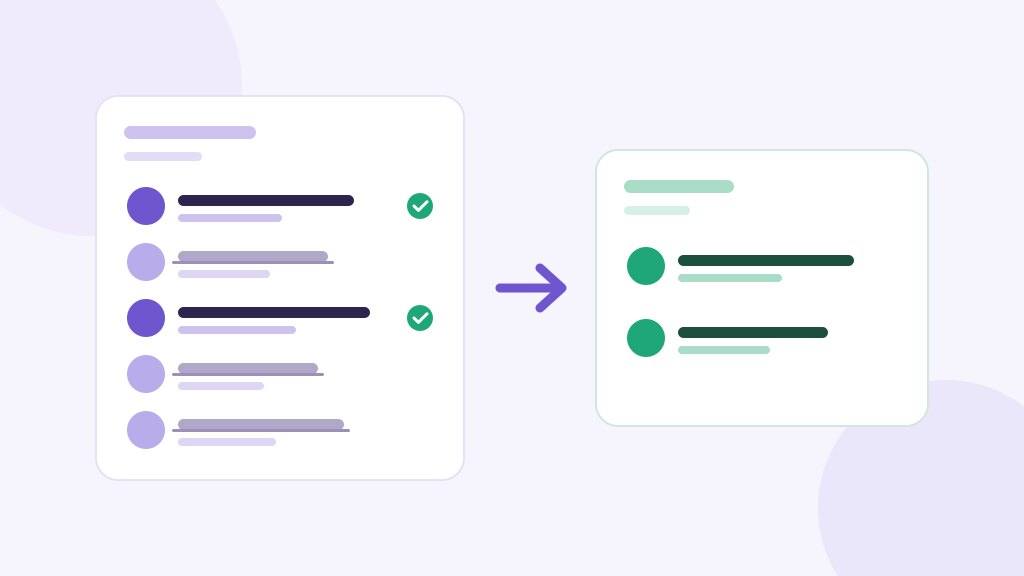
1. Decide what you are actually doing. Clearing the list completely and removing only the accounts that do not follow you back are different jobs. The second keeps your real contacts and usually cuts the list by more than half anyway.

2. Protect the keepers first. Go through and mark the accounts you want regardless of whether they follow you — close friends, clients, the handful you read. Doing this first means you can be careless later without consequences.

3. Let the list load fully. Threads loads the following list in batches as you scroll. Acting before it has finished loading means you work on a partial list and have to come back.

4. Go in batches, not in one run. A few hundred, then leave it. Come back later in the day or tomorrow. Spreading the work out is the single most effective thing you can do to avoid a restriction.

5. Check the count afterwards. If the following number did not drop by what you expected, some taps did not register — which usually means you were going too fast and should slow down on the next batch.

Frequently Asked Questions

Can you unfollow everyone on Threads at once?
Not with a built-in feature — Threads has no bulk control and no "unfollow all" option anywhere in the app. The only native method is tapping Following on each account individually. Anything faster comes from a script or an extension doing those same taps for you, and even then, firing them all simultaneously is a good way to get temporarily restricted.
If I unfollow on Threads does it unfollow on Instagram?
No. The two apps keep separate following lists. Your Threads list was copied from Instagram when you signed up, which is why people assume they are linked, but they have been independent ever since. Unfollowing on Threads leaves your Instagram following list exactly as it was. Blocking is the one exception — a block applies to both apps.
Does Threads notify when you unfollow someone?
No. Threads sends no notification when you unfollow, the same as Instagram. The other person would have to visit your profile, or notice your posts missing from their feed, to work it out. There is no alert and no activity entry.
How many accounts can I unfollow in a day?
Meta does not publish a number, and anyone quoting an exact figure is guessing. What matters more than the total is the pace — rapid, evenly-spaced actions look automated and are what trigger a temporary block. Spreading a few hundred unfollows across a day with natural gaps is far safer than the same total in ten minutes.
Can I undo it if I unfollow all on threads by mistake?
Not automatically. Threads keeps no record of accounts you previously followed and offers no undo, so the only way back is to find each account and follow it again from memory. That is the reason to decide on your exceptions before you start, or to use a method that lets you mark accounts as protected.
Is it safer to unfollow slowly by hand?
By hand is the safest possible method because it is simply normal use of the app, and for a list under about fifty accounts it is also the fastest route once you count setup time. The trade-off is purely effort — at several hundred accounts, doing it manually stops being realistic and the risk of a restriction comes from pace rather than from the tool doing the tapping.

What a cleared list actually changes

The feed is the point. Threads ranks what it shows you, but it can only rank what you have given it, and a list of a thousand accounts inherited from a photo app is a weak signal. Cut it to the accounts you genuinely want to read and the feed sharpens within a day or two.

The second effect is smaller but real: your following count stops being a number you are slightly embarrassed by, and the ratio between followers and following starts reflecting something true about the account rather than an import you clicked through once.

Whichever route you take, the useful order is the same — protect the keepers, work in batches, and stop the moment something stops responding. The list took one tap to create and it will take a little longer than that to undo, but not as long as you think.



Share this article

Our Tools

Free Chrome Extensions by AddonsChrome

Boost your productivity with our collection of free browser extensions

Instagram Unfollow AI - Manage Unfollowers Effortlessly

Instagram Unfollow AI - Manage Unfollowers Effortlessly

Instagram Unfollow AI detects those who don't follow you back and helps you unfollow them to optimize your account easily.

X Unfollow AI – Manage Your Twitter Following List

X Unfollow AI – Manage Your Twitter Following List

Manage your X (Twitter) following, detect users who don't follow you back, and unfollow safely with smart filters.

TikTok Unfollow AI - Mass & Auto Unfollow All, Everyone & Non-Followers

TikTok Unfollow AI - Mass & Auto Unfollow All, Everyone & Non-Followers

See who doesn't follow you back on TikTok, then bulk unfollow all, everyone or only non-followers. Safe pacing, one click.

WASendly – WhatsApp Bulk Message Sender

WASendly – WhatsApp Bulk Message Sender

Send bulk and automated WhatsApp messages safely and easily with WASendly.

WASendly – WhatsApp Contacts Extractor

WASendly – WhatsApp Contacts Extractor

Easily export WhatsApp contacts and group members to Excel, CSV, or vCard.

ExportPal - Save & Export ChatGPT, Claude, Gemini to PDF & Word

ExportPal - Save & Export ChatGPT, Claude, Gemini to PDF & Word

Save & export ChatGPT, Claude, Gemini, Grok, DeepSeek & Perplexity to PDF, Word, Markdown, HTML, JSON or Image. Private & free.

Followgap - Instagram Unfollowers Tracker & Unfollow Non-Followers

Followgap - Instagram Unfollowers Tracker & Unfollow Non-Followers

Find who doesn't follow you back on Instagram. Track unfollowers & mass unfollow non-followers in one click.

FollowStack – Instagram Toolkit for Desktop

FollowStack – Instagram Toolkit for Desktop

Instagram toolkit for desktop. Track unfollowers, upload stories from PC, download media, and manage Instagram.

TeleSendly - Telegram Bulk Sender, Scraper & Member Adder

TeleSendly - Telegram Bulk Sender, Scraper & Member Adder

Send bulk Telegram messages, scrape group members to Excel and add members to groups. Safe speed limits, works in Telegram Web.

Rosterbox - IG Follower & Following Export List to CSV, Excel

Rosterbox - IG Follower & Following Export List to CSV, Excel

Export IG follower and following lists, likes and comments to CSV, Excel or JSON in one click. Fast, private, no password.

Roostbox - Twitter/X Exporter: Tweets, Followers, Bookmarks & Archive

Roostbox - Twitter/X Exporter: Tweets, Followers, Bookmarks & Archive

Export tweets, replies, likes, bookmarks and followers from any Twitter/X account to Excel, CSV or JSON. No API key needed.

TokExport - TikTok Follower List, Following & Comment Export Tool

TokExport - TikTok Follower List, Following & Comment Export Tool

Export TikTok follower and following lists, video comments and post stats to CSV or Excel. Resume long exports.

ChatGPT Speed Booster

ChatGPT Speed Booster

ChatGPT Speed Booster is a free Chrome extension that fixes slow ChatGPT performance in long conversations.

Instagram Follower Export Tool

Instagram Follower Export Tool

Export Instagram followers, following, likes, and comments to CSV or Excel in one click

PromptJolt – AI Prompt Enhancer for ChatGPT, Claude & Gemini

PromptJolt – AI Prompt Enhancer for ChatGPT, Claude & Gemini

Rewrite any AI prompt into a clear, structured version in one click. Press Ctrl+M on ChatGPT, Claude or Gemini. 50+ languages, free.

IGFollow AI - Auto Follow

IGFollow AI - Auto Follow

IGFollow AI is an AI-powered tool to grow your Instagram. Boost engagement and expand your audience effortlessly

Backly — Unfollower Tracker for Instagram

Backly — Unfollower Tracker for Instagram

See exactly who doesn’t follow you back on Instagram, protect the accounts you care about, and unfollow the rest at a safe, adjustable pace.

FeedRank – Instagram & TikTok Feed Sorter

FeedRank – Instagram & TikTok Feed Sorter

Sort Instagram & TikTok feeds by likes, views, comments or date. See post stats at a glance and find viral content fast. Free.

Instagram Auto Follow

Instagram Auto Follow

AI-powered Instagram auto follow tool to boost engagement, grow followers, and expand your audience effortlessly.

Claude Speed Booster

Claude Speed Booster

Fix slow Claude.ai in long conversations. Speed Booster hides older messages to stop lag, freezing & high memory use — instantly.

TokSweep - TikTok Repost Remover & Bulk Cleaner

TokSweep - TikTok Repost Remover & Bulk Cleaner

Remove TikTok reposts in bulk. See the full list first, pick what goes, and set your own pace. Nothing goes without you.

ChatPilot – ChatGPT Bulk Delete, Archive & Timestamps

ChatPilot – ChatGPT Bulk Delete, Archive & Timestamps

Bulk delete & archive ChatGPT chats, add message timestamps and navigate conversations fast. Clean up ChatGPT in one click.

Extract AI – Email Extractor

Extract AI – Email Extractor

Email Extractor helps you find visible email addresses on websites and works locally with no tracking or data collection.

Prompt Trove — Visual AI Image Prompts Gallery

Prompt Trove — Visual AI Image Prompts Gallery

A visual gallery of AI image prompts. Use them instantly in ChatGPT, Gemini, Sora, and Nano Banana.

Crawlhive — SEO Audit, Site Crawler & Technical SEO

Crawlhive — SEO Audit, Site Crawler & Technical SEO

Audit any page, then crawl the whole site: indexability, duplicate titles, orphan pages, click depth and Core Web Vitals. Your pages are never uploaded.

Privacy Guard for WhatsApp Web

Privacy Guard for WhatsApp Web

Secure your WhatsApp Web with smart lock, panic button, and blur mode. Your privacy, your control.

Clickaroo - Mouse Effect Designer

Clickaroo - Mouse Effect Designer

Transform your cursor with stunning click effects & animations. Perfect for streamers, presenters & content creators.

InkShot — Webpage Screenshot & Draw Tool

InkShot — Webpage Screenshot & Draw Tool

InkShot is a free screenshot Chrome extension that lets you capture full page screenshots, visible viewport, or selected areas

Detechtor AI - Website Technology Checker & Tech Stack Detector

Detechtor AI - Website Technology Checker & Tech Stack Detector

Detechtor AI checks what any website is built with — CMS & WordPress theme detector, frameworks, analytics, CDN, tech stack.

Numsift — Bulk WhatsApp Number Checker & Validator | Export to Excel

Numsift — Bulk WhatsApp Number Checker & Validator | Export to Excel

Bulk check which numbers are on WhatsApp. Validate lists, filter by country, spot business accounts, export to Excel or CSV.

Clearbox — Bulk Chat & Message Deleter for Instagram

Clearbox — Bulk Chat & Message Deleter for Instagram

Delete all your chats and messages on Instagram in bulk. One click, and the chats you protect stay untouched.

Araç Data Merkezi — Used Car Valuation & Damage Check for Sahibinden

Araç Data Merkezi — Used Car Valuation & Damage Check for Sahibinden

See what a car on Sahibinden is really worth: market value for the exact trim, how damage and repaint move the price, and the engine's known faults. Turkish interface, Turkey market.

Backgap - Threads Followers Tracker & Mass Unfollow

Backgap - Threads Followers Tracker & Mass Unfollow

See who doesn't follow you back on Threads, protect the accounts you want to keep, and tidy your following list at your own pace.

SignedRise - Professional Email Signature

SignedRise - Professional Email Signature

Create custom and professional email signatures effortlessly with SignedRise. Perfect for personal and work emails.

Contact Us

contact@addonschrome.com