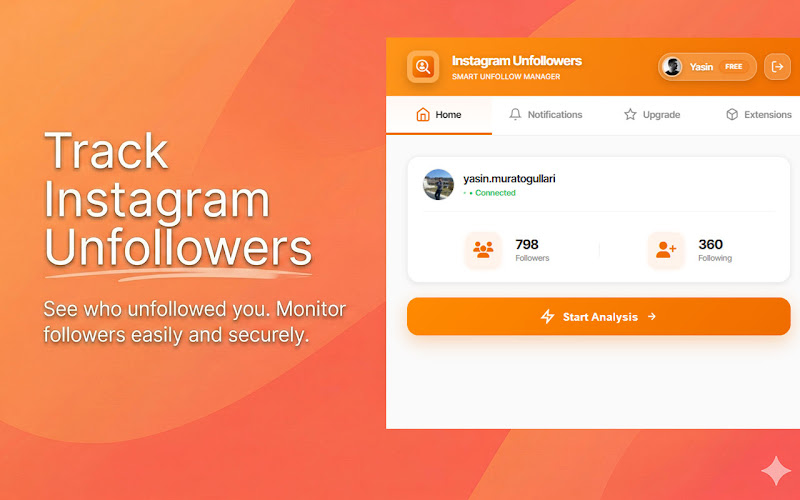
Your follower count dipped by two overnight, and now it's quietly bugging you. Who left? Someone you actually talk to, or just an account doing a spring clean? Instagram won't say a word — it never does. The good news: figuring out who unfollowed you on Instagram is completely doable, and you don't need to hand over your password or install some shady app to do it. Here's how it actually works, and what's worth your time versus what isn't.
Why Instagram Keeps This a Secret
Instagram sends you a notification for almost everything — a new follower, a like, a comment, a mention, a tag. But unfollows? Silence. That's a deliberate design choice. If the app pinged you every time someone left, it would turn into an anxiety machine, and people would spend less time posting and more time refreshing their follower list.
So there's no built-in "who unfollowed me" screen. Instagram only ever shows you a snapshot of right now: these accounts follow you, you follow these accounts. To spot an unfollow, you have to compare that snapshot against an earlier one. That's the whole trick — and it's exactly why this feels harder than it should.
"Unfollowed Me" and "Doesn't Follow Me Back" Aren't the Same Thing
This trips people up constantly, so it's worth ten seconds. An unfollower is someone who used to follow you and then left. A non-follower is someone you follow who has never followed you back in the first place. They feel similar, but you find them differently.
Catching a true unfollower means tracking your follower list over time — you need a "before" and an "after." Spotting non-followers, on the other hand, only takes one look at your current lists: anyone in your following who isn't in your followers qualifies. Most people who say "I want to see who unfollowed me" actually want both, and the practical answer covers both.
How to See Who Unfollowed You on Instagram
Option 1: The Manual Compare
If your account is small — say, under a thousand followers — you can do this by hand. Open your followers list, then your following list, and look for the mismatches. Better yet, take a screenshot of your follower count (or the top of your followers list) once a week. Next time something feels off, you've got a reference point to compare against.
I tried this on a side account a while back. It works, technically. It's also mind-numbing past a few hundred follows, and the second you lose your place scrolling, you're starting over. Most people give up after one round.
If you go manual, screenshot your followers in small batches and date them. A monthly "before" picture turns a guessing game into an actual comparison.
Option 2: A Browser Extension (Fast, and No Password)
This is where most people land, and for good reason. A Chrome extension can read the follower and following data that's already loaded in your own logged-in session, line the two lists up, and hand you the gap in a few seconds. No scrolling marathon, no spreadsheet.
The important part is how it gets that data. A safe tool works inside your existing session and never asks for your login. It's reading the same public information you'd see yourself — just faster. Something like Followgap, a free Instagram unfollowers tracker, runs entirely in your browser, lists everyone who doesn't follow you back, and lets you unfollow them one by one or in a batch — without sending your data anywhere.
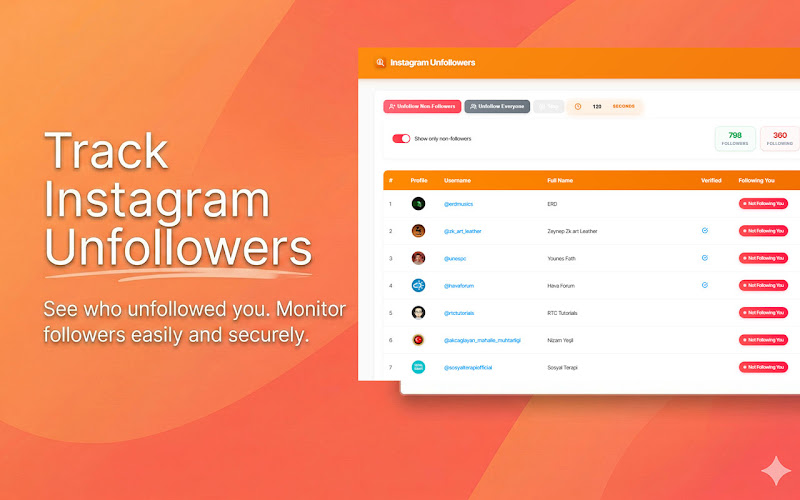

Followgap — Instagram Unfollowers Tracker
Stop scrolling and screenshotting. Followgap scans your account in seconds, shows exactly who doesn't follow you back, and lets you unfollow non-followers in one click — free, and with no password required.
Try It Free →How Often Should You Actually Check?
Once a week is plenty for most accounts. Check more than that and you're just feeding the anxiety the notification system was designed to spare you. A weekly scan is enough to catch the pattern that actually matters: the follow-then-unfollow tactic, where someone follows you hoping for a follow back, waits a few days, then quietly drops you once you've reciprocated.
If you spot the same handful of accounts following and unfollowing on a loop, that's your answer — they're farming follows, not interested in your content. And if you're wondering whether the other person gets a heads-up when you unfollow back, the short version is no; here's the longer take on whether Instagram notifies someone when you unfollow them.
What to Do Once You Know
Finding the list is the easy part. Acting on it without hurting your account takes a little restraint.
Frequently Asked Questions
Can you see exactly who unfollowed you on Instagram?
Not through Instagram itself — there's no notification or list. You can see it by comparing your follower list over time, or by using a tracker that scans your followers and following and flags everyone who doesn't follow you back.
Does Instagram notify someone if I unfollow them back?
No. Unfollowing is silent on both sides. The person won't get an alert, and they'd only notice if they checked their own following list and looked for your name.
Is it safe to use an unfollowers tool?
It's safe as long as the tool works in your browser and never asks for your password. Avoid anything that wants your login credentials or routes your data through its own servers. A browser extension that reads your existing session is the safer route.
Do I have to pay to see who unfollowed me?
No. Free tools like Followgap cover the essentials — spotting non-followers and unfollowing them — without a subscription. Be wary of apps that lock basic follower checks behind a paywall.
The Bottom Line
You can't make Instagram tell you who unfollowed you, but you can absolutely find out yourself — by comparing your lists over time, or by letting a browser-based tracker do the comparison in seconds. Either way, skip anything that asks for your password.
And once you've got the list, use it for what it's actually good for: tidying up. Trim the accounts that don't add anything to your feed, protect the ones that matter, and put your energy back into posting things people want to follow you for. That's the part the follower count can't measure.
































