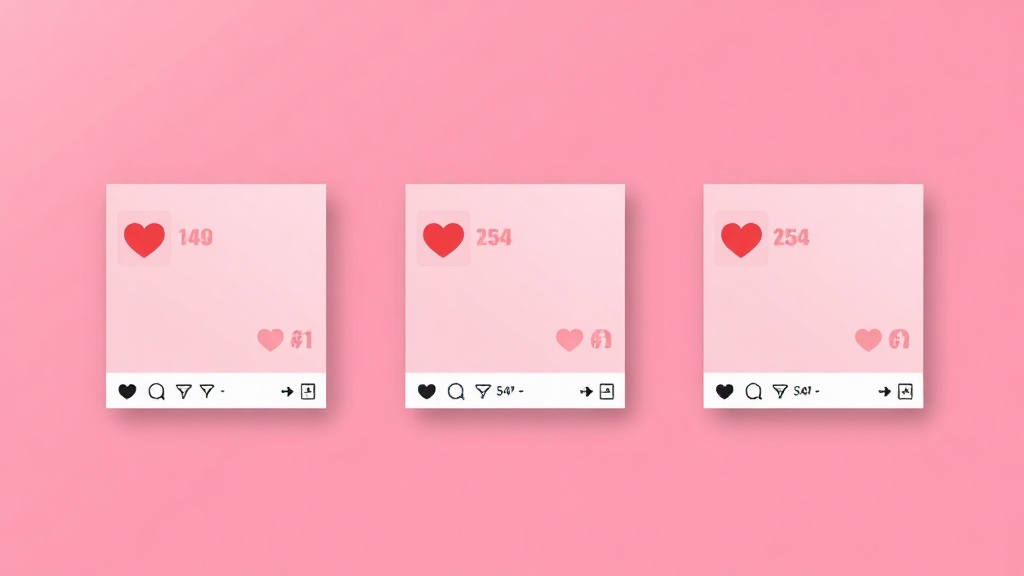
Follower counts are the vanity metric everyone watches and the one that means the least. What actually tells you whether content works is engagement — likes, views, comments, and how they stack up against reach. Instagram and TikTok show some of these numbers but make them awkward to compare. Here's how to see the engagement stats that matter on any post, and how to read them.
The Stats That Actually Matter
Not all numbers are equal. The ones worth tracking:
Why the Apps Make This Hard
Instagram shows likes on a post (when not hidden) but no easy way to compare across a profile, and view counts only on video. TikTok shows views on thumbnails but nothing sortable. Neither gives you engagement rate, and neither lets you line posts up side by side. So even though the raw numbers exist, turning them into a comparison means tapping into posts one at a time and doing mental math — which nobody keeps up.
See the Stats at a Glance
A browser extension can surface the numbers on every post at once. FeedRank shows likes, views, and comments right on each thumbnail across an Instagram or TikTok feed, and lets you sort by any of them — so you can compare a whole profile's performance in seconds instead of opening posts one by one.

FeedRank — Instagram & TikTok Feed Sorter
FeedRank sorts any Instagram or TikTok feed by likes, views, comments or date — so the top, most viral content rises to the top in seconds. See stats on every thumbnail and download in one click. Free, right in your browser.
Try It Free →How to Read the Numbers
Raw counts only mean something in context. A few quick reads:
A post with high views but few likes often caught attention without winning approval — a curiosity hook more than a quality piece. Lots of comments relative to likes signals a post that sparked debate or questions, which the algorithm tends to love. And the only fair way to compare two accounts of different sizes is engagement rate, not raw likes — a 5,000-follower account at 8% is healthier than a 500,000-follower one at 0.5%.
Compare a post to the account's OWN average, not to some universal benchmark. "Good" engagement is wildly different by niche and size — relative performance is what reveals a true winner.
Turn Stats Into Decisions
Numbers are only useful if they change what you do. Use them to spot your best-performing content and make more of it, to benchmark against rivals in competitor research, and to find the standouts worth studying by sorting a feed — see how to sort an Instagram feed by likes and views. Stats you can actually compare are the difference between guessing and knowing.
Engagement Rate, Calculated Simply
Engagement rate sounds technical but the basic version is easy: add up the interactions on a post (likes plus comments) and divide by the follower count, then multiply by 100 for a percentage. For video, dividing interactions by views gives a view-based rate instead. You don't need to do this by hand for every post — the value is in the comparison, not the exact decimal. The point is that a percentage lets you compare a small account and a large one fairly, where raw likes never could. A tiny account with a high rate often has a far more valuable, attentive audience than a huge account coasting on a low one.
Red Flags the Numbers Reveal
Engagement stats don't just show what's working — they expose what's fake. A classic red flag is a big follower count paired with tiny like and comment numbers: a sign of bought or ghost followers rather than a real audience. Another is likes that wildly outnumber any comments across every post, which can indicate engagement that isn't genuine. When you're sizing up an account — a potential collaborator, a competitor, or an influencer to work with — these ratios tell you whether the audience is real long before any follower number does. Being able to see and compare the stats at a glance is what makes those red flags obvious instead of hidden.
Frequently Asked Questions
Can I see view counts on Instagram photos?
Instagram shows view/play counts on video and reels, not on single photos. Likes are the main signal for photo posts (when the account hasn't hidden them).
What's a good engagement rate?
It varies hugely by niche and follower size, but smaller accounts often see higher rates. Compare a post to the account's own average rather than a fixed number.
How do I compare engagement across many posts quickly?
Use a tool that shows stats on every thumbnail and lets you sort, so you can rank a whole profile at once instead of opening posts individually.
Are these the same stats as Instagram/TikTok analytics?
Public stats (likes, views, comments) are visible to anyone. Private analytics like reach and saves are only in your own account's insights — a sorter works with the public numbers everyone can see.
The Bottom Line
Engagement — not follower count — tells you what's working. The numbers exist on every post; the apps just make them hard to compare. See them on every thumbnail, sort by what matters, and read them against each account's own average, and you'll make content decisions from evidence instead of hope.























