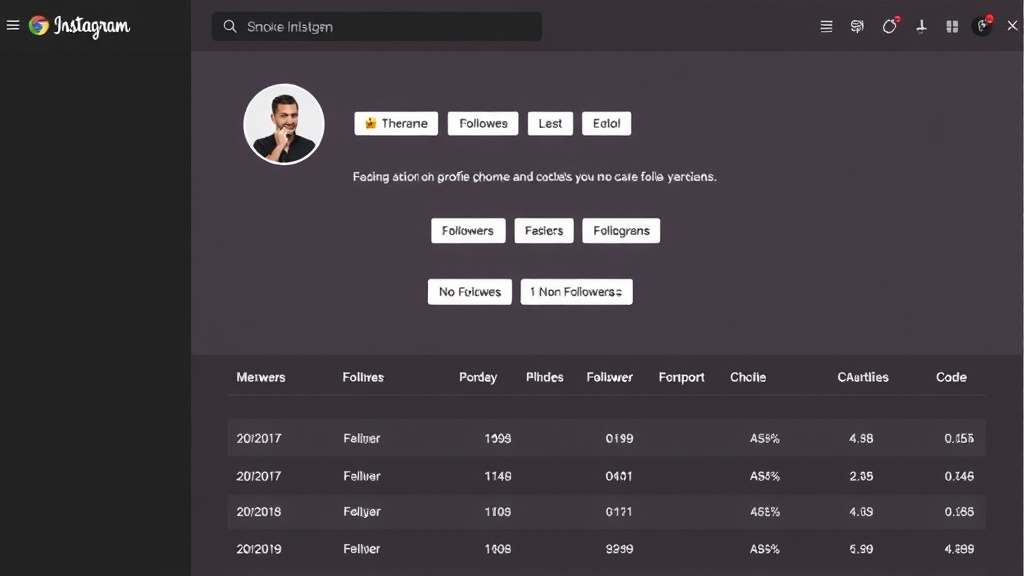
You wake up. Check Instagram. Notice your follower count dropped by 15 overnight. But who left? When? Why? Without a tracker, you'll never know. And that's exactly the problem—unfollows happen silently, constantly, invisibly. A instagram non-followers finder app solves this by showing you precisely who stopped following you and when, so you can actually understand what's working with your audience instead of just guessing.
What Actually Happens When You Lose Followers (And Why You Should Care)
The silent drain nobody talks about
Unfollows are normal. Instagram's algorithm shifts, people prune their feeds, spam accounts get purged, and yes—sometimes your content just doesn't land with someone anymore. But here's the thing: none of this is visible to you unless you're manually comparing screenshots or relying on pure memory. Most accounts lose followers constantly without ever noticing who or why.
A creator might notice 40 unfollows after posting something controversial and adjust their tone accordingly. Or they might realize a specific content format—say, reels versus carousels—loses engagement patterns and switch strategy. Without visibility, you're flying blind.
The real issue is that follower loss connects directly to engagement. If you're losing the right people—bots, inactive accounts, people outside your niche—that's actually healthy. If you're losing engaged followers, that's a signal something changed. An instagram non-followers finder app shows you the difference.
How an Instagram Non-Followers Finder App Saves You Time
Real-time alerts vs. manual checking
Manual tracking is a nightmare. Screenshot your followers today. Screenshot again tomorrow. Download both lists. Compare them manually. Now do this weekly for months. Your time is gone, and you're still missing patterns.
An instagram non-followers finder app automates this entirely. The tool logs into your account (using your permission), scans your current followers, compares them against its database, and shows you instantly who's gone. Most good tools update daily or even hourly. Some send browser notifications the moment someone unfollows—no checking required.
But here's what's actually valuable: speed. Instead of spending 30 minutes on detective work, you get the answer in seconds. That time compounds. Over a month, you're looking at hours saved. Over a year? You could've used that time to actually create content instead of tracking metrics.
Set notifications for unfollow events if your account has high churn. Some days you'll spot patterns immediately—like unfollows spiking after a specific post type—that help you adjust quickly.
Why Creators Actually Use These Tools (Beyond Vanity)
Yes, some people check who unfollowed them because their ego got bruised. But move past that, and there are real, practical reasons to track unfollows.
Identifying spam followers is one. If you lose 20 accounts in a day and they're all accounts that never engaged, that's Instagram's bot-detection system at work—nothing to worry about. But if you lose engaged followers, something shifted. Maybe your captions got too salesy. Maybe your posting schedule changed. An instagram non-followers finder app helps you spot the difference and adjust.
Understanding audience behavior patterns matters for creators with any meaningful following. You might discover that educational content holds followers better than lifestyle content. Or that morning posts bleed followers while evening posts stick. These aren't hunch-based decisions—they're data-informed decisions. Honest ones.
Protecting brand credibility is another reason. If you're partnering with brands and pitching "engaged audience of 50k," you need to know if that 50k is real or inflated with dead accounts. Tracking unfollows over time shows genuine retention patterns.
So no, you're not using this because you're obsessed with vanity metrics. You're using it because understanding your audience behavior is how you improve.
Finding the Right Instagram Non-Followers Finder App for Your Goals
What to look for in a tool
Not all instagram non-followers finder apps are the same. Some are bare-bones. Others are overloaded with features you won't use. The right choice depends on your account size and what you actually need to know.
Start with accuracy. The tool should show you real unfollows, not ghost data. Update frequency matters too—daily updates are standard; hourly is nice if you're watching engagement closely. Then consider ease of use. Honestly, the best tool is the one you'll actually open and check. If the interface is confusing or buried under menus, you'll stop using it.
Privacy policy deserves a look. The tool should access only follower data, not your DMs, posts, or account settings. And respect Instagram's terms—tools that violate the platform's rules will eventually lose access or get you flagged. Look for tools that use official Instagram API permissions where possible, or clearly explain their data collection method.
For casual creators under 10k followers, a simple tracking tool works fine. For accounts larger than that, you'll probably want analytics that show unfold timing, follower retention rates, and patterns. More data helps you spot signals faster.
⚡ Pro Tips
- Check if the app sends notifications. Real-time alerts let you catch unfollow spikes immediately instead of days later.
- Look for tools that show who unfollows you most often—repeat unfollows usually mean the tool is legit and not just showing random data.
- Test with a small follow/unfollow action if possible. Does the tool catch it within 24 hours? That's your accuracy baseline.

Instagram Unfollow AI
Stop manually hunting for who unfollowed you—get instant notifications and one-click unfollow management without the tedious browser tab comparisons.
Try It Free →Frequently Asked Questions
Is using an Instagram non-followers finder app safe and against Instagram's rules?
It depends on how the tool works. Tools that use Instagram's official API and respect platform permissions are generally safe. Tools that scrape data or simulate logins risk violating Instagram's terms and can get your account flagged or temporarily restricted. Always check the tool's privacy policy and permissions before connecting. Legitimate tools will be transparent about how they access your data.
Can these apps tell me why someone unfollowed me?
No app can tell you the exact reason someone unfollowed you—that data doesn't exist anywhere. What tools can do is show you patterns: who left, when they left, and sometimes correlate that with your posting activity. From there, you have to infer (like noticing unfollows spiked after a specific post type). The "why" is always your interpretation based on context.
How often do these apps update their data on who unfollowed you?
Most apps update daily, some every few hours, and a few claim real-time tracking. The speed depends on how the tool works behind the scenes. Daily updates are standard and accurate enough for most creators. If you need real-time alerts (to catch a follower loss the moment it happens), look for tools that specifically advertise hourly or faster refresh rates.
Do I need a special app, or can I find unfollowers another way?
Technically, you can track unfollows manually by comparing your current followers list to an old screenshot, but this is painfully slow and only works if you're already tracking consistently. Instagram's native analytics won't tell you who unfollowed you. A dedicated tool is the practical choice if you want to spend less than an hour on this task and actually notice patterns over time.
Conclusion
Unfollows happen. The real question is whether you want visibility into that change or not. An instagram non-followers finder app solves the visibility problem—no guessing, no screenshots, no memory games. You get concrete data about who left and when.
The actual value isn't obsessing over your follower count. It's understanding your audience well enough to improve. When you can see that a specific post type or posting time correlates with follower retention or loss, you can make smarter decisions about what to create next. That's the difference between random content and intentional content.
Pick a tool that fits your account size and comfort level with data sharing. Test it for a week. If it saves you time and shows you patterns worth acting on, it's worth keeping. If it feels like noise, move on. The point is: you'll know pretty fast whether tracking unfollows helps your strategy or just adds stress.
























