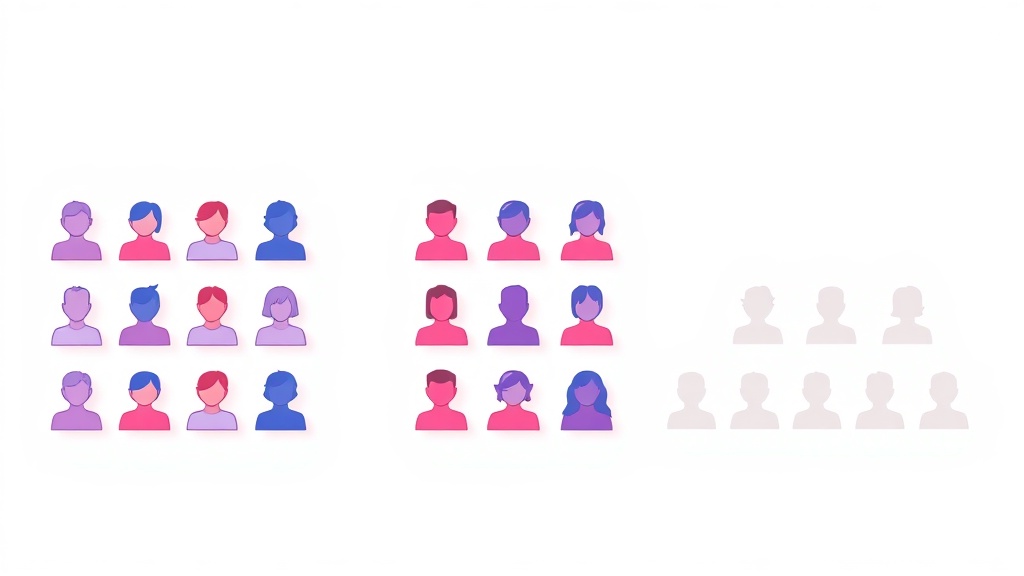
If you have ever scrolled your Instagram stats wondering why your reach feels stuck, you have probably run into three confusing terms: non-followers, ghost followers, and unfollowers. They sound similar, people use them interchangeably, and almost every "clean up your account" guide blurs them together. They are not the same thing, though, and treating them as one problem is exactly why so many audits go nowhere. Here is the clear, no-jargon breakdown of what each one actually means and what to do about it.
Non-Followers vs Ghost Followers vs Unfollowers: The Quick Answer
Non-followers are accounts you follow that do not follow you back. Ghost followers are accounts that follow you but never engage, often bots or dormant profiles. Unfollowers are people who once followed you and then left. The core difference is direction: non-followers sit in your following list, while ghost followers and unfollowers relate to your followers list.
What Are Non-Followers on Instagram?
A non-follower is any account you follow that does not follow you back. They live entirely on the "Following" side of your profile. Maybe you followed a brand hoping for a follow-back that never came, maybe a friend quietly unfollowed you, or maybe you were part of an old follow-for-follow round that everyone forgot about. The result is the same: a lopsided, one-directional connection.
Non-followers matter because of your follower-to-following ratio, a credibility signal that visitors and brands read in about three seconds. If you follow 2,000 accounts but only 400 follow you back, your profile reads as new, bot-like, or built on reciprocal-follow tactics. A healthy ratio (ideally 2:1 or better) tells people you earned your audience through content, not obligation. Trimming non-followers is the fastest lever you have on that number.
What Are Ghost Followers?
Ghost followers, sometimes called inactive followers, are accounts that follow you but produce zero engagement. They never like a post, never reply to a Story, never save or share. Some are outright bots or fake accounts left over from a follower-buying service or a past giveaway. Others are real people who simply abandoned Instagram years ago and never deleted their account.
They are quietly expensive. Industry audits from tools like HypeAuditor and Later suggest the average account carries somewhere between 10% and 25% ghost or low-quality followers, and roughly 15-20% of an audience goes dormant each year. The damage is mathematical: your engagement rate is calculated against your total follower count. If 4,000 of your 10,000 followers are ghosts, your likes and comments are being divided by 10,000 instead of the 6,000 who actually see you. That artificially low rate tells the algorithm to show your posts to fewer people, which suppresses reach even further. To go deeper on spotting and clearing them, see our full guide on ghost followers.
What Are Unfollowers?
Unfollowers are the most emotionally loaded of the three: people who followed you, then decided to leave. Instagram never notifies you when this happens, so a slow drip of unfollows can shrink your audience without you noticing. Unfollows spike after inconsistent posting, a change in content direction, or a promotion that did not land, which makes them a useful early-warning signal about your content, not just a vanity metric.
Here is where the confusion peaks. Once someone unfollows you, if you are still following them, they instantly become a non-follower too. So the same account can carry two labels depending on which list you are looking at. Unfollowers are about who left your audience; non-followers are about who never reciprocated your follow.
Side-by-Side: How the Three Compare
Why Instagram Doesn't Show Non-Followers Natively
Instagram has slowly added a "Categories" filter and a "Least Interacted With" sort inside the Followers panel, but there is still no clean, exportable list that says "here is everyone you follow who ignores you." You can check accounts one by one, looking for the "Follows you" tag under each bio, but that is unusable past a few dozen accounts. The platform has little incentive to make trimming easy, because lower follow and following counts are not in its interest. That gap is exactly why audit tools exist.
How to Find Your Non-Followers
You have three realistic options, ranked roughly by effort and accuracy:
- Manual check — open Following, tap each account, look for "Follows you." Free, painfully slow, fine for tiny lists.
- Official data export — request your information from Instagram, then compare the followers and following files in a spreadsheet. Near-100% accurate, but fiddly and slow to process.
- A dedicated browser tool — the fastest path for most people. A purpose-built extension compares your two lists for you and returns a clean, scrollable list of who does not follow you back.
For that third route, our Backly, an Instagram unfollower tracker extension is built for exactly this job. It surfaces the accounts that never followed you back so you can review them and decide who to keep, instead of squinting at bios one profile at a time. Pair it with a periodic sweep and you can also fold the results into a broader routine to audit your Instagram followers and keep all three problem groups in check.
Frequently Asked Questions
Are non-followers and unfollowers the same thing?
No. An unfollower is someone who left your audience. A non-follower is someone you follow who does not follow you back. They overlap only when you keep following a person after they unfollow you, at which point that account is technically both.
Do ghost followers count as non-followers?
Not usually. Ghost followers are actively following you, so they show up in your Followers list. They just never engage. Non-followers, by contrast, are not following you at all. A ghost follower only becomes a non-follower in reverse if you follow them and they never follow back.
Should I remove all three groups?
Treat them differently. Unfollow non-followers to fix your ratio, remove or block obvious bot ghosts to protect your engagement rate, and try to win back genuine unfollowers with better content rather than chasing them. Blunt mass-deleting real, dormant humans can occasionally strip away accounts that might re-engage later.
Bottom line: non-followers, ghost followers, and unfollowers are three separate problems wearing similar names, and each one drags on a different metric. Start with the easiest win: find out exactly who is not following you back. Install the Backly, an Instagram unfollower tracker extension, run a clean comparison in seconds, and take back control of your follow list.