Article

How to Export Your Instagram Followers and Following List to a Spreadsheet

03 Jul 2026 7 min read

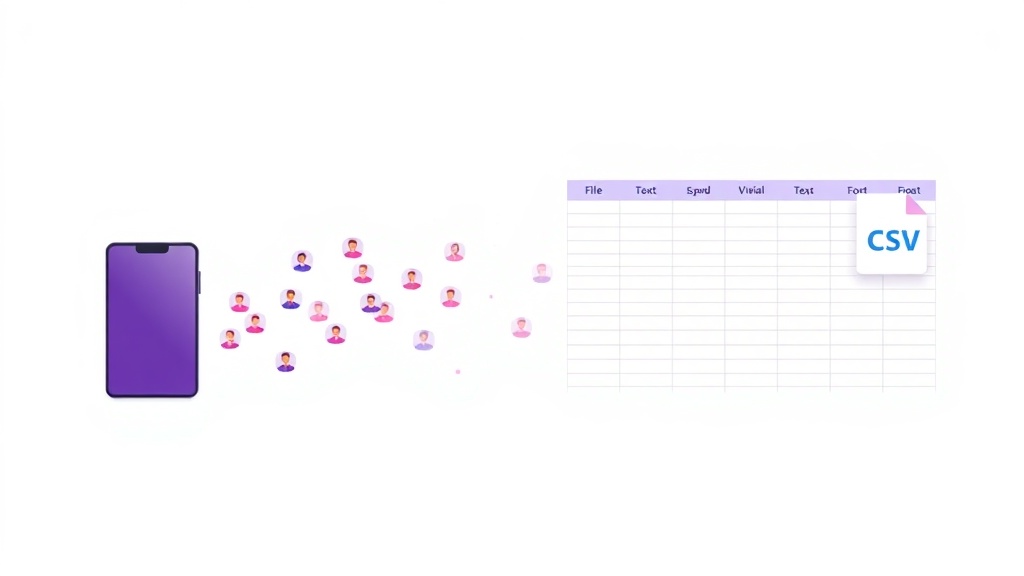
Your follower list is one of your most valuable Instagram assets, yet it lives entirely inside an app you do not control. If you have ever wanted a clean, sortable copy of who follows you and who you follow, you already know the frustration: Instagram shows you the names, but it will not simply hand you a spreadsheet. This guide walks through why exporting your followers is worth doing, what Instagram's official data download actually gives you (and where it falls short), and how a browser extension turns your follower list into a usable CSV in a couple of clicks.

Why Export Your Instagram Followers in the First Place?

Exporting your followers is not about spamming anyone. The genuinely useful reasons are all about ownership, analysis, and keeping a record of an audience you worked hard to build. Once your list lives in a spreadsheet, you can sort it, filter it, compare it over time, and store it somewhere safe.

Backup and peace of mind — Accounts get hacked, disabled, or locked without warning. A saved CSV means your follower and following lists survive even if your access does not, which matters if you ever need to rebuild or migrate.
Audience auditing — With every follower in rows and columns, it becomes easy to spot inactive accounts, obvious bots, and low-quality followers that drag down your engagement rate.
Growth tracking over time — Export today, export again next month, and compare the two files. You get a precise picture of who joined, who left, and which content or collaboration actually moved the needle.
Finding accounts that do not follow back — When you have both your followers and your following in one place, a simple comparison reveals every account you follow that does not follow you in return.

These are exactly the kinds of housekeeping tasks that are painful to do by hand and simple to do in a spreadsheet. If auditing is your main goal, it is worth reading our deeper walkthrough on how to audit your Instagram followers once you have your data exported.

What Instagram's Official Data Download Actually Does

Instagram does offer a legitimate, first-party way to get your data. It is called Download Your Information, and it is the safest, most compliant route because it comes straight from Meta. Here is how to request it:

  1. Open Instagram and go to your profile, then open the menu and tap Accounts Center.
  2. Select Your information and permissions, then choose Download your information.
  3. Pick Instagram as the platform and narrow the request to Connections so you focus on followers and following.
  4. Choose your format and submit the request.
  5. Wait for the email with your download link, which can take anywhere from a few minutes to 48 hours.

The catch: it is a data archive, not a spreadsheet

The official export works, but it is built for compliance, not convenience. There are real limitations to be aware of before you rely on it:

It arrives as JSON, not a table — Your followers land in a followers.json or connections.json file. That is a structured data format, not something you can open and read comfortably in Excel or Google Sheets without converting it first.
You have to convert it yourself — Turning that JSON into a clean spreadsheet means running it through a JSON-to-CSV converter or wrangling it manually, which is an extra step many people find fiddly.
It can be slow — Because the request is queued on Meta's side, you may wait hours for the file to arrive, which is frustrating if you just want a quick look at your list today.
Only your own account — The download covers the account you are logged into, and it captures a snapshot at request time rather than an on-demand, formatted view.

In short: Instagram gives you your data, but not in a form that is ready to use. That gap is exactly where a purpose-built export tool helps.

How to Export Your Followers Directly to CSV with a Browser Extension

A browser extension skips the waiting and the JSON conversion entirely. It reads the follower and following lists that are already loaded in your own browser while you are logged in, then writes them straight into a spreadsheet-ready file. Our free Instagram Follower Export Tool is built for exactly this.

  1. Install the extension from the Chrome Web Store and pin it for easy access.
  2. Open Instagram in your browser and log in to your own account as you normally would.
  3. Navigate to your profile and open your followers or following list.
  4. Launch the extension and let it collect the list as it loads on the page.
  5. Click export and download your data as a clean CSV, ready to open in Excel, Google Sheets, or Numbers.

The result is a proper table with one row per account and columns you can sort and filter immediately, no conversion step required. Because everything happens in your own logged-in session and downloads to your own device, you are working with data you already have access to.

What You Can Do Once It Is in a Spreadsheet

The moment your list is in CSV form, it becomes a working document instead of an endless scroll. A few practical moves:

Compare two exports — Line up last month's file against this month's to see exactly who followed and who unfollowed, then note what changed in your content during that window.
Filter and sort — Sort by username, flag suspicious handles, or filter out accounts that show clear signs of being inactive or fake so your audit stays focused.
Cross-reference followers and following — Place both lists side by side to surface the accounts you follow that never followed back, all without manual scrolling.
Keep a dated archive — Save each export with the date in the filename so you always have a historical record of your audience to look back on.

Doing This Safely: Rate Limits and Privacy

Instagram actively limits how much list data can be pulled in a short time, and it watches for behavior that looks automated. Accounts that request huge amounts of data very quickly can hit temporary restrictions or challenges. A few sensible habits keep you on the right side of that line.

  1. Export at a natural pace rather than trying to pull enormous lists in one aggressive burst.
  2. Focus on your own account and data you already have legitimate access to, which is the entire point of backing up and auditing your own audience.
  3. Keep the downloaded file private and treat it as personal data, especially if you plan to store it long term.
  4. Avoid using an export for spam, mass messaging, or anything that would violate Instagram's terms, since that is both against the rules and a fast way to get your account flagged.

Used this way, exporting is simply making a personal copy of information you can already see in the app, organized so it is actually useful.

If you want a clean, spreadsheet-ready copy of your followers without the wait or the JSON wrangling, the free export tool above gets you there in a couple of clicks. It is the fastest honest way to back up your audience, run an audit, and start tracking your growth in a format you actually control.



Share this article

Our Tools

Free Chrome Extensions by AddonsChrome

Boost your productivity with our collection of free browser extensions

Instagram Unfollow AI - Manage Unfollowers Effortlessly

Instagram Unfollow AI - Manage Unfollowers Effortlessly

Instagram Unfollow AI detects those who don't follow you back and helps you unfollow them to optimize your account easily.

FeedRank – Instagram & TikTok Feed Sorter

FeedRank – Instagram & TikTok Feed Sorter

Sort Instagram & TikTok feeds by likes, views, comments or date. See post stats at a glance and find viral content fast. Free.

WASendly – WhatsApp Bulk Message Sender

WASendly – WhatsApp Bulk Message Sender

Send bulk and automated WhatsApp messages safely and easily with WASendly.

ChatGPT Speed Booster

ChatGPT Speed Booster

ChatGPT Speed Booster is a free Chrome extension that fixes slow ChatGPT performance in long conversations.

IGFollow AI - Auto Follow

IGFollow AI - Auto Follow

IGFollow AI is an AI-powered tool to grow your Instagram. Boost engagement and expand your audience effortlessly

X Unfollow AI – Manage Your Twitter Following List

X Unfollow AI – Manage Your Twitter Following List

Manage your X (Twitter) following, detect users who don't follow you back, and unfollow safely with smart filters.

Followgap - Instagram Unfollowers Tracker & Unfollow Non-Followers

Followgap - Instagram Unfollowers Tracker & Unfollow Non-Followers

Find who doesn't follow you back on Instagram. Track unfollowers & mass unfollow non-followers in one click.

Extract AI – Email Extractor

Extract AI – Email Extractor

Email Extractor helps you find visible email addresses on websites and works locally with no tracking or data collection.

Instagram Unfollowers – Who Doesn’t Follow Me Back

Instagram Unfollowers – Who Doesn’t Follow Me Back

Instagram Unfollow AI detects those who don't follow you back and helps you unfollow them to optimize your account easily.

InstaStack – Instagram Toolkit for Desktop

InstaStack – Instagram Toolkit for Desktop

Instagram toolkit for desktop. Track unfollowers, upload stories from PC, download media, and manage Instagram.

Instagram Auto Follow

Instagram Auto Follow

AI-powered Instagram auto follow tool to boost engagement, grow followers, and expand your audience effortlessly.

WASendly – WhatsApp Contacts Extractor

WASendly – WhatsApp Contacts Extractor

Easily export WhatsApp contacts and group members to Excel, CSV, or vCard.

ChatPilot – ChatGPT Bulk Delete, Archive & Timestamps

ChatPilot – ChatGPT Bulk Delete, Archive & Timestamps

Bulk delete & archive ChatGPT chats, add message timestamps and navigate conversations fast. Clean up ChatGPT in one click.

Compare Similar - Price Research

Compare Similar - Price Research

Find similar products and compare prices across multiple stores. Make smarter shopping decisions with real-time price research.

Claude Speed Booster

Claude Speed Booster

Fix slow Claude.ai in long conversations. Speed Booster hides older messages to stop lag, freezing & high memory use — instantly.

PromptJolt – AI Prompt Enhancer for ChatGPT, Claude & Gemini

PromptJolt – AI Prompt Enhancer for ChatGPT, Claude & Gemini

Extension name shown in Chrome Web Store and extensions page

Prompt Trove — Visual AI Image Prompts Gallery

Prompt Trove — Visual AI Image Prompts Gallery

A visual gallery of AI image prompts. Use them instantly in ChatGPT, Gemini, Sora, and Nano Banana.

InkShot — Webpage Screenshot & Draw Tool

InkShot — Webpage Screenshot & Draw Tool

InkShot is a free screenshot Chrome extension that lets you capture full page screenshots, visible viewport, or selected areas

Instagram Follower Export Tool

Instagram Follower Export Tool

Export Instagram followers, following, likes, and comments to CSV or Excel in one click

SEO Analyzer Pro AI

SEO Analyzer Pro AI

AI-powered SEO analysis tool. Analyze and optimize your website's meta tags, titles, images and links.

SignedRise - Professional Email Signature

SignedRise - Professional Email Signature

Create custom and professional email signatures effortlessly with SignedRise. Perfect for personal and work emails.

Clickaroo - Mouse Effect Designer

Clickaroo - Mouse Effect Designer

Transform your cursor with stunning click effects & animations. Perfect for streamers, presenters & content creators.

Privacy Guard for WhatsApp Web

Privacy Guard for WhatsApp Web

Secure your WhatsApp Web with smart lock, panic button, and blur mode. Your privacy, your control.

Contact Us

contact@addonschrome.com
Melih Tongul

Melih Tongul

Developer

Yasin Muratoğulları

Yasin Muratoğulları

Developer




















