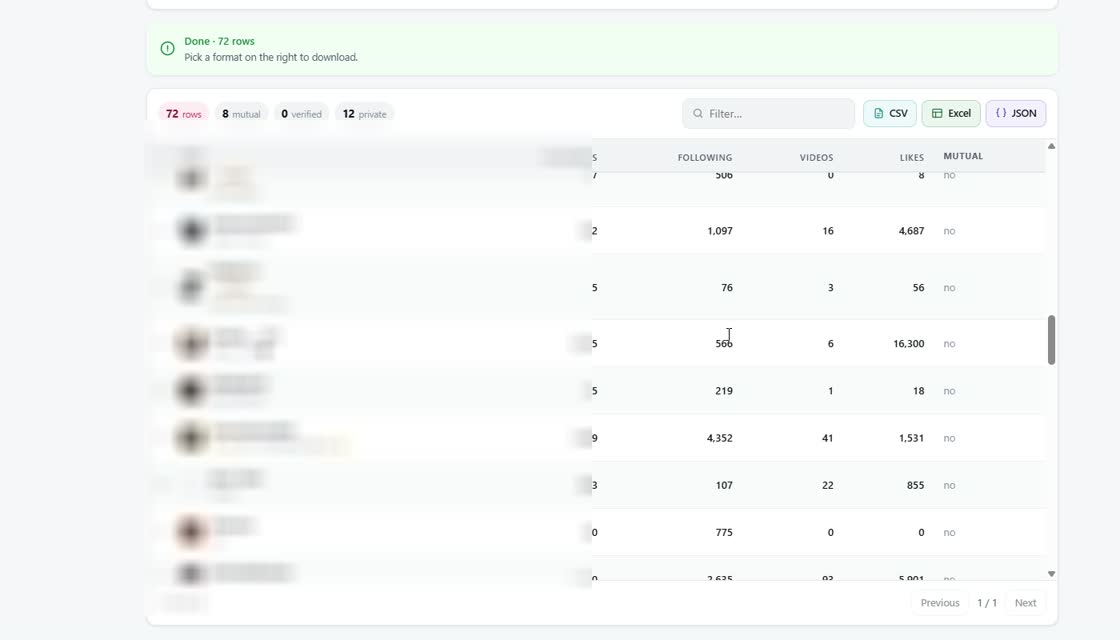
TikTok will show you a TikTok follower list one screen at a time, inside the app, and nowhere else. There is no export button, no CSV, no way to hand the list to a spreadsheet. So people reach for a tool - and the tools differ far more than they look. This is a plain comparison of the four ways to export TikTok followers, what each one actually costs you, and the one thing none of them can do.
Why this is harder than it should be
A TikTok follower list feels like it should be a simple thing to copy. It is a list of names. But TikTok loads it in small batches as you scroll, holds it only in the app, and gives no public way to request the whole thing at once. The same is true of a TikTok following list: stop scrolling and the part you have not reached yet was never loaded.
That single design choice is why every method below exists, and why they all have to work around the same wall rather than through it.
The four approaches you will run into
1. Scrolling and screenshots
The free method, and the one everyone tries first. Open the app, scroll, screenshot, repeat. For forty accounts it works. For four hundred it stops being worth the evening, and you end up with a folder of images you cannot sort, search or count. It is a way to see a TikTok following list, not a way to download a TikTok follower list you can use.
The deeper problem is that screenshots are not data. If the reason you wanted the list was to compare it against last month's, or to check which accounts you follow that do not follow back, an image gives you nothing to work with.
2. Web services that ask for your TikTok login
These are sites where you type your username and password into a form, and the service pulls the list on its own servers. It is worth pausing on exactly what that means. Your credentials leave your device and sit with a developer you have never met, who now has full account access and no obligation to tell you what they do with it.
TikTok's own terms treat credential sharing as grounds for action against the account, so this is not only a privacy question. If a service asks for your TikTok password, that is the end of the evaluation.
3. Paid analytics dashboards
Creator and agency tools often include some follower data as part of a monthly subscription. These are legitimate products and many are well built, but they are designed around a different job: tracking growth over time for accounts you manage, not handing you a raw list on demand.
Two things tend to catch people out. The export is often limited to accounts you have connected and verified, so you cannot point it at a public profile you do not own. And the price is monthly, which is a strange shape for a task you might need twice a year.
4. Browser extensions that use the session you already have
The last approach does the work inside your own browser, on the tab you already have open and already logged into. Nothing is typed anywhere, no credentials move, and the requests leave from tiktok.com the same way they do when you scroll the page yourself.
This is the lowest-risk shape of the four, but it is not automatically the best one - extensions vary as much as anything else. The section below is how to tell them apart.
What to actually compare them on
The order TikTok returns the list in
This catches people out often enough to deserve its own note. The TikTok following list order is newest-first: the account you followed most recently comes first, the oldest comes last. The same is true of a follower list, and it is the order you see in the app when you go to see a TikTok following list by hand.
That order is genuinely useful - it is the only way to see roughly when you followed someone, since TikTok shows no dates. A tool that re-sorts alphabetically before you ever see the raw list has destroyed that, and no amount of sorting afterwards brings it back. If the order matters to you, check that the export numbers each row in the order it arrived, so you can always get back to it.
Comments are a separate problem
People who want a follower list usually end up wanting comments too, and a TikTok comment export is not the same job. A comment thread has replies nested under parent comments, and flattening it into rows loses the structure that made it worth reading.
If you are evaluating a tool for both, check the comment export specifically: whether replies stay attached to the comment they answer, and whether you get the commenter's username alongside the text. Plenty of tools do one of these well and the other barely at all.
What none of these can do
A private account's following list is not available to anyone. If an account has not accepted you, its lists are not visible to you - not in the app, and not through any tool. Anything advertising otherwise is either guessing, showing you stale cached data, or after your login.
The same goes for who unfollowed you. TikTok never publishes that event. The only honest way to know is to export your follower list now, export it again later, and compare the two files.
A browser extension approach
If the session-based route is the one that fits, TokExport is built that way. It reads follower lists, following lists and full comment threads from a tiktok.com tab you already have open, keeps replies attached to their parent comment, numbers every row in the order TikTok returned it, and hands the result over as CSV, Excel or JSON. No password, no API key, no second account.
It also tells you plainly that it cannot read a private account's list, for the reason above.
Followers and following are two different exports
It is worth being clear which list you actually want, because the two answer different questions and most people end up needing both. Your follower list is who chose you. Your following list is who you chose. A TikTok follower export tells you how your audience is built; the following list tells you what your feed is made of.
The reason to pull both in one sitting is that the interesting information is in the gap between them. Accounts in your following list that never appear in your follower list are one-way follows. Accounts in both are mutuals. Neither fact is visible anywhere in the app, and neither can be worked out from one list on its own - you need the two files side by side, which is a thirty-second job in a spreadsheet once you have them and an impossible one before.
If you only ever export TikTok followers and never the following list, you will be able to see your audience grow and shrink, but you will never be able to answer the question most people came here to answer.
Exporting once is rarely the whole job
Almost everyone who exports a list once ends up doing it again. The list is a snapshot, and a snapshot only becomes useful when there is a second one to compare it against. That is how you see which accounts left, which arrived, and whether a particular post actually brought anyone in.
This is worth planning for on the first export rather than the third. Keep the same file format each time, keep the row order TikTok gave you, and name the files with the date rather than "list" and "list-2". A year later the difference between a folder you can chart and a folder you have to re-do by hand is entirely decisions you made in the first five minutes.
Frequently Asked Questions
Which method to pick
Screenshots are free and stop scaling almost immediately. Login-based web services are the one category to rule out outright. Analytics dashboards are built for a different job and priced monthly. A tool that works off the session you already have is the sensible default - provided it gives you a real file, keeps TikTok's original order, and is honest about the private-account wall that no tool gets past.































